Recording Meetings for Minutes: A Definitive UK Guide
Learn the compliant way of recording meetings for minutes in the UK. Our step-by-step guide covers consent, tools, transcription, and full automation.
You've probably been here already. The meeting was useful, everyone agreed on next steps, and then the organiser asks for the minutes by close of business. What you have is a half-page of rushed notes, a few abbreviations that made sense at the time, and no clean record of who agreed to what.
That's why recording meetings for minutes has moved from a nice-to-have to an operational standard in many UK organisations. It isn't about creating a verbatim archive of every remark. It's about producing a defensible, accurate record of decisions, votes, responsibilities, and follow-up, without wasting hours reconstructing the conversation afterwards.
Table of Contents
- The End of Manual Minute-Taking
- Mastering Compliance Before You Press Record
- Choosing Your Meeting Recording and Transcription Toolkit
- Capturing Crystal-Clear Audio and Video
- From Raw Transcript to Official Minutes
- Automate the End-to-End Workflow with Zenfox.ai
- Distribute, Store, and Follow Up Like a Pro
The End of Manual Minute-Taking
Manual minute-taking breaks down in the same place every time. The note-taker is trying to listen, interpret, summarise, track actions, and keep up with the pace of discussion all at once. That usually produces one of two bad outcomes. Either the notes are too sparse to trust, or they become a messy quasi-transcript that still needs heavy editing.
UK teams have started to move away from that model quickly. A 2024 FSB survey on AI meeting recording adoption found that 67% of 1,500 UK small businesses now use AI for meeting recordings, up from 22% in 2021. The same survey found 74% cited time savings of 3 to 5 hours weekly on minute-taking, equivalent to a £4,200 annual productivity gain per employee.
That shift makes sense in practice. Recording meetings for minutes separates capture from judgement. The recording handles recall. The human reviewer handles relevance, tone, and compliance.
What manual notes get wrong
A live meeting is a poor place to produce a final record. People interrupt each other, revise positions, and use shorthand that makes sense in the room but not later.
The common failures are predictable:
- Missed decisions: A point sounds provisional during discussion, but the group settled it.
- Vague actions: “Sarah to pick this up” isn't enough if there's no deadline or context.
- No audit trail: If someone challenges what was agreed, rough notes don't carry much weight.
- Slow turnaround: The longer you wait to draft minutes, the more gaps you fill from memory.
If you're still working from handwritten notes or scattered bullets in Teams, it's worth looking at practical ways to improve your meeting minutes before those habits become your permanent workflow.
Practical rule: Record first, summarise second. Trying to do both live usually gives you poor capture and poor minutes.
Why recording changes the workflow
A recording gives you a stable source. That means you can revisit exact wording when needed, confirm who owned an action, and cut filler without guessing. It also lets the minute-taker focus on structure instead of speed.
The gain isn't just convenience. It's consistency. Once teams stop treating minutes as an afterthought, meetings become easier to close properly. Decisions are clearer, actions are assigned cleanly, and follow-up stops slipping through the cracks.
Mastering Compliance Before You Press Record
Recording meetings for minutes in the UK only works if the legal side is handled before the meeting starts. Many teams frequently err in this area. They assume a calendar invite saying “this meeting may be recorded” is enough, or they rely on platform defaults without checking retention and access settings.
It isn't enough. Your workflow has to satisfy both data protection obligations and company record-keeping duties.
What UK compliance actually requires
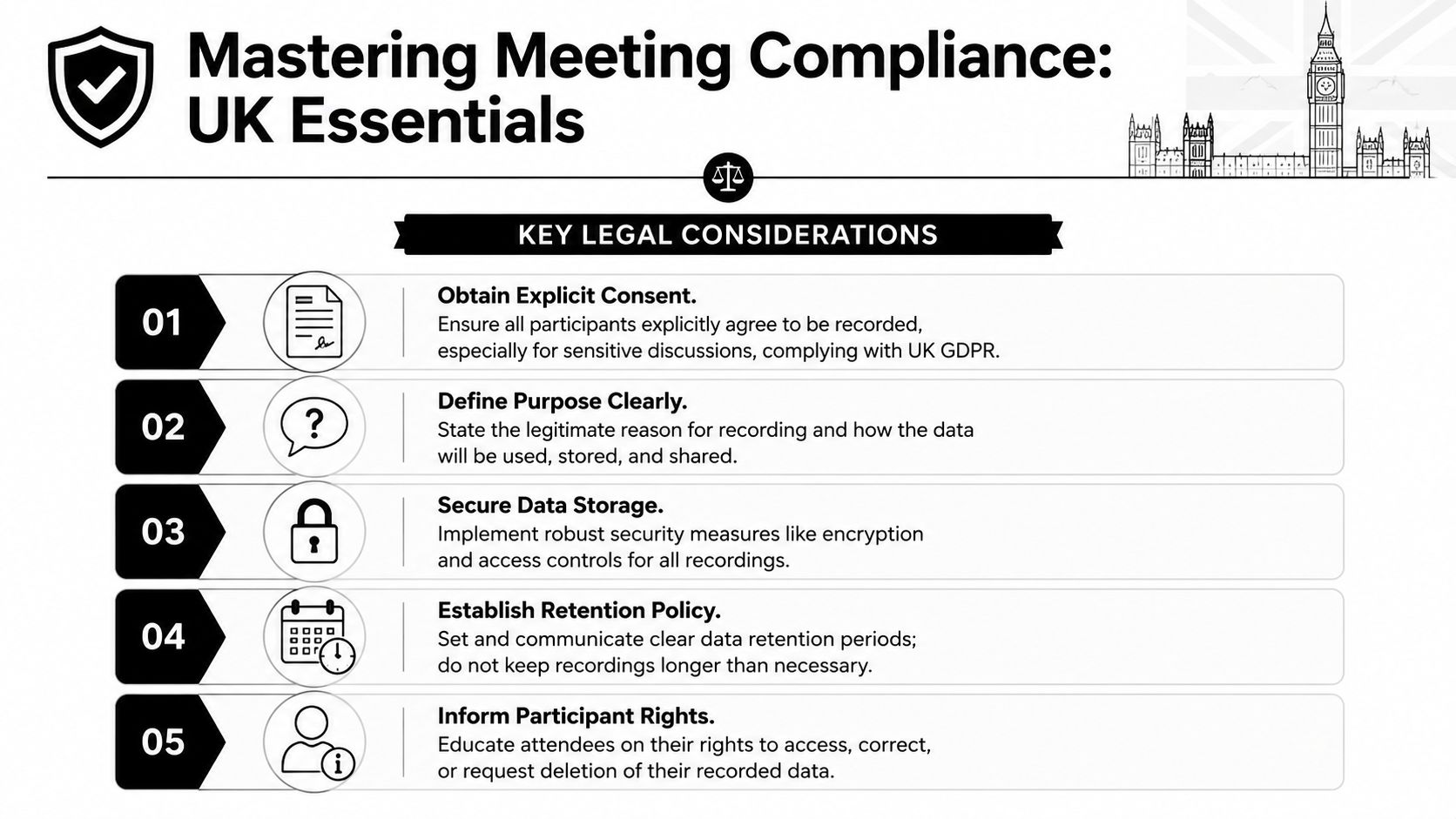
The baseline is straightforward. To comply with UK law, you must obtain explicit consent via pre-meeting notices, conduct a Legitimate Interests Assessment, use secure tools with AES-256 encryption, and delete raw recordings after minutes are approved, while retaining minutes for at least 10 years under the Companies Act 2006, as outlined in this UK meeting recording compliance guidance.
That gives you a practical sequence to follow:
- State the purpose clearly. Tell attendees why the meeting is being recorded. “For accurate minute preparation and action tracking” is better than vague wording.
- Document consent. Put the notice in the invitation and confirm it again at the start.
- Run an LIA. If you're relying on legitimate interests, record why the processing is necessary and proportionate.
- Restrict access. Only the minute-taker and authorised reviewers should be able to access the raw file.
- Delete the recording when it has done its job. Keep the approved minutes, not a permanent vault of raw audio.
A workable pre-meeting process
The easiest way to stay compliant is to standardise the pre-meeting admin. Don't improvise it each time.
A solid pre-meeting notice should cover:
- Purpose of recording: Explain that the recording supports accurate minutes and action capture.
- Storage method: Name the approved system where the file will sit during drafting.
- Access rights: Specify who can review the recording and transcript.
- Retention treatment: Say that the raw recording will be deleted after minute approval.
- Participant rights: Tell attendees how to raise objections or ask questions.
For sensitive meetings, the process should be tighter. HR matters, disciplinary issues, regulated discussions, and commercially sensitive board items need a more cautious approach. In those cases, it's often sensible to record only the formal decision-making segment or avoid recording entirely and use structured notes.
Keep your privacy notice in plain English. If attendees can't tell what you're doing with their recording, your process is already too loose.
Teams that work in regulated environments often borrow discipline from sectors with stronger data handling routines. A good example is how organisations approach secure speech workflows in clinical settings. The same principles apply to meetings, especially around controlled access and data minimisation, and they're reflected in this piece on medical speech recognition in the UK.
Here's the trade-off that matters. Recording gives you better evidence and cleaner minutes, but only if you can show you handled personal data properly. Efficiency without governance is just another risk.
Choosing Your Meeting Recording and Transcription Toolkit
Once the compliance process is fixed, the tooling decision becomes much easier. Many teams buy too early and evaluate too vaguely. They compare app logos, not workflows.
The right toolkit depends on the kind of meetings you run. A weekly internal sales call, a founder update, and a formal board meeting don't need the same level of control or output.
The three tool categories that matter
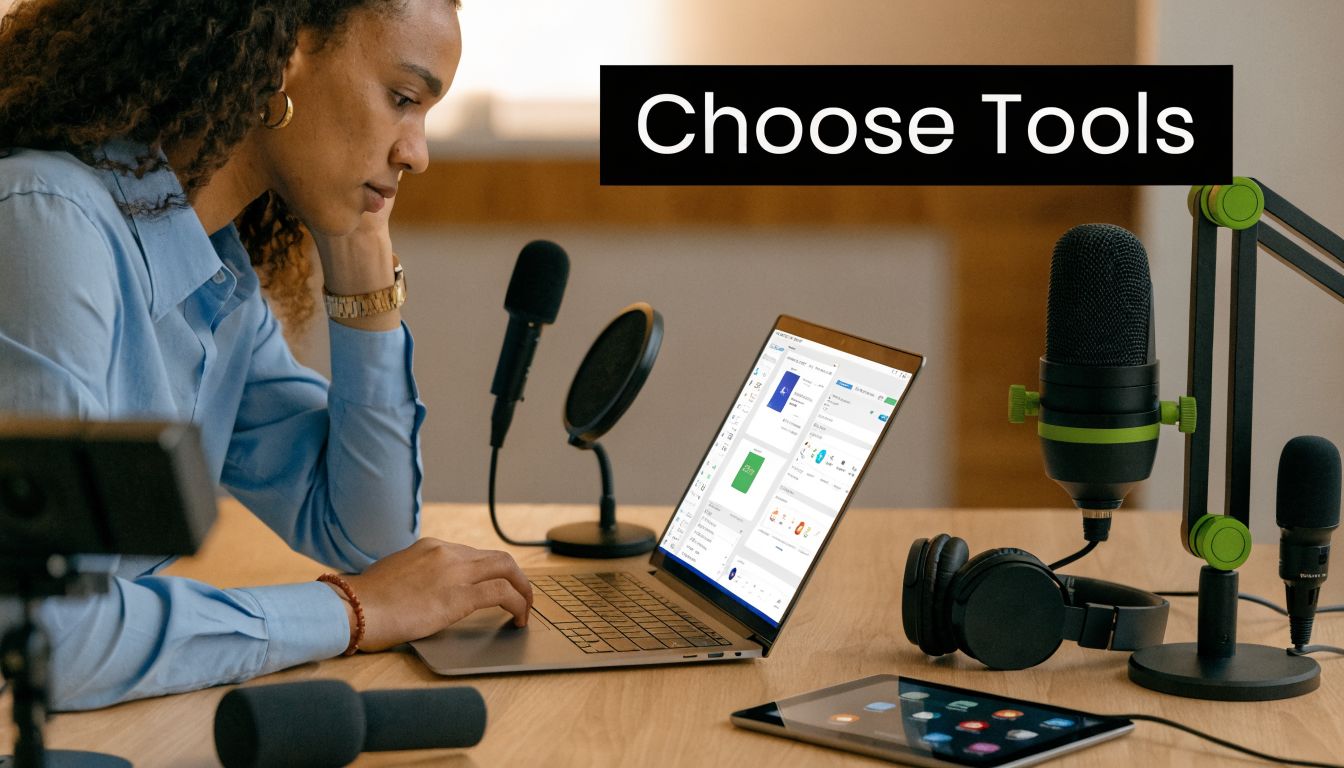
A simple way to assess the market is to split tools into three groups.
| Tool type | Best for | Main limitation |
|---|---|---|
| Built-in platform recording | Teams already using Zoom or Microsoft Teams | Basic output often needs more manual cleanup |
| Dedicated transcription tools | Teams that need stronger transcript handling and speaker separation | You still have to move content into minutes and tasks |
| Workflow automation platforms | Teams that want actions, summaries, and updates pushed into other systems | Setup needs clearer process design |
For UK organisations, transcription quality matters more than feature count. UK-focused guidance on AI transcription setup recommends using tools set to UK English models, which can achieve 95%+ accuracy. The same source says a 2025 UK Institute of Directors survey found 85% of adopters reduced action item follow-up delays by 60% with this technology.
What to prioritise when comparing options
I'd ignore flashy summaries until the fundamentals are in place. The short list should come down to these criteria:
- UK English model support: Accent handling matters. If the tool struggles with regional speech, the minutes will need heavy correction.
- Speaker diarisation: If you can't reliably tell who said what, action ownership becomes messy.
- Secure storage controls: Recording meetings for minutes means you're handling sensitive operational data.
- Export structure: The best tools let you pull out attendees, decisions, and action items in a clean format.
- Integration options: If you use Slack, Gmail, HubSpot, or Drive, the output should move there without copy-paste.
If you're reviewing the broader software market, a current round-up of best real-time transcription software 2026 is useful for seeing how dedicated tools differ in live capture and transcript handling.
Don't judge a transcription tool by the demo paragraph. Judge it by a messy hybrid meeting with overlapping voices and weak laptop microphones.
For many small teams, the built-in recorder is enough to start. For board, legal, or investor-facing meetings, the bar is higher. In those cases, you want predictable diarisation, clean exports, and a review workflow that doesn't depend on one person tidying everything by hand.
Capturing Crystal-Clear Audio and Video
A poor recording creates bad transcripts, and bad transcripts create slow, unreliable minutes. Most of the quality problem happens before software gets involved.
Room setup beats software every time
You don't need a studio. You do need basic discipline.
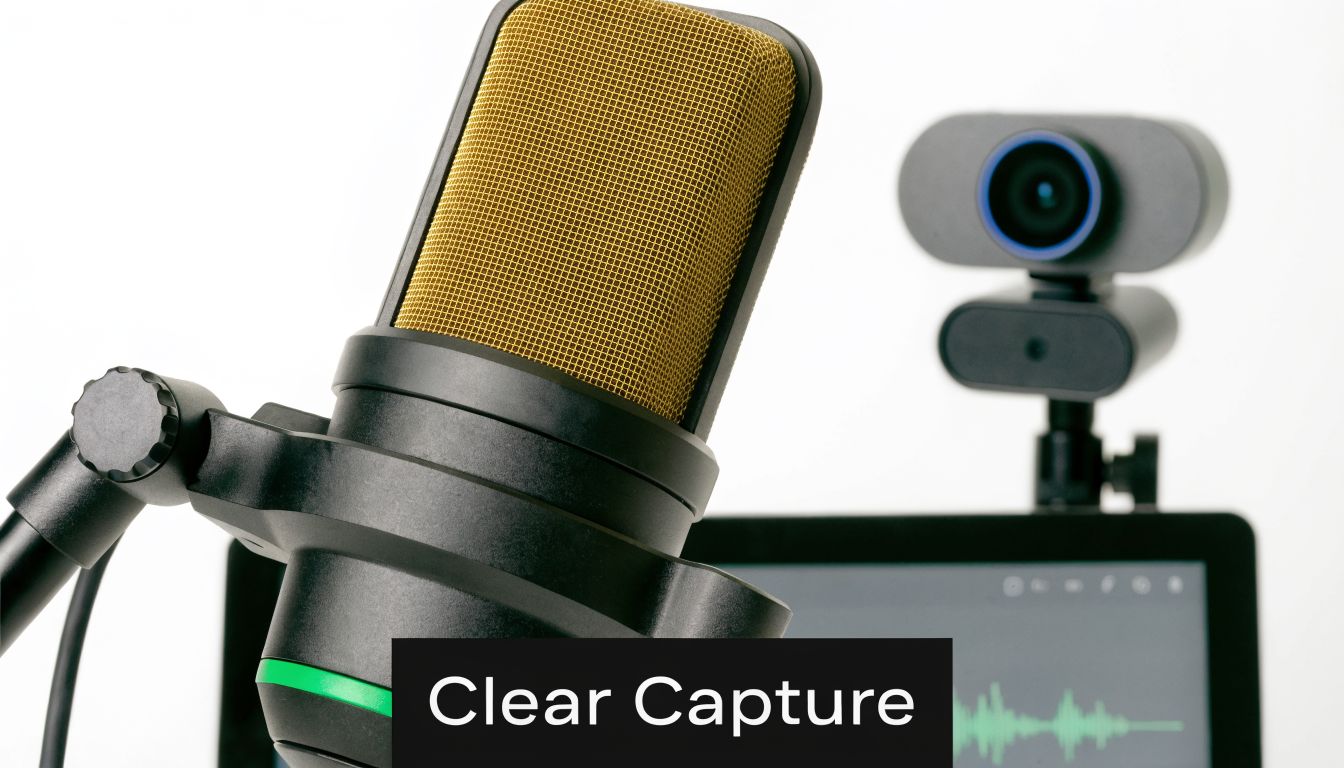
In a physical room, the best setup is usually one good conference microphone placed centrally, with participants close enough to be picked up clearly. In a hybrid meeting, remote attendees should join with headsets where possible, not open laptop speakers. Echo is harder to fix than low volume.
A few practical adjustments make an immediate difference:
- Choose a quieter room: Hard surfaces and corridor noise ruin clarity fast.
- Close the microphone gap: If people are too far from the mic, speaker separation drops.
- Run a thirty-second test: Check playback before the meeting starts, not after it ends.
- Mute notification noise: Desktop pings end up in the recording and confuse transcription.
The same applies to video. You may not need the video to draft minutes, but it helps resolve speaker confusion in review, especially in hybrid meetings where people interrupt or speak over each other.
Simple habits that improve the final minutes
Most recording problems come from behaviour, not hardware. If the chair manages the room properly, transcript quality improves immediately.
Ask people to state their name before speaking if the group is large or if external attendees are present. Push for one speaker at a time during decisions and action assignment. When someone takes ownership of a task, repeat the owner and deadline aloud.
A short visual guide can help your team tighten these habits before they become sloppy defaults.
The chair should also close each agenda item cleanly. Something as simple as “Decision agreed, Tom to send draft by Thursday” creates a far better source record than five minutes of drifting conversation.
The recorder captures what happened. The chair determines whether what happened will be easy to minute.
If you want reliable minutes, treat the meeting itself as part of the documentation process. Good recordings come from organised meetings, not rescue work afterwards.
From Raw Transcript to Official Minutes
Teams either produce a proper record or create a compliance headache in this phase. A transcript is useful evidence, but it isn't the document you circulate as minutes.
UK company law gives minutes real weight. Under the Companies Act 2006 and the Re Anglo-Continental Produce Co Ltd case, companies are legally required under Section 248 to minute all proceedings of directors' meetings, and the 1929 case showed that courts may rely on minutes even when verbal recollections conflict. That's why the editing step matters.
A transcript is not the minutes
Transcripts capture speech. Minutes capture governance.
A usable set of minutes should remove filler, repetition, and side discussion. It should retain the business value of the meeting, not the noise around it.
What belongs in official minutes usually includes:
- Meeting details: Date, time, attendees, absences, and whether quorum was present if relevant.
- Agenda progression: What was discussed under each formal item.
- Decisions made: Clear wording on approvals, deferrals, or rejections.
- Actions assigned: Owner, task, and deadline.
- Voting records: Where voting occurred, include the result clearly.
What usually doesn't belong includes opinionated language, off-the-record comments, and long back-and-forth exchanges that didn't change the outcome.
If you want a practical reference point for shaping that output, this guide on how to take minutes of meetings is useful for tightening structure and keeping the final version formal.
The review standard that holds up
The best review method is simple. First, compare the transcript against the agenda. Then test every decision and action line for clarity. If someone who missed the meeting can't tell what was agreed and who owns the next step, the minutes aren't finished.
I look for four things in the final pass:
- Neutral wording. No adjectives, no speculation, no editorial comments.
- Complete ownership. Every action has a named owner.
- Date discipline. Deadlines are specific enough to follow.
- Decision clarity. The record shows what changed because the meeting happened.
A reviewer should also correct transcript artefacts. AI often handles names badly, merges similar voices, or misreads jargon. That's normal. The fix is not to distrust the whole process. The fix is to review the output like a responsible operator, not a passive recipient.
Minutes should read as if the organisation knows exactly what it decided and why the record exists.
Automate the End-to-End Workflow with Zenfox.ai
Benefit is achieved when recording, transcription, action extraction, and follow-up stop living in separate tools. If someone still has to download the file, upload it elsewhere, copy action points into a CRM, and chase people on Slack, the process is only half-modernised.
What an automated workflow should do
The useful model is event-driven. A meeting ends, the recording is available, and the system starts the next steps without waiting for someone to remember.
That matters because UK SME automation trends show 35% growth in AI workflow automation, and the same source notes that 62% of UK sales teams cite follow-up delays as a top pain point. In practical terms, tools that can transcribe minutes from recordings, update HubSpot deals, and log actions without manual export solve a real operational bottleneck.
A clean end-to-end workflow usually looks like this:
- Calendar trigger: Detect the meeting and identify whether it should be recorded for minutes.
- Capture step: Pull the recording from Zoom or Teams once available.
- Processing stage: Generate transcript, summary, decisions, and action items.
- System updates: Push actions into Slack, Gmail, HubSpot, or task systems.
- Review gate: Hold the final minutes for human approval before circulation.
Where automation helps and where it should stop
The win is speed and consistency. The risk is assuming software can decide what counts as the formal record without supervision.
That's why the best automation setup still has a human approval point before the minutes are issued or archived. Automation should do the extraction and routing. A responsible reviewer should confirm the wording, remove anything inappropriate, and approve deletion of the raw recording under the retention policy.
If you're comparing approaches, it's worth seeing how other products frame AI-assisted note capture, including Samskit's note taking AI. The useful comparison isn't branding. It's whether the tool stops at notes or carries the work through into operational systems.
For teams that want to build broader automations around meetings, follow-up, and internal systems, this walkthrough on how to build a bot is a practical starting point.
The strongest workflow is the one that removes handoffs. Every manual handoff is another place for a decision to be missed, a task to go unassigned, or a follow-up to die in somebody's inbox.
Distribute, Store, and Follow Up Like a Pro
Once the minutes are approved, the job isn't done. A lot of teams work hard to produce the record and then handle distribution and follow-up casually. That defeats the point.
Distribution and storage without loose ends
Approved minutes should go only to the people who need them. That sounds obvious, but in practice it means being deliberate about where they're sent and where they live.
A professional process usually includes:
- Controlled distribution: Send the approved version to attendees and authorised stakeholders, not broad mailing lists.
- Single source of truth: Store the final copy in one approved location, not across inboxes and local folders.
- Version control: Mark drafts clearly and archive only the approved version as the official record.
- Retention discipline: Keep the minutes for the required period and avoid keeping raw files longer than necessary.
For UK organisations, storage choices also need to match internal data handling policy and any data residency requirements you operate under. If your team can't explain where approved minutes are stored and who can access them, the process is still immature.
Minutes should drive action
Minutes are a management tool, not a filing exercise. Their value appears in the week after the meeting, when tasks either move or stall.
A good follow-up rhythm is simple. Send the approved minutes promptly. Extract actions into the system where work is tracked. Then check progress before the next meeting, not during it.
Here's what works in practice:
- Convert actions into tasks immediately: Don't leave them trapped in a PDF.
- Use owner-based reminders: Chasing “the team” usually means nobody moves first.
- Report exceptions, not everything: Focus follow-up on overdue and blocked items.
- Carry forward unfinished actions visibly: The next agenda should reflect unresolved work.
The best minutes reduce repeat discussion because people can see the prior decision, the owner, and the status without digging.
If you run meetings this way, recording meetings for minutes stops being an administrative burden. It becomes part of how your organisation makes decisions cleanly, proves what happened, and gets work over the line.
If you want to turn meeting recordings into approved minutes, tracked actions, CRM updates, and follow-up without stitching together five separate tools, Zenfox.ai is worth a look. It's built for teams that want one automated workflow across Gmail, Slack, HubSpot, Drive, and the rest of their stack, while keeping compliance and review under control.