How to Take Minutes of Meetings That Drive Action
Learn to take minutes of meetings effectively. Our guide covers templates, best practices for legal compliance, and how to automate the process with AI.
Meeting minutes are often treated as admin. That’s why so many meetings end with vague recollections, scattered notes in Slack, and action points nobody owns.
That approach is expensive. UK workers spend an average of 11.3 hours per week in meetings, and 35% of those meetings are seen as complete wastes of time, costing UK SMEs an estimated £37 billion annually, according to Archie’s roundup of UK meeting statistics. The issue usually isn’t the conversation itself. It’s the failure to turn discussion into a clear record, a decision trail, and accountable follow-up.
For solo operators, freelancers, and small teams, this matters even more. You probably don’t have a company secretary, operations analyst, or legal team checking whether your notes are usable, shareable, and compliant. If you want to take minutes of meetings properly, you need a method that is simple enough to use every time and reliable enough to stand up when details are challenged later.
Table of Contents
- Why Great Meeting Minutes Matter More Than Ever
- The Anatomy of Effective Meeting Minutes
- Best Practices for Clarity and Legal Compliance
- Common Pitfalls and How to Avoid Them
- Automating Your Minutes with an AI Assistant
- Putting It All Together with Zenfox.ai
Why Great Meeting Minutes Matter More Than Ever
Minute-taking gets dismissed because it looks clerical. In practice, it’s an execution system.
If a meeting ends without a usable record, the same work comes back in a different form. Someone asks what was agreed. A client follows up on a promise nobody logged. A founder tries to remember who owned the next step. A team loses momentum because the discussion never became a decision.
That’s why minutes matter more now, not less. Hybrid work has made meetings easier to schedule and harder to close properly. Notes live in email drafts, docs, chat threads, and recordings. Without one clean record, the team starts working from memory.

The businesses that stay organised don’t just “have meetings”. They convert meetings into actions, owners, deadlines, and searchable records. That’s the operational difference between a conversation and a workflow. If your team is trying to tighten follow-up and reduce manual admin, this piece on workflow management systems is a useful companion.
Practical rule: If nobody can read the minutes and immediately tell what was decided, who owns what, and what happens next, the minutes failed.
Good minutes do three jobs at once:
- They preserve decisions so people stop arguing over what was said.
- They assign accountability so follow-up doesn’t depend on memory.
- They protect the business by creating a defensible record.
That last point gets overlooked. In the UK, minutes can become part of the evidence trail around governance, approvals, disputes, and data handling. For a small business, that’s not a theoretical concern. It’s part of basic professional discipline.
The Anatomy of Effective Meeting Minutes
Most weak minutes fail for a simple reason. They try to capture everything and end up capturing nothing clearly.
Strong minutes are selective. They don’t record every sentence. They record the parts that matter later.
What minutes must capture
A reliable set of minutes should include the meeting frame first, then the substance.
Start with the basics:
- Meeting details. Date, time, location or platform, and meeting title.
- Attendees. Who was present, absent, or invited.
- Agenda items. The topics covered.
- Decisions. What was approved, rejected, deferred, or flagged.
- Actions. What needs to happen next, who owns it, and by when.
- Risks or dependencies. Anything that could block progress or create exposure.
- Approval status. Whether the minutes are draft, reviewed, or approved.
The hardest part is usually the middle. People tend to over-record discussion and under-record outcomes. Don’t write, “The team had a long discussion about pricing.” Write what that discussion produced. For example: “Pricing review deferred pending revised margin analysis from finance.”
Minutes are not a memory dump. They are a working record.
Reusable Meeting Minutes Template
Use this format when you need to take minutes of meetings consistently across client calls, internal reviews, board discussions, or project check-ins.
| Component | Purpose | Example |
|---|---|---|
| Meeting title | Identifies the session clearly | Weekly sales pipeline review |
| Date, time, and location | Anchors the record | 14 May, 10:00, Google Meet |
| Attendees | Shows who was present and absent | Present: A. Shah, L. Brown. Absent: R. Cole |
| Agenda items | Structures the record | Pipeline status, proposal blockers, next week priorities |
| Key decisions | Captures what was agreed | Proposal approval moved to Friday pending client feedback |
| Action items | Makes follow-up clear | Liam to send revised proposal by Thursday |
| Deadlines | Prevents drift | Draft due by 16 May |
| Risks or issues | Flags blockers and exposure | Client still awaiting legal wording |
| Next meeting | Maintains continuity | Next review scheduled for Monday at 09:30 |
| Approval note | Marks record status | Draft shared with chair for review |
A few habits improve this template quickly.
Keep the wording neutral
Use verbs like agreed, noted, approved, deferred, requested, and assigned. Avoid adjectives that imply judgement.
Bad: “The client was confused and the marketing lead gave an unclear update.”
Better: “The client requested clarification on campaign timing. Marketing will circulate an updated timeline.”
Separate discussion from outcome
If an agenda item generated a lot of debate, summarise it in one line and then state the result in another.
That small distinction keeps the minutes readable and makes later review far easier. It also reduces the risk of turning working notes into a document full of unnecessary detail.
Best Practices for Clarity and Legal Compliance
A lot of people know how to take notes. Far fewer know how to write minutes that are both useful and legally sound.
That gap matters. In the UK, 28% of data breach complaints in the first half of 2025 stemmed from mishandled meeting records containing personal data, with average SME fines of £4,100 per breach, according to Guidebook’s discussion of minute-taking and compliance. If your minutes include names, performance issues, client details, or sensitive internal comments, sloppy handling can create a problem fast.
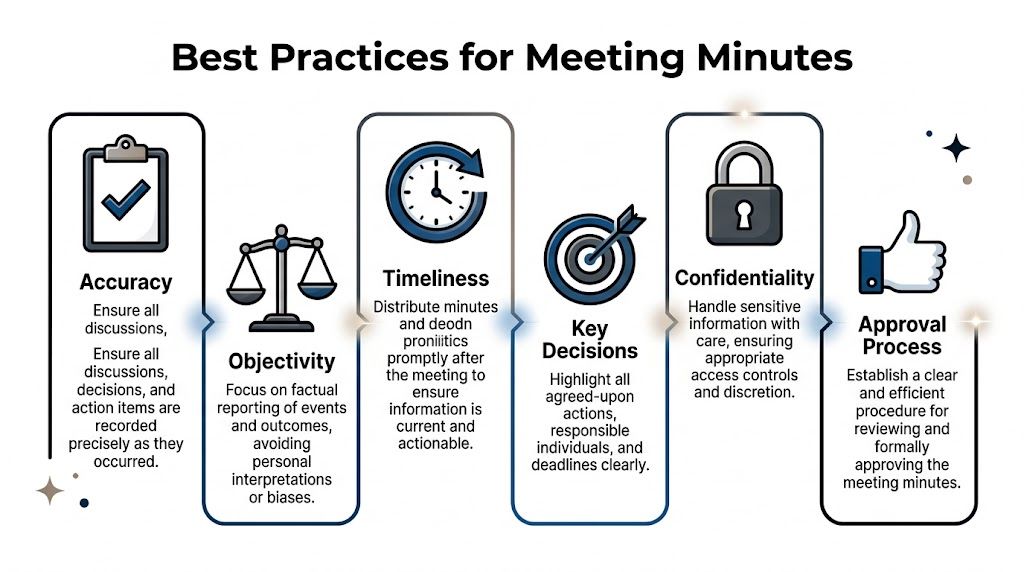
For firms dealing with client matters, disputes, or regulated records, the standards are even tighter. That’s one reason legal teams care so much about clean documentation and auditability, which is also why tools built for lawyers tend to prioritise traceability and controlled access.
Write for the record, not for the room
The room hears tone, context, side comments, and background. The record doesn’t.
Minutes should capture decisions, actions, and material risks in plain language. They should not try to preserve the mood of the meeting. That means:
- Avoid opinionated wording like “poor explanation”, “heated objection”, or “confusing response”.
- Skip unnecessary personal detail unless it is directly relevant to the decision record.
- Summarise, don’t dramatise. You are documenting corporate memory, not writing commentary.
A clean way to test a sentence is simple. Ask whether it helps someone understand what the organisation decided or needs to do. If it doesn’t, leave it out.
Handle personal data carefully
Many SMEs get casual at this point, and that’s where trouble starts.
Minutes often include names linked to actions, concerns, absences, or performance issues. Sometimes that’s necessary. Sometimes it isn’t. If a point can be recorded without exposing more personal detail than needed, use the narrower version.
For example:
- Too broad: “Sarah admitted she forgot to send the client renewal and caused the delay.”
- Better: “Client renewal follow-up was delayed. Action assigned to Sarah to complete by end of day.”
The second version still creates accountability. It just avoids unnecessary editorial framing and extra personal detail.
Keep names where ownership matters. Remove them where they only add colour.
If the meeting touches disciplinary issues, health information, legal advice, or other sensitive matters, many teams should keep the formal minutes brief and control access to supporting material separately.
Build a clean approval trail
Minutes aren’t finished when the meeting ends. They become reliable when they are reviewed and stored properly.
A practical process looks like this:
- Draft promptly while the meeting is fresh.
- Check decisions and actions against any agenda, chat log, or recording.
- Send for review to the chair or relevant lead.
- Store the approved version in one controlled location.
- Limit version sprawl. Don’t let five edited copies circulate by email.
For UK governance settings, the source material provided for this article notes retention expectations under the Companies Act 2006 and the importance of keeping compliant records. Even outside formal board settings, the principle holds. If a record matters, it needs one owner, one approved version, and controlled distribution.
Common Pitfalls and How to Avoid Them
Bad minutes usually come from good intentions. Someone tries to be thorough, writes too much, delays sending it, and leaves everyone with a document nobody wants to use.

One mistake causes more damage than people expect. Editorialising or adding personal interpretation appeared in 28% of challenged UK court cases involving minutes, as noted in this overview of high-stakes minute-taking techniques.
Pitfall one is writing a transcript instead of minutes
A project lead tries to be safe, so they write down almost every comment. The final document is long, messy, and full of remarks that don’t help anyone act.
The fix is restraint. Capture the topic, the key point, and the outcome. If you have a recording, use it as backup, not as a reason to overstuff the written record.
A useful question is: what would a person need to know next week to move the work forward?
Pitfall two is vague action points
This happens constantly. The minutes say things like “Follow up with client” or “Review proposal”. Nobody knows who owns it or what done looks like.
Write action points so they can be executed without another meeting.
- Weak: Review onboarding deck.
- Strong: Priya to revise onboarding deck and send final version to the client before Friday.
That one extra line prevents the usual Slack thread of “Who was doing this?”
A short explainer can help if your team is trying to tighten its process:
Pitfall three is waiting too long to send them
A freelancer finishes a client workshop on Tuesday and sends the notes the following Monday. By then, people have forgotten the wording, momentum has gone, and half the actions are already drifting.
Fast distribution matters because memory degrades and priorities shift. Minutes are strongest when they land while the meeting still feels current.
The best minutes arrive while people still remember the conversation, but no longer need to rely on it.
Another common error is mixing private working notes with the final record. Keep rough notes separate. Your final minutes should be concise, reviewable, and ready to share with the right audience.
Automating Your Minutes with an AI Assistant
Manual minute-taking breaks down when meetings pile up. Since the shift to hybrid work post-2020, meeting volumes in the UK have tripled, and executives now spend up to 23 hours per week in meetings, according to My Hours’ meeting statistics summary. At that point, minutes stop being a writing task and become a throughput problem.
That’s where AI helps. Not by replacing judgement, but by removing the repetitive parts humans are bad at sustaining.
Where automation actually helps
A practical AI assistant can do four useful things:
- Capture the meeting source from a live meeting, an online meeting through Chrome screen sharing, or extracted audio from a YouTube video.
- Produce a transcript that gives you a searchable raw record.
- Turn the transcript into a summary with action points when needed.
- Deliver the output quickly so it can be reviewed and shared while the discussion is still fresh.
In the workflow described by the content owner, the turnaround from meeting end to a shareable summary is under 10 minutes. That matters because speed is one of the main reasons manual processes fail.
What a practical workflow looks like
The best use of AI isn’t “generate minutes and hope for the best”. It’s to create a first draft that is structured enough for a human to verify fast.
A sensible operating model looks like this:
- Record the meeting from the source you already use.
- Generate transcript and summary automatically.
- Review the draft for sensitive content, wording, and ownership.
- Approve and distribute the final version.
- Push actions into the tools where work happens, such as CRM tasks, internal chat, or project trackers.
That last step is a significant upgrade. Once meeting outputs can feed the rest of the stack, minutes stop living as dead documents. They become triggers for work. If your team is already experimenting with lightweight automation, this guide on how to build an instant app shows the same general principle. Capture intent, structure it, then turn it into action.
AI won’t remove the need for judgement around confidentiality, legal wording, or distribution rules. It will remove a lot of the drag that causes teams to skip the process entirely.
Putting It All Together with Zenfox.ai
The best minute-taking process is the one people will use every time. That means it has to be quick, consistent, and easy to review.
A workable setup looks like this. Record the meeting from the source you already have. Let the system produce the transcript. Review the summary and action points. Make small edits for legal sensitivity, client language, or internal context. Then share one clean version and send the actions where they belong.
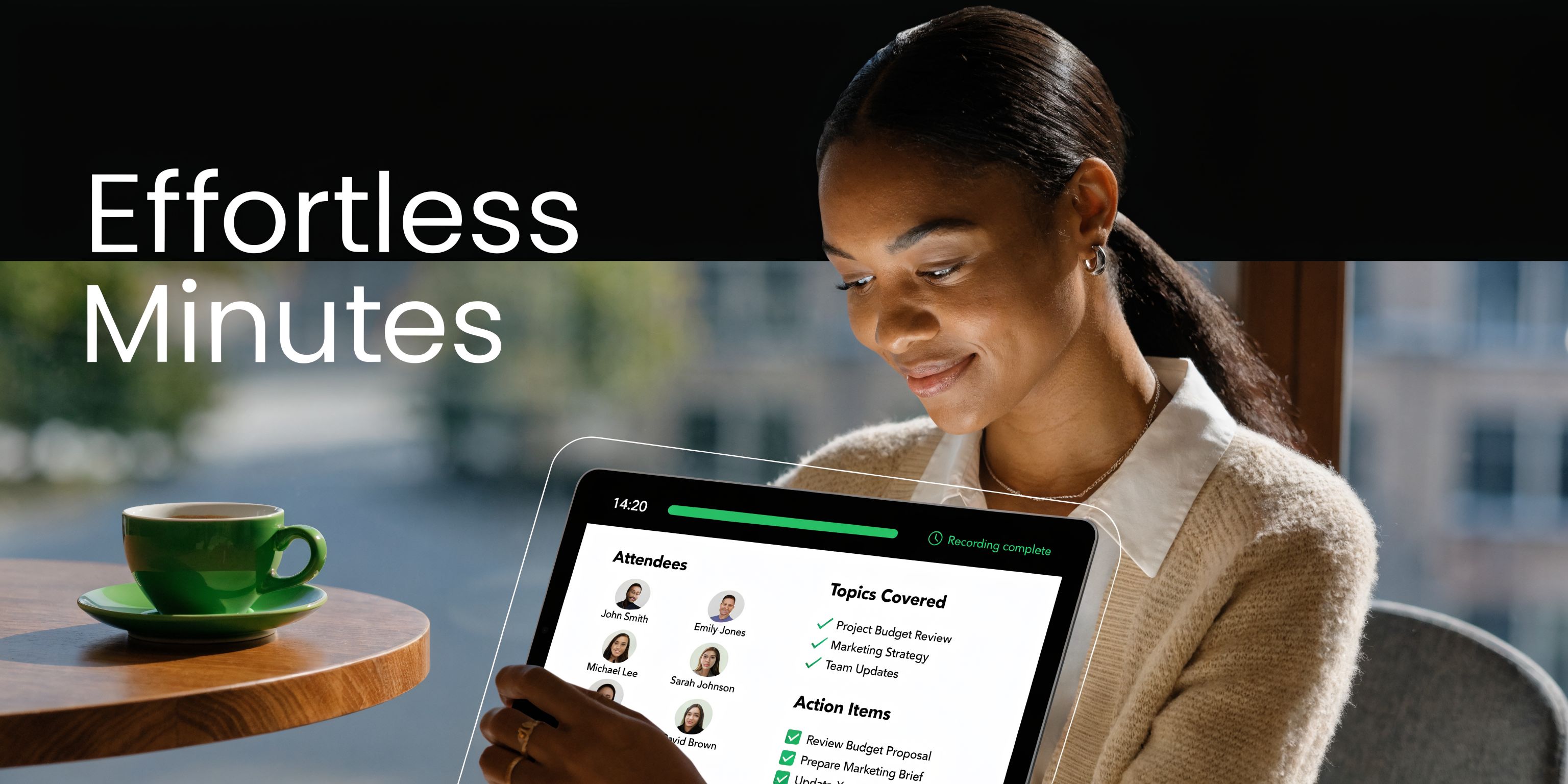
That’s the difference between notes that sit in a folder and minutes that drive work. You aren’t just documenting the past meeting. You’re reducing ambiguity, creating an audit trail, and making follow-up immediate.
For small businesses and freelancers, that matters more than having perfect prose. Clear decisions, named owners, sensible handling of personal data, and fast distribution will outperform elaborate note-taking every time.
If you need to take minutes of meetings regularly, aim for a process that is disciplined enough for compliance and light enough to keep pace with real work.
Zenfox.ai helps you move from raw meeting audio to usable output fast. You can record a live meeting, capture an online meeting through Chrome screen sharing, or extract audio from a YouTube video, then get a transcript, summary, and action points in under 10 minutes. If you want meeting records that are easier to review, easier to share, and easier to turn into follow-up across your stack, explore Zenfox.ai.