Data Integration Platform: A Guide for Small Teams
What is a data integration platform? This guide explains key patterns, features, and use cases for freelancers and startups looking to connect their tools.
You're probably dealing with a familiar mess. A lead fills in a form on your site, the details land in one tool, the follow-up draft sits in another, and your CRM stays out of date until someone remembers to copy everything across. By Friday, nobody is fully sure which record is the latest one.
That's the point where most small teams start hearing the phrase data integration platform and assume it's an enterprise purchase with a long implementation and a bigger invoice than they want to see. In practice, it's often much simpler than that. For freelancers, lean agencies, startups, and small sales teams, a good platform removes repetitive admin, keeps apps in sync, and cuts down the number of “Can you send me the latest version?” messages flying around Slack and email.
The space is growing quickly because the need is obvious. The global data integration software sector is projected to grow from US$ 6.8 billion in 2026 to US$ 16.1 billion by 2033, and Europe, including the UK, is projected to be the fastest-growing regional market at a 15.2% CAGR according to Persistence Market Research's data integration software market outlook. But the interesting part for smaller teams isn't the market size. It's that tools once built for IT departments are becoming usable for people who just want Gmail, Slack, HubSpot, and a project tracker to behave like one organised system.
Table of Contents
- What Is a Data Integration Platform
- Key Architectures and Components Explained
- Common Data Integration Patterns Compared
- Essential Features for Modern Teams
- Security and Compliance in Data Integration
- Real-World Use Cases for Agile Teams
- How to Choose Your Platform and Get Started
What Is a Data Integration Platform
A data integration platform connects separate apps and data sources so information moves automatically between them. Instead of your team retyping client details from Typeform into HubSpot, then posting a Slack message, then updating a spreadsheet, the platform handles that flow for you.
For a small team, the simplest way to think about it is this. It's a universal translator for your software stack. HubSpot, Gmail, Slack, Google Drive, and your project tool all store information differently. A data integration platform helps them exchange data in a consistent way so your workflow doesn't depend on manual copying.
What problem it actually solves
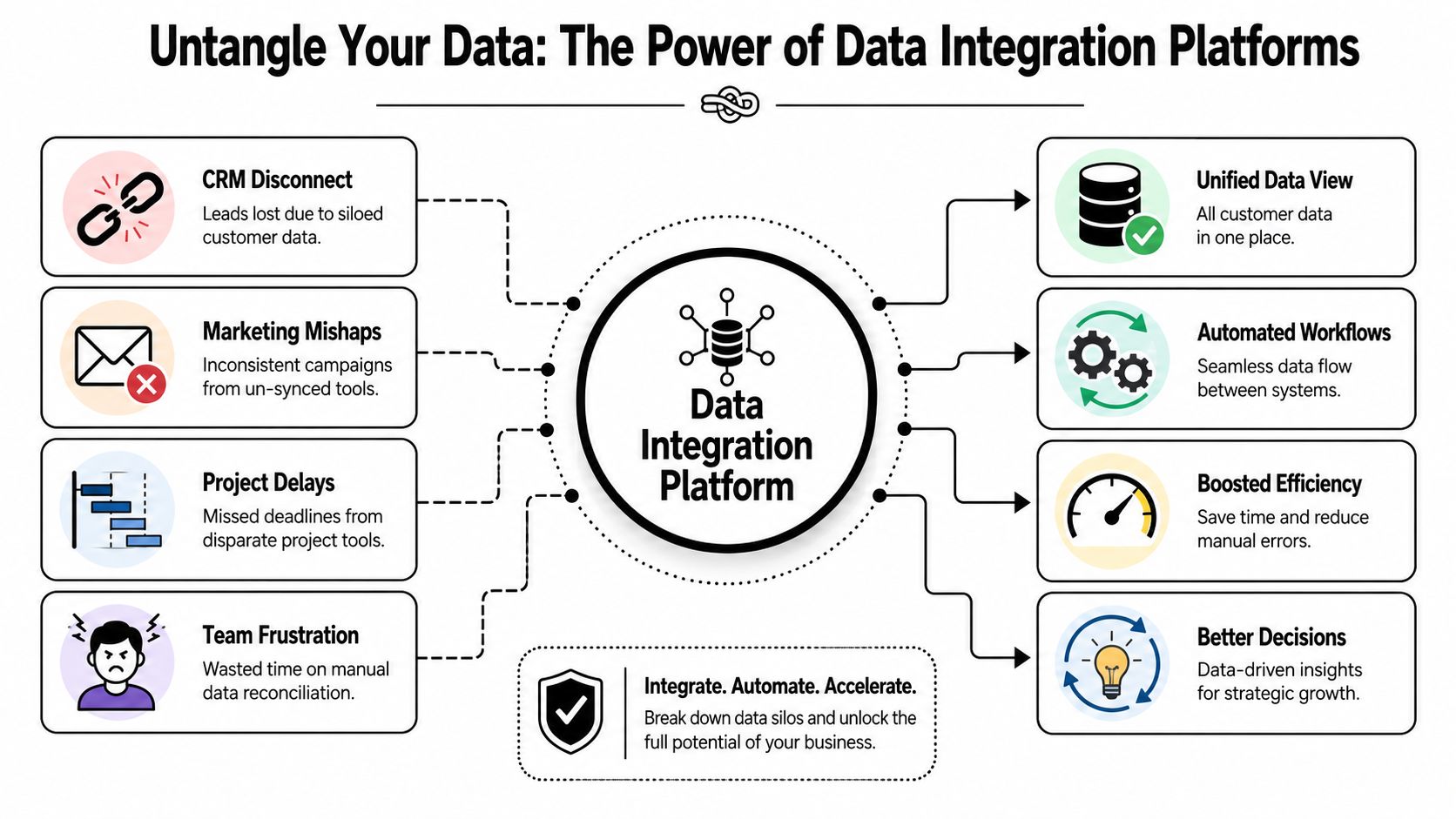
Organizations often don't have a “data problem” in the abstract. They have a day-to-day operations problem.
- Sales loses context: a lead exists in the CRM, but their latest email exchange is in someone's inbox.
- Marketing works from stale information: campaign lists don't reflect recent customer activity.
- Project delivery slips: task updates stay trapped in the project app instead of reaching clients or account managers.
- Founders become human middleware: they end up checking multiple tools just to answer one basic question.
A platform fixes this by creating reliable routes between systems. If you're still fuzzy on the app-to-app side of this, this plain-English guide to API integration basics is useful because most modern integrations rely on APIs under the hood.
Why smaller teams should care
Large companies buy integration platforms because they have too many systems. Smaller teams need them for a different reason. They can't afford to waste skilled time on admin.
Practical rule: If a workflow requires someone to copy the same information into two tools, that workflow is already a good candidate for integration.
The value isn't just speed. It's consistency. When the same customer record updates across tools automatically, fewer mistakes creep in. Follow-ups happen on time. Reports stop being stitched together by hand. Handoffs between sales, delivery, and support become less fragile.
That's why the term matters. A data integration platform isn't only an IT product. For a lean team, it's an operations tool that keeps work moving without hiring more people just to manage the software you already pay for.
Key Architectures and Components Explained
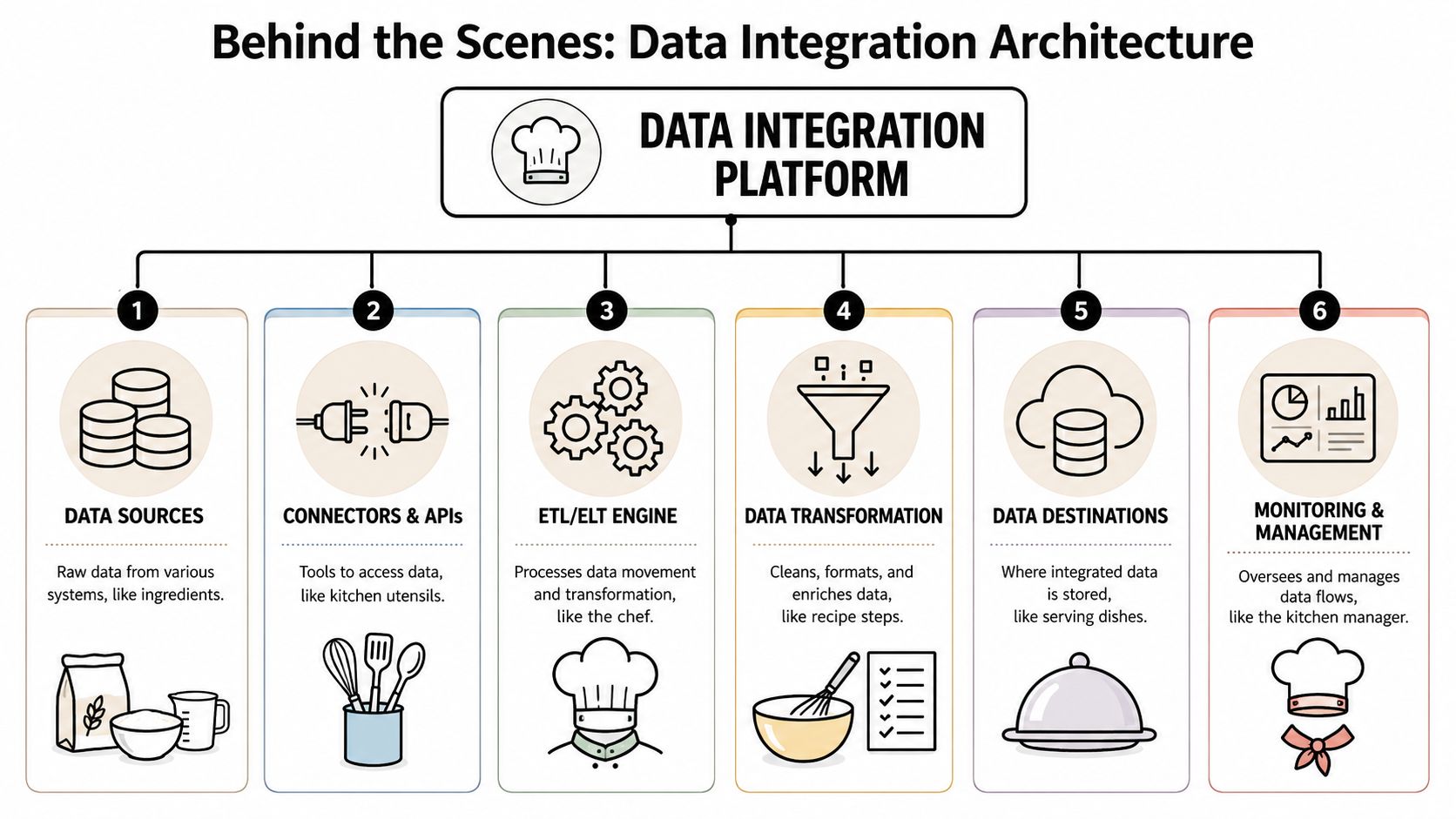
Inside a data integration platform, the moving parts are less mysterious than they sound. The easiest analogy is a kitchen. Different ingredients arrive from different places, someone prepares them, a recipe controls the order, and the final dish goes somewhere useful.
Connectors are the grocery deliveries
A connector is the part that knows how to talk to a specific app. One connector pulls data from Gmail, another sends information to Slack, another updates HubSpot, and another reads files from Google Drive.
For non-technical teams, connector quality matters more than flashy branding. If the platform has strong ready-made app connections, setup is faster and maintenance is lighter. If it doesn't, you end up paying for custom work or giving up on the automation.
If you want a more practical sense of how app-level connectivity works, this overview of API connections for business systems is a useful companion.
The transformation engine is the chef
Raw data usually arrives in an awkward format. One app records a full name in a single field. Another wants first name and surname separately. One system writes “United Kingdom”, another uses “UK”.
The transformation engine cleans, reshapes, and maps that data so it makes sense at the destination. Good platforms make this visual. Weak ones force you into brittle rules that break the moment a field changes.
Clean data beats clever automation. If the information going in is inconsistent, the workflow just spreads that inconsistency faster.
Workflows are the recipe
A workflow decides what happens, and in what order.
A simple recipe might be:
- New website form arrives.
- Create or update contact in HubSpot.
- Notify a Slack channel.
- Create a follow-up task for sales.
- Log the interaction for reporting.
That sequence is where a platform becomes operationally valuable. You're not just moving data. You're shaping the process around it.
Destinations and monitoring matter more than people expect
The final destination could be a CRM, a spreadsheet, a dashboard, a warehouse, or another app. In small teams, the destination is often the tool where action happens, not a giant reporting system.
What people overlook is monitoring. If an integration fails without notification, trust disappears. The platform should show what ran, what failed, and what needs fixing.
Here's the kitchen view at a glance:
| Component | Kitchen analogy | Business role |
|---|---|---|
| Connectors | Grocery deliveries | Bring data in and out of apps |
| Transformation engine | Chef | Clean and reshape data |
| Workflow logic | Recipe | Decide the order of tasks |
| Destination | Pantry or serving dish | Store or use the finished data |
| Monitoring | Kitchen manager | Track issues and keep flows reliable |
Once you understand these pieces, most platforms stop looking magical. They're systems for moving, cleaning, and routing information in a controlled way.
Common Data Integration Patterns Compared
Not every integration works the same way. The pattern you choose affects speed, flexibility, maintenance, and who can manage it without calling a developer.
One reason this matters is that integration is still harder than many buyers expect. Only 28% of enterprise applications are currently connected, and 71% of organisations take at least 3 weeks to bring a single integration to market, according to Integrate.io's analysis of enterprise data integration adoption. Small teams usually don't have the patience or staffing for that kind of delay, so they need the simplest pattern that solves the core problem.
ETL
ETL stands for extract, transform, load.
The platform pulls data from a source, cleans and changes it, then sends it to the destination. This is the classic model. It's useful when the destination must receive polished, structured data.
For a small team, ETL is solid when the process is stable. The downside is rigidity. If your workflow changes often, heavily structured ETL can feel like editing plumbing every time the business evolves.
ELT
ELT stands for extract, load, transform.
This flips the order. The data lands first, then gets transformed later. That gives more flexibility when you're still working out how you want to use the information.
For startups, ELT can be attractive because it lets you move quickly and refine later. The catch is that it assumes your destination can handle that later transformation. For many non-technical teams, that's not always the case.
CDC
CDC, or change data capture, watches for changes in the source and moves only what changed. If a customer record is updated, the system passes along the update rather than reprocessing everything.
This is useful for real-time sync and systems that change frequently. It reduces lag and avoids clunky batch updates. But it can be harder to configure well, especially if the source systems are inconsistent or old.
iPaaS
iPaaS means integration platform as a service. In plain terms, it's a cloud-based integration product built to connect apps and automate workflows without forcing you to build the plumbing from scratch.
For freelancers and small teams, this is usually the most practical starting point. It tends to offer visual builders, pre-built connectors, and easier maintenance than traditional integration tooling.
If your goal is “connect my apps and remove manual admin”, iPaaS is usually the right first lens. If your goal is “build a heavy analytics pipeline”, you may need something deeper.
Data Integration Patterns At a Glance
| Pattern | What It Does | Best For | Primary Benefit |
|---|---|---|---|
| ETL | Transforms data before loading it | Stable operational processes | Cleaner data before it reaches the target |
| ELT | Loads first, transforms later | Teams that want flexibility | Faster initial movement of data |
| CDC | Moves only changes | Real-time sync use cases | Keeps systems current without full reloads |
| iPaaS | Connects apps through managed workflows | Small teams and non-developers | Fast setup and lower technical overhead |
What usually works for smaller teams
If you run a lean operation, complexity is the enemy. Most small teams don't need a grand data architecture. They need a lead to show up in the CRM, a status update to trigger a client message, or a support event to notify the right person.
That's why iPaaS-style tools usually win early. They reduce setup work, shorten the path to value, and let operations people own the workflow.
What doesn't work as well is overbuying. I've seen teams choose enterprise-grade tooling because it looked future-proof, then spend months wrestling with it while the original manual process stayed in place. A good integration pattern should remove friction now, not promise elegance later while your team still copies and pastes between tabs.
Essential Features for Modern Teams
When evaluating a data integration platform, the feature list only matters if it changes the way your team works. Small teams should read every capability through one filter. Does this save real time, reduce avoidable mistakes, or let a non-technical person manage the process?
Features that earn their place
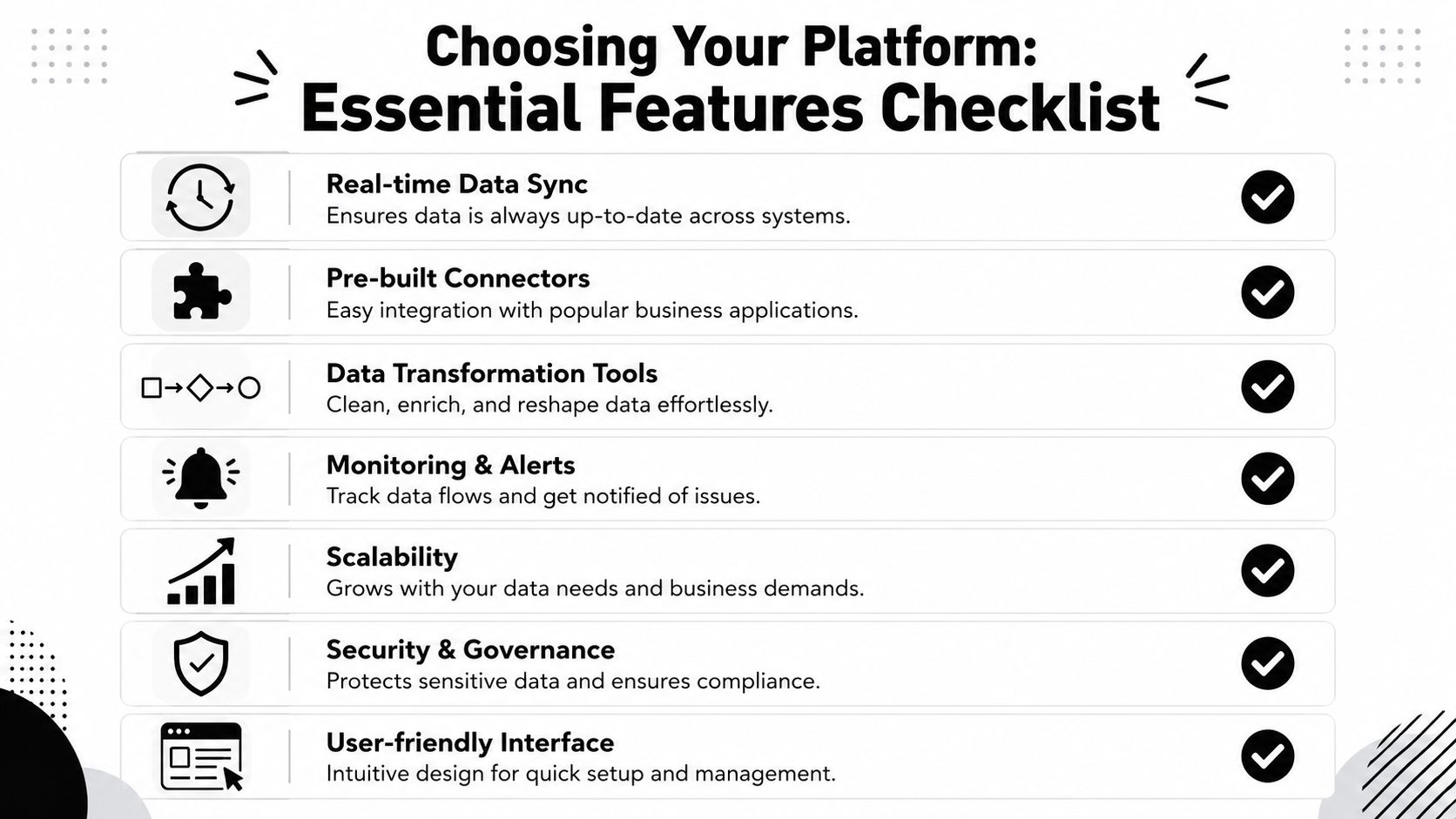
Some capabilities sound impressive in demos but don't matter much day to day. These ones do.
- Pre-built connectors: If your team uses HubSpot, Gmail, Slack, Google Drive, Asana, or a similar stack, built-in connectors cut setup time and lower risk.
- Visual workflow builder: A marketing lead or operations manager should be able to adjust a workflow without waiting on engineering.
- Data transformation tools: You need to map fields, clean values, and route records properly. Without this, integrations become dumb pipes.
- Real-time or near-real-time sync: Fast updates matter when teams are following up on leads, client requests, or project changes.
- Monitoring and alerts: The platform should tell you when a sync fails and why.
- Access controls and governance: Not everyone should see or edit every workflow.
- Scalability: You may be small now, but the platform shouldn't collapse when usage grows.
What those features mean in practice
A visual builder doesn't just make the interface look friendly. It changes ownership. Instead of filing an internal request to alter a workflow, the person who runs the process can often adjust it directly.
Monitoring has the same kind of practical value. Teams often underestimate this until something breaks and goes unnoticed. If a lead capture integration fails and nobody notices, the platform hasn't saved time. It has created hidden loss.
Buy for maintainability, not just setup. The workflow you can understand six months from now is worth more than the clever one nobody wants to touch.
A short buyer's filter
Use this checklist when comparing options:
| Feature | Why it matters for small teams |
|---|---|
| Connector library | Reduces custom setup work |
| No-code interface | Lets non-technical staff own automations |
| Error handling | Prevents silent failures |
| Flexible mapping | Keeps records accurate across tools |
| Audit trail | Makes changes visible and easier to review |
The strongest platforms aren't the ones with the longest feature pages. They're the ones that make daily work calmer. When a team trusts the flows, they stop building parallel spreadsheets and backup routines “just in case”.
Security and Compliance in Data Integration
Security gets framed as a big-company issue until a small team has to answer a client questionnaire or handle sensitive customer data. Then it becomes immediate. The right data integration platform has to make secure handling normal, not optional.

What secure integration looks like
In UK-regulated environments, the baseline is not vague. Regulated data platforms must use standardised API or webhook HTTPS interfaces with JSON payloads and encrypt data in transit via mTLS to support resilience and security, as discussed by Ometis on data integration and compliance concerns. The same source notes that 65% of UK startups delay data integration due to compliance fears.
For a non-technical manager, the key point is simple. Your platform should protect data while it moves, not only when it sits in storage. If data passes between apps, that transfer path matters.
What to check before you approve a platform
Security review doesn't have to become a legal marathon. Start with the practical questions.
- Encryption in transit: Ask how the platform protects data while it moves between systems.
- Access controls: Check who can create, edit, and view workflows.
- Auditability: You want a record of what ran and who changed what.
- Data handling terms: Read the provider's processing commitments. A clear example of what to look for is Thareja Technologies Inc. policies, which help show the kind of contractual clarity buyers should expect around data processing.
- Compliance posture: If your clients care about GDPR or SOC 2 alignment, your provider should be able to discuss that plainly.
Why small teams hesitate, and how to handle it
A lot of founders delay integration because they think secure setup requires enterprise budget and enterprise staff. Usually, the main issue is uncertainty. They don't know which controls matter, so they postpone the whole decision.
A useful starting point is to separate genuine requirements from imagined complexity. If you'd like a plain-language view of modern automation risk, this guide on AI agent security and enterprise data safety helps frame the questions sensibly.
Compliance fear often masks a workflow problem. Teams know the manual process is inefficient, but they don't trust the automation yet.
That trust comes from visibility and discipline. Know where data moves, who can access it, and what happens when something fails. If a platform can't answer those basics cleanly, it's not ready for business use, no matter how polished the demo looks.
Real-World Use Cases for Agile Teams
The biggest gap in this market isn't technical capability. It's relevance. A lot of content about data integration platforms assumes a central IT team, a data warehouse strategy, and a budget cycle. That leaves out the people who need help most. According to UK Finance's discussion of better data integration, 78% of UK freelancers struggle with disconnected CRMs, yet only 3% use traditional data integration tools.
A freelancer automating client updates
A solo consultant manages delivery work in Asana, client conversations in Gmail, and weekly reporting in Google Docs. Every Friday, they spend part of the afternoon checking task progress, summarising completed work, and drafting a status email.
A lightweight integration changes the routine. Task updates feed into a prepared reporting workflow, the summary pulls from the current project state, and the consultant reviews rather than rebuilds the update. The gain isn't abstract. It's fewer missed details and a cleaner end to the week.
A startup routing leads without manual handoffs
A small startup captures leads through a website form. Before integration, somebody checks submissions, copies details into HubSpot, and posts a message in Slack so sales notices the enquiry.
After integration, the lead enters the CRM automatically, the right owner gets assigned, and the sales channel gets notified with context. That means faster follow-up and less dependence on someone “remembering to do the admin”.
This kind of workflow is where a modern platform earns its keep. The process is simple, but the consistency matters.
To see the style of workflow orchestration that zero-code teams increasingly expect, this walkthrough is worth a look:
A sales team creating a usable customer view
A lean sales team often has customer context split across places. Contact details sit in the CRM. Recent emails live in Gmail. Support issues are logged elsewhere. When someone prepares for a call, they have to reconstruct the account by hand.
A sensible integration flow brings those signals together in the CRM or a shared workspace. Nobody gets a mythical “single source of truth” overnight, but they do get a far more complete picture before outreach.
The best use cases usually start small. One painful workflow, one clear trigger, one obvious destination.
That's the pattern agile teams should follow. Don't begin with a grand integration programme. Start with the handoff or update that repeatedly wastes time, then automate that path cleanly.
How to Choose Your Platform and Get Started
Choosing a data integration platform is easier when you ignore the vendor language and work from your own workflow.
Start with one question. Where does manual re-entry happen most often right now? If a lead gets copied from a form into HubSpot, then into Slack, then into a tracker, that's your first candidate. If client reporting requires pulling updates from Asana, Gmail, and Drive every week, start there instead.
A practical selection checklist
Use this short filter before you commit:
- Must-have app connections: List the tools you need on day one, not the tools you might use later.
- Who will manage it: If the answer isn't a developer, prioritise no-code or plain-English workflow setup.
- Error visibility: Make sure the platform shows failures clearly and doesn't hide them behind technical logs.
- Security fit: Confirm it aligns with your handling requirements before rollout.
- Operational simplicity: Favour a platform your team will keep using.
What works and what usually doesn't
What works is a narrow first use case with obvious value. What usually fails is buying a platform for its theoretical power, then trying to redesign every process at once.
A good rollout looks boring. One workflow gets automated. The team trusts it. Then you add the next one.
If you're comparing options, platforms that connect common business apps and support zero-code automation are usually the right place to begin for smaller teams. The best first move isn't “transform the business”. It's to remove one repetitive task that keeps stealing attention from higher-value work.
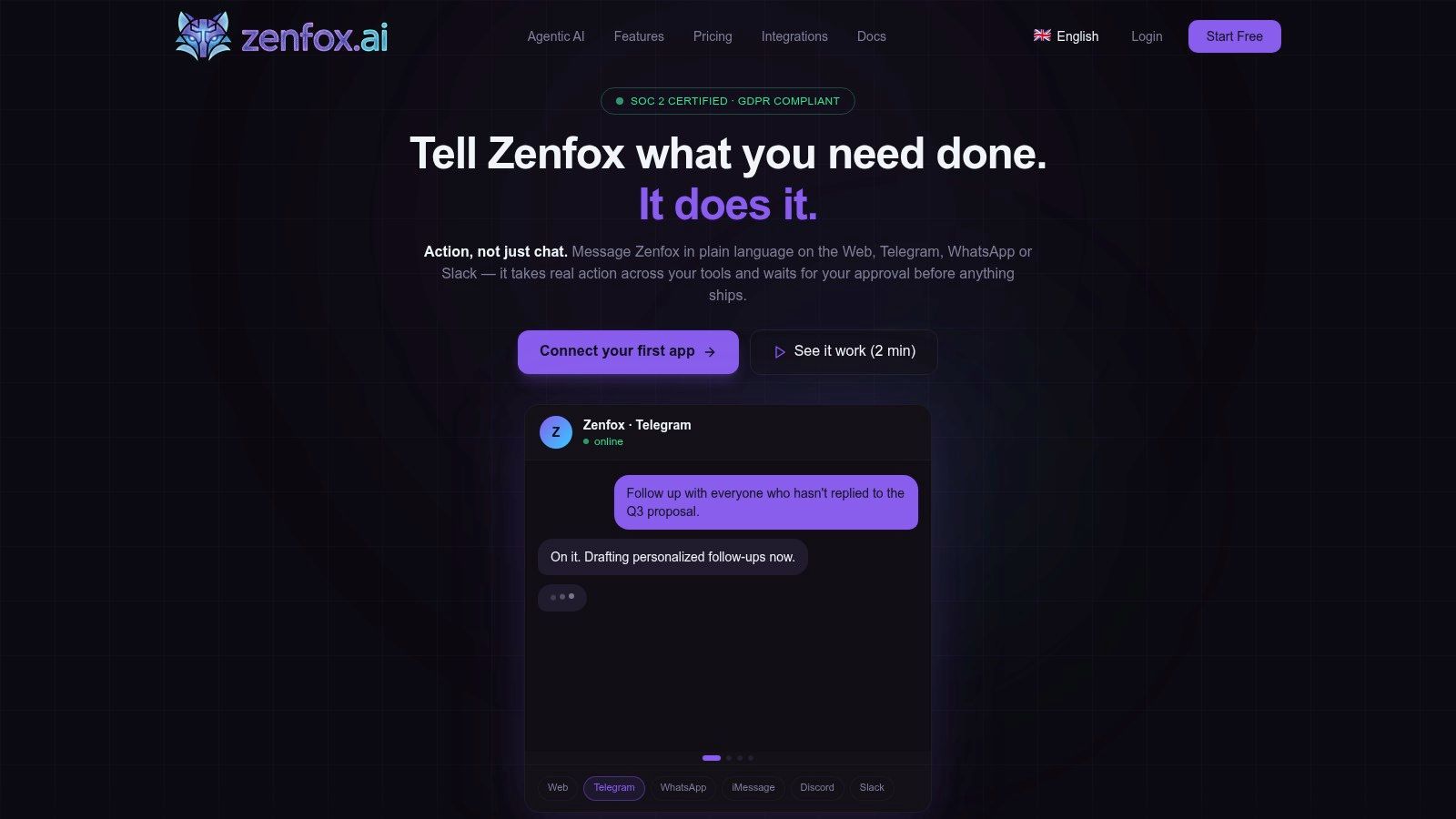
If you want a practical place to start, look at Zenfox.ai as an option for connecting everyday tools like Gmail, Slack, HubSpot, and Drive through plain-English, zero-code workflows. The smart approach is simple. Pick the single manual task your team repeats most often, automate that first, and build from a quick win rather than a grand plan.