
Best Business Automation Software for UK Teams 2026
Discover the best business automation software for UK freelancers & small teams. Learn how it works with Gmail & HubSpot. Get started in 2026.

Your inbox fills up before the actual work starts. A client wants a proposal. Two invoices are overdue. A lead replied in Gmail, but the CRM still shows silence. Slack keeps producing status pings that nobody needed to send in the first place.
For freelancers and small teams, that kind of day is rarely a people problem. It is an operating model problem. Too much work still depends on someone noticing, copying, chasing, updating, and remembering.
Business automation software fixes that when it is set up properly. The old version handled simple rules. If a form is submitted, send an email. If a deal closes, create an invoice. Useful, but limited.
The newer category is more interesting. AI-powered automation can read messy documents, draft responses, route work to the right tool, flag exceptions, and keep processes moving without waiting for a person to push every step along. For a solo consultant or a five-person team, that starts to look less like a basic workflow and more like an extra operations hire that never forgets the handoff.
That matters because small teams do not lose time in one dramatic failure. They lose it in fragments. Ten minutes to chase payment. Fifteen to retype client details. Twenty to work out what changed since yesterday. By the middle of the week, admin has eaten the hours that should have gone to delivery, sales, or recovery time.
Good automation reduces that drag. Great automation carries routine work in the background and only pulls you in when judgment is needed.
Table of Contents
- Escaping the Manual Work Trap
- What Is Business Automation Software Really
- Automation in Action for Freelancers and Small Teams
- The Power of Connected Tools and Integrations
- How to Choose the Right Automation Software
- Your First Automation in Under an Hour
- The Future of Automation is Autonomous
Escaping the Manual Work Trap
At 8:40 on a Tuesday, a freelancer is already doing work that should not exist. They pull an invoice out of Gmail, rename the file, drop it into Drive, copy the amount into a spreadsheet, check the VAT line, then set a reminder to chase payment later in the week. A small team runs the same pattern with different labels. New lead in. CRM not updated. Follow-up delayed. Revenue slips because admin got there first.
That is the manual work trap. It rarely looks dramatic. It looks normal enough to tolerate, right up until the day the business starts running on memory, inbox searches, and good intentions.
The actual cost is not just time.
It is fractured operations. Client details sit in email, files live in cloud storage, deal notes sit in the CRM, and approvals get buried in Slack. Every handoff creates another chance to miss a step. Every missed step creates rework, delay, or an awkward message to a client.
Good automation removes that dependency on memory. A trigger happens, the right information moves, the task is logged, and the next step is assigned or completed. If you need a clearer structure before automating it, a workflow management system for mapping recurring work usually exposes where the bottlenecks are.
Here is the rule I use with small teams: if a task happens often, follows a pattern, and still depends on someone remembering what comes next, automate it.
For UK freelancers and lean teams, finance admin is usually the first place the pain shows up. Invoice handling, payment chasing, data entry, and document filing are repetitive, easy to delay, and expensive to get wrong. Basic automation helps, but AI-assisted automation goes further. It can read messy inputs, classify documents, spot missing fields, and route exceptions without forcing you to build a rule for every variation.
That changes the job. The software stops acting like a glorified checkbox system and starts acting more like an operations assistant that keeps routine work moving.
The first improvement is usually relief. Less retyping. Fewer “did anyone update this?” messages. Less hunting through folders and attachments. Work becomes more consistent because the standard path runs the same way each time.
Small businesses feel this faster than larger ones because there is no buffer. In a five-person team, every hour lost to admin comes straight out of sales, delivery, or client support.
Business automation software earns its place when it removes work about work. That is the standard.
What Is Business Automation Software Really
Business automation software handles recurring operational work across the apps your business already relies on. You set the process, the conditions, and the handoff rules. The software then runs the task without waiting for someone to remember the next step.

If you have already mapped how work moves through a workflow management system that shows recurring steps and bottlenecks, automation is the execution layer. It takes a defined process and runs it consistently.
For small teams, that distinction matters. Process documentation tells people what should happen. Automation makes sure routine work happens, on time and in the right order.
From fixed rules to software that can make operational decisions
Older automation tools follow clear instructions well.
- Trigger-action workflows: Save invoice attachments to the right folder when they arrive by email.
- Field updates between apps: Create or update a CRM contact after a form submission.
- Task and alert handling: Notify the account owner when a deal changes stage.
That covers a lot of admin. It reduces copying, pasting, chasing, and missed handoffs.
The problem shows up when the work is slightly messy, which is how small businesses usually operate. A client sends the wrong file type. An invoice is missing a VAT number. An email sounds urgent but does not use the exact keyword your rule expected. Traditional automation stalls because it depends on perfect inputs and predictable paths.
Modern AI-powered automation handles more of that middle ground. It can read documents, classify requests, extract key fields, flag anomalies, and choose the next action based on context. Used well, it behaves less like a chain of rules and more like a junior operations hire who can keep routine workflows moving.
What good automation software actually needs to do
The useful question is not whether a tool has automation. Nearly every platform claims that now. The useful question is what kind of work it can take off your desk.
Here is the practical difference:
| Type | Best for | Weak point |
|---|---|---|
| Rule-based automation | Stable, repetitive tasks with clear inputs and one correct path | Breaks on exceptions, inconsistent formatting, or changing conditions |
| AI-powered automation | Work that involves interpretation, triage, document reading, and next-step selection | Fails if the process is undefined, the data is poor, or approvals are unclear |
That trade-off matters.
A solo consultant does not need AI deciding every calendar update. A five-person agency probably does benefit from AI screening inbound enquiries, sorting finance documents, and pushing exceptions to the right person with the right context attached.
Good business automation software removes manual coordination first. Great automation software also handles the grey areas that usually pull small teams back into inboxes, spreadsheets, and Slack threads.
That is why the category has changed. It is no longer only about connecting apps. It is about adding a dependable operational layer that can act like a team member for the repetitive, low-judgement work and assist with the messier cases before they become bottlenecks.
Automation in Action for Freelancers and Small Teams
Tuesday, 4:40 pm. A prospect has replied, a client has sent a signed agreement, two invoices are sitting in your inbox, and nobody has updated the CRM. For a freelancer or five-person team, that pile-up is normal. The problem is not lack of effort. It is that too much routine coordination still depends on someone noticing, remembering, and manually pushing work to the next step.

Small teams get the biggest return from automating work that crosses tools and would otherwise fall through gaps. A Slack alert when a spreadsheet changes rarely matters. A workflow that logs a client reply, updates the record, assigns the next action, and chases exceptions before they stall the job does matter.
AI improves this further because small teams rarely run perfectly tidy processes. Leads arrive with incomplete details. Clients send the wrong attachment. Suppliers label invoices inconsistently. Basic rules struggle with that mess. AI can read the context, classify the item, and route only the uncertain cases to a person. That is the difference between a clever trigger and an operational assistant.
Sales and client management
Sales is usually the first area to fix because delays are expensive and easy to spot.
A practical setup starts with the inbox. A prospect replies in Gmail. The system logs the interaction in HubSpot, updates the contact or deal record, creates a follow-up task, and flags the thread if nobody responds within your target window. That alone cuts a lot of silent revenue leakage.
The stronger version handles judgement calls as well. Instead of treating every reply the same way, AI can sort messages by intent. It can separate a pricing question from a contract concern, detect urgency, pull out key details, and send the conversation to the right person with context attached.
Useful sales automations include:
- Lead capture routing: New submissions go to the correct pipeline, owner, and segment without manual triage.
- Reply-based task creation: Important Gmail replies create follow-up tasks so they do not sink back into the inbox.
- Deal hygiene checks: Stale records trigger a prompt to update next steps, close out dead deals, or restart contact.
- Exception handling: Unclear, high-value, or unusual enquiries get escalated to a human instead of being forced through a rigid rule.
Marketing and follow-up
Small teams do not need elaborate nurture architecture first. They need reliable follow-up.
If someone downloads a guide, books a call, or fills in a contact form, the next step should happen automatically and on time. That may be a welcome email, a short sequence, or a task for a person to make contact while the lead is still warm. The point is not volume. The point is consistency.
The useful work happens behind the scenes. Contact details are cleaned up. The CRM is updated. Tags are applied. Files go to the right place. The right person gets notified if the lead matches your target client profile.
Good automation keeps communication from depending on memory.
AI is especially helpful here when inbound data is messy. It can score the enquiry, spot likely fit based on the message content, and decide whether the lead should enter a nurture flow, get a direct sales response, or be parked for later review.
Here’s a helpful walkthrough to see these ideas in motion:
Operations and admin
Operations pain usually shows up before strategy problems do. Freelancers feel it in invoicing, file management, approvals, and weekly status updates. Small agencies feel it when delivery information is spread across email, chat, folders, and a project tool.
These jobs are good automation candidates because they repeat every week, but they still involve interpretation. A supplier invoice needs to be saved, named correctly, classified, and sometimes approved. A client update needs notes pulled from several systems and turned into something readable. That is repetitive work, but not always simple rule work.
A solid setup can handle tasks like:
- File organisation: Attachments from Gmail go to the correct Drive folder using naming rules and client context.
- Weekly reporting: The system gathers updates from several tools into one summary for internal use or client delivery.
- Approval routing: High-value invoices or unusual requests go to the right person with the relevant documents attached.
- Document reading and sorting: AI reviews incoming files, identifies what they are, and sends exceptions to a human queue.
For freelancers and small teams, the goal is not to build dozens of automations. It is to remove the recurring points of friction that eat time every single week. Start with the workflows that save a missed sale, prevent an admin backlog, or stop someone from asking, again, "Has anyone dealt with this yet?"
The Power of Connected Tools and Integrations
Most businesses don’t have a software problem. They have a coordination problem.
Gmail knows the client replied. HubSpot knows the deal stage. Slack knows the team is blocked. Drive holds the latest file. Each tool is useful on its own, but the work still stalls if nobody moves information from one place to the next.
Your stack needs a centre of gravity
That’s why integrations matter more than feature lists.
Good business automation software acts like a central operating layer across your stack. A trigger happens in one tool, context is pulled from another, an action runs in a third, and the result is logged where the team can see it.
A simple example:
- A client emails a signed proposal in Gmail.
- The attachment is saved into the correct Google Drive folder.
- The deal is updated in HubSpot.
- A Slack message tells delivery that the project is ready to start.
- A task is created for onboarding.
Nobody copies data manually. Nobody asks who owns the next step.
Where connected workflows usually break
Integrations fail for predictable reasons.
- Too many point solutions: Teams bolt together separate tools for forms, notifications, scheduling, and reporting, then struggle to maintain the chain.
- No shared naming logic: If contacts, folders, or deal stages aren’t consistent, the automation can’t route cleanly.
- Human approval hidden in chat: A decision made in Slack but not recorded elsewhere leaves the workflow incomplete.
The strongest setups do three things well:
| Integration habit | Why it works |
|---|---|
| Use core systems first | Start with Gmail, Slack, HubSpot, and Drive before adding niche tools |
| Keep one source of truth | Decide where contacts, files, and deal status officially live |
| Log every action | Teams trust automations more when they can see what happened and why |
Connected workflows are where automation compounds. One isolated automation saves a bit of time. A connected system changes how the team operates day to day.
How to Choose the Right Automation Software
A freelancer wins a new client at 4:45 pm, then spends the next hour copying details between email, a CRM, cloud storage, and a task list. This situation captures the essential buying context for automation software. The right tool does not win on feature volume. It wins if it can take that admin chain off your plate without creating a second job in maintenance, troubleshooting, or compliance.
For solo professionals and small UK teams, the best options now go beyond fixed if-this-then-that rules. They can classify requests, draft responses, route work, and flag exceptions with context. Used well, the software starts behaving less like a collection of macros and more like an extra operations hire that never forgets a handoff.
Start with operational fit
Buy for the work you need done every week.
If a platform needs a specialist to build and maintain basic workflows, it is already too expensive for many lean teams, even if the subscription looks reasonable. Good automation software should let you set triggers, actions, approvals, and fallback rules without living in developer documentation. Better systems also make it easy to add AI where it helps: sorting inbound requests, extracting key details from documents, deciding priority, or sending a draft for review before anything customer-facing goes out.
That difference matters. A rules engine can move data from A to B. An AI-assisted workflow can decide what kind of data it is, where it belongs, and whether a human should step in.
Platform choice should follow the way your team works. Zapier, Make, HubSpot workflows, Microsoft Power Automate, and automation tools that suit simpler workflow setups all fit different environments. A freelancer may value speed and low setup overhead. A five-person agency may care more about approvals, audit history, and shared visibility. A firm handling sensitive client records may accept a steeper setup curve for tighter control.
Check how the software handles exceptions
Demo workflows always show the happy path. Real operations do not.
Invoices arrive with the wrong client name. Leads submit incomplete forms. A customer email contains three requests, not one. Staff members override a task in Slack and forget to update the source system. Good software handles those cases clearly. Great software logs what happened, explains the branch it took, and gives someone a clean way to correct it.
Ask vendors or test accounts a few direct questions:
- What happens when data is missing or inconsistent?
- Can the workflow pause for review instead of failing without notification?
- Does the system explain why an AI step made a routing or classification decision?
- Can a non-technical user fix the workflow after an error?
Small teams do not need perfect automation. They need automation that fails safely and can be corrected quickly.
Security and compliance are part of the buying decision
UK businesses cannot treat data handling as an afterthought. If client data moves across email, forms, CRMs, file storage, and AI services, you need to know where it goes, who can access it, and what gets stored.
That means asking plain questions during evaluation:
- Where is data stored and processed?
- What encryption standards are used for data at rest and in transit?
- Are audit logs available for workflow actions and user access?
- Can you control permissions by role or team member?
- Can sensitive steps be limited to human approval?
If the answers are vague, keep looking. For a UK freelancer or small team, one avoidable compliance mistake can wipe out the time savings that justified automation in the first place.
Automation Software Evaluation Checklist
| Criteria | What to Look For | Red Flags |
|---|---|---|
| Operational fit | Handles your recurring admin tasks with minimal setup | Requires custom work for common workflows |
| AI capability | Can classify, draft, route, or prioritise work with review controls | AI is bolted on and offers no visibility into decisions |
| Integrations | Strong support for Gmail, Slack, HubSpot, Drive, and your CRM | Weak connectors, duplicate records, unreliable syncing |
| Error handling | Clear logs, approvals, retries, and exception paths | Silent failures or confusing troubleshooting |
| Security | GDPR-aware setup, encryption, access controls, activity logs | Unclear data handling and poor audit visibility |
| Scalability | Starts with one workflow and expands without a full rebuild | Pricing or complexity jumps too early |
| Support | Practical onboarding and documentation based on real use cases | Generic help articles with no operational depth |
Price still matters, but total operating cost matters more. Cheap tools can become expensive if they break often, create duplicate records, or need constant checking. Expensive enterprise platforms can be just as wasteful if a two-person team uses five percent of the product and spends weeks setting it up.
Choose software that matches your process maturity. If your workflows are still messy, buy a tool that helps you standardise them fast. If your process is stable and volume is growing, choose a platform that can add AI-driven judgement, approvals, and visibility without forcing you into enterprise bloat. That is the point where automation stops being a convenience and starts acting like a reliable team member.
Your First Automation in Under an Hour
Many teams delay automation because they assume the first workflow needs to be complex. It doesn’t.
The best first project is narrow, boring, and useful on day one.
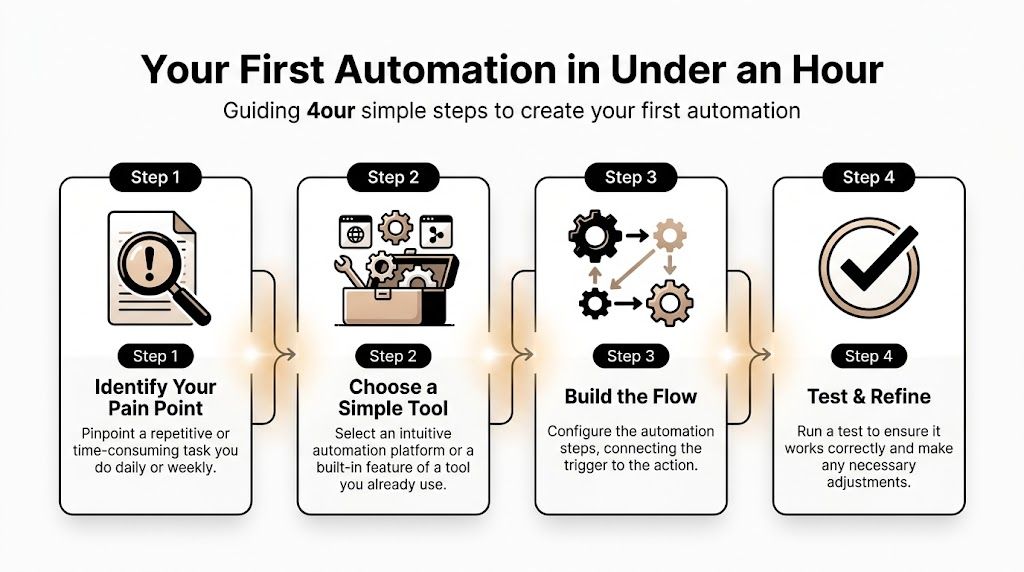
Pick one annoying task
Choose a task that has three qualities:
- It happens repeatedly: Daily or weekly is ideal.
- It follows a recognisable pattern: The trigger is easy to spot.
- You dislike doing it: Frustration is a good prioritisation tool.
Good first candidates include saving invoice attachments from Gmail to Drive, creating CRM tasks from important emails, or logging form submissions into a central sheet.
Avoid anything highly cross-functional for your first attempt. Don’t begin with a ten-step workflow involving approvals from three people. Start with one pain point and one owner.
Build something small that saves time immediately
Modern zero-code tools make this easier than many buyers expect. That’s one reason small teams can move faster than mid-market firms burdened by bigger implementation projects. According to Brainsell’s discussion of the mid-market SaaS gap, UK mid-market companies often face £50,000 to £100,000 setup costs and migration risk, while smaller teams can often build a first useful workflow and see value within minutes using lighter tools.
A simple first automation might look like this:
- Trigger: An email arrives with an invoice attachment.
- Action: Save the file to a chosen Drive folder.
- Action: Add a row in a Google Sheet with sender, date, and filename.
- Optional condition: If the invoice exceeds your internal threshold, send it for review.
If you want to go one step further, tools that can generate lightweight workflows or utilities from prompts can reduce setup even more. For example, building an instant app can help turn a repetitive internal process into something the team can use consistently.
Test it, watch it, then expand
Run the workflow on a small set of real examples.
Check whether the file naming works, whether the right people get notified, and whether anything lands in the wrong folder or record. Then let it run for a week before expanding it.
A useful rollout rhythm is:
- Week one: One workflow, one owner, close monitoring.
- Next step: Add one adjacent action, such as a Slack alert or CRM update.
- Later: Introduce conditions, approvals, or reporting once the base flow is stable.
Start with a workflow you can verify in minutes, not a system you need to explain in a workshop.
That’s how small teams build trust in automation. Not by launching a grand programme. By solving one repeated irritation so well that nobody wants to go back.
The Future of Automation is Autonomous
The common understanding of automation still frames it as a chain of fixed rules. Trigger, action, done. That model is useful, but it’s no longer the whole picture.
The next step is autonomous execution. The system doesn’t just react to one event. It understands a goal, pulls relevant context from your tools, breaks the work into steps, and carries those steps through with a visible record of what happened.
That shift matters most when work spans multiple apps and decisions. A sales follow-up isn’t just “send email”. It may involve checking prior conversations, updating the CRM, drafting a response, creating an internal note, and reminding the right person if the contact goes quiet.
For teams that want that style of automation, Zenfox.ai is one option. It connects tools such as Gmail, Slack, HubSpot, and Drive, lets users describe workflows in plain English, runs zero-code automations, and keeps an activity log. It also supports security and compliance features including SOC 2, GDPR alignment, AES-256 encryption, and enterprise storage options.
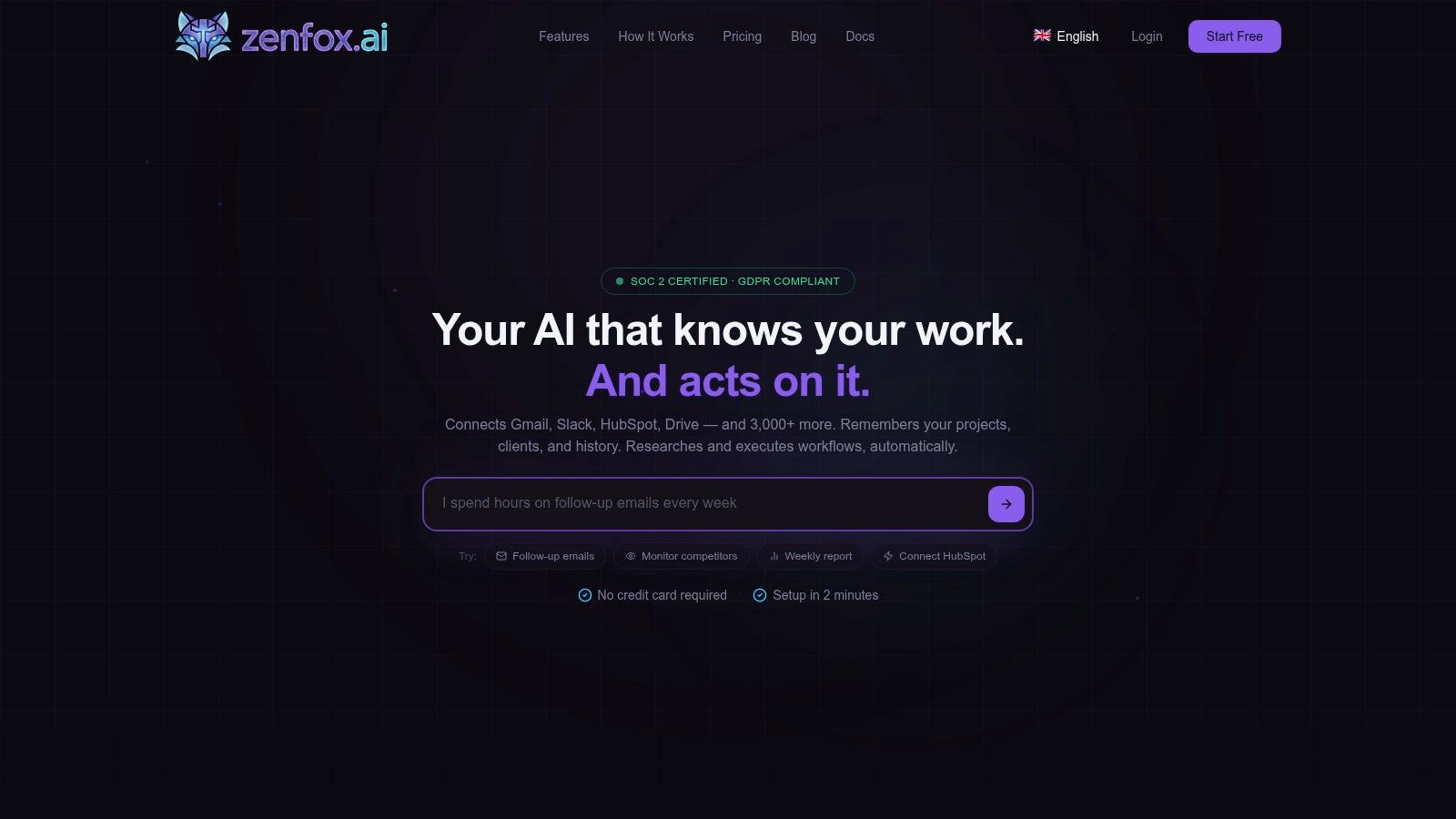
The important idea isn’t the label. It’s the operating model. Small teams don’t need more disconnected tools. They need systems that can carry work forward with less supervision, fewer handoffs, and better context.
That’s what makes autonomous automation different. It behaves less like a switchboard and more like a dependable team member.
If you want to move beyond one-off automations and build a system that can take action across Gmail, Slack, HubSpot, Drive, and more, explore Zenfox.ai. It’s built for people who want plain-English workflow creation, autonomous execution, and security controls that fit real client work.