
10 Best Practices for Document Management: A 2026 Playbook
Discover 10 best practices for document management, from naming conventions and access control to retention, search and automation.
A client emails asking for the signed contract from last spring. Within an hour, three people have sent three files. One is a scan with a handwritten date, one is called contract_FINAL_v3.docx, and one is a link to a folder that got moved. Nobody can say which is the executed copy, so someone opens all three and compares signature pages.
That hour is the visible cost. The rest shows up later: a Friday afternoon rebuilding a version history, a proposal sent with last quarter's pricing, or an audit question you can't answer because the approval email sat in someone's inbox.
These failures are predictable. They happen when documents live wherever they were created rather than where the business needs them, and they compound with every new hire, every new tool and every client whose files arrive unlabelled. A five-person team can run on memory. Once eight people touch the same proposal, memory stops working.
The pattern worth watching for: when two colleagues describe the same document differently, you don't have a filing problem. You have a naming and ownership problem.
The ten practices below run from foundational to advanced. Each one is framed around the failure it prevents, and each ends with a single step you can take this week. Start at the top if your files are still scattered. Skip ahead to search, audit and backup once the structure is holding.
Table of Contents
- 1. Consistent Naming Conventions and Folder Taxonomy
- 2. Metadata and Tagging Standards
- 3. Version Control and Document Lifecycle Management
- 4. Role-Based Access Control and the Principle of Least Privilege
- 5. Retention Schedules and Defensible Disposal
- 6. Single Source of Truth and Elimination of Document Silos
- 7. Automated Document Capture and Ingestion
- 8. Full-Text Search and OCR Indexing
- 9. Audit Trails and Activity Logging
- 10. Encryption and the 3-2-1 Backup Rule
- How the 10 document management practices compare at a glance
- Turning These Ten Practices Into a Working System
1. Consistent Naming Conventions and Folder Taxonomy
A team can have document software and still waste time searching. Without a shared file plan, people create folders to suit their own habits, and colleagues cannot predict where a document belongs.
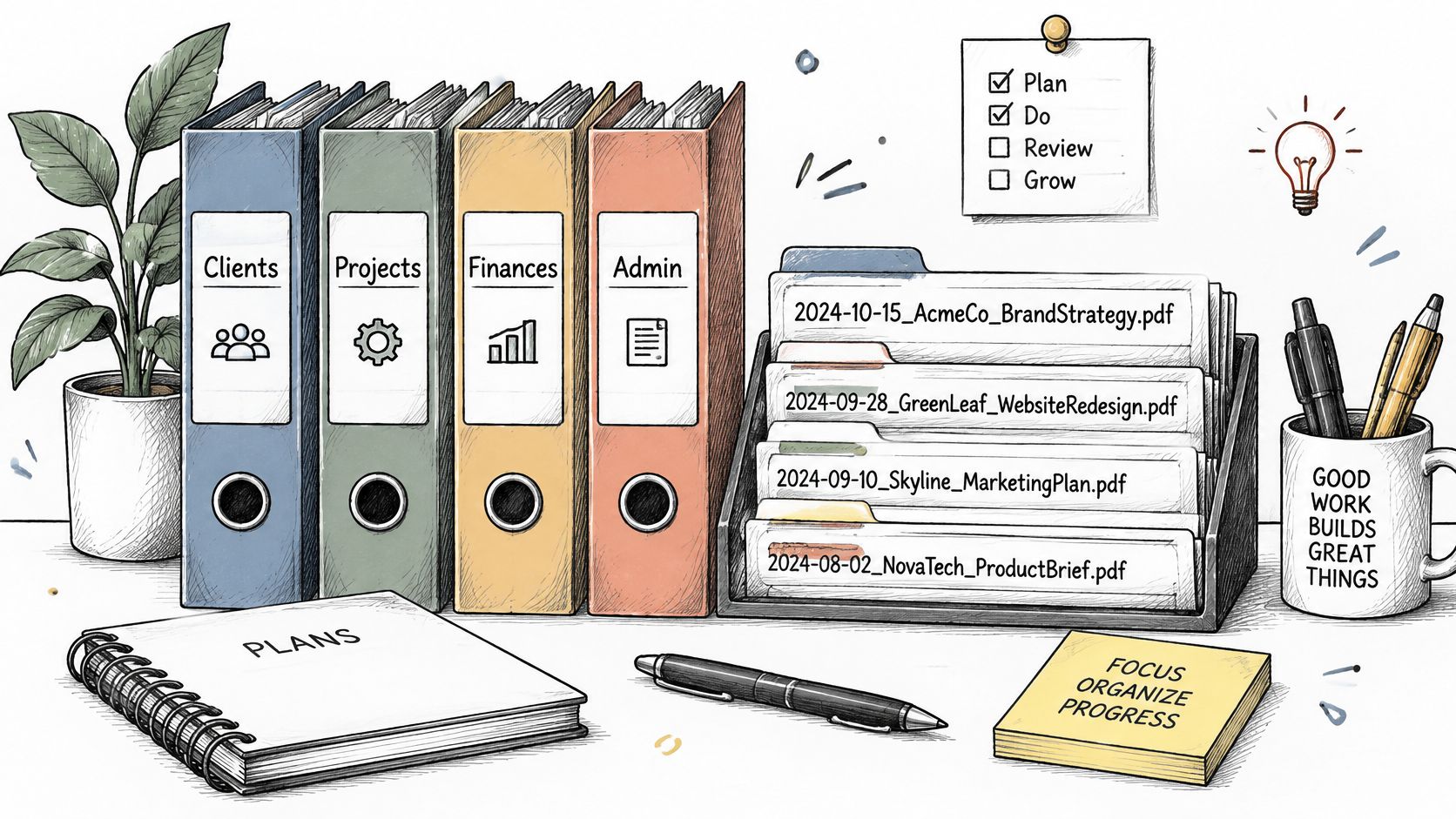
A naming convention should be short enough to follow under deadline pressure and specific enough to identify a file at a glance. Use a consistent order, such as 2026-03-14_acme_brand-guidelines_v2.pdf. The date, client, document type, and version distinguish it from final new copy.pdf.
Keep the pattern to five elements
Put the date first in YYYY-MM-DD format, followed by client, document type, and version. Add an element only if your team needs it to distinguish files. Avoid spaces and special characters that can cause problems when files move between systems.
Give folders a clear purpose and keep the hierarchy shallow, around three or four levels. Top-level folders such as Clients, Operations, Marketing, and Finance help people browse; consistent filenames make related files easier to scan within each folder. Keep the folder structure and naming pattern aligned, so neither has to compensate for the other.
For example, a design team could name invoices, briefs, and deliverables with the same client, project, document-type, and date order. The project folder then presents a readable history instead of a pile of inconsistently named files.
First step this week: write a one-page naming guide with one pattern and two examples, then rename the ten files your team opens most often.
2. Metadata and Tagging Standards
Filenames answer "what is this". Metadata answers "show me everything of this kind", which is the question that costs money once you pass a few hundred files.
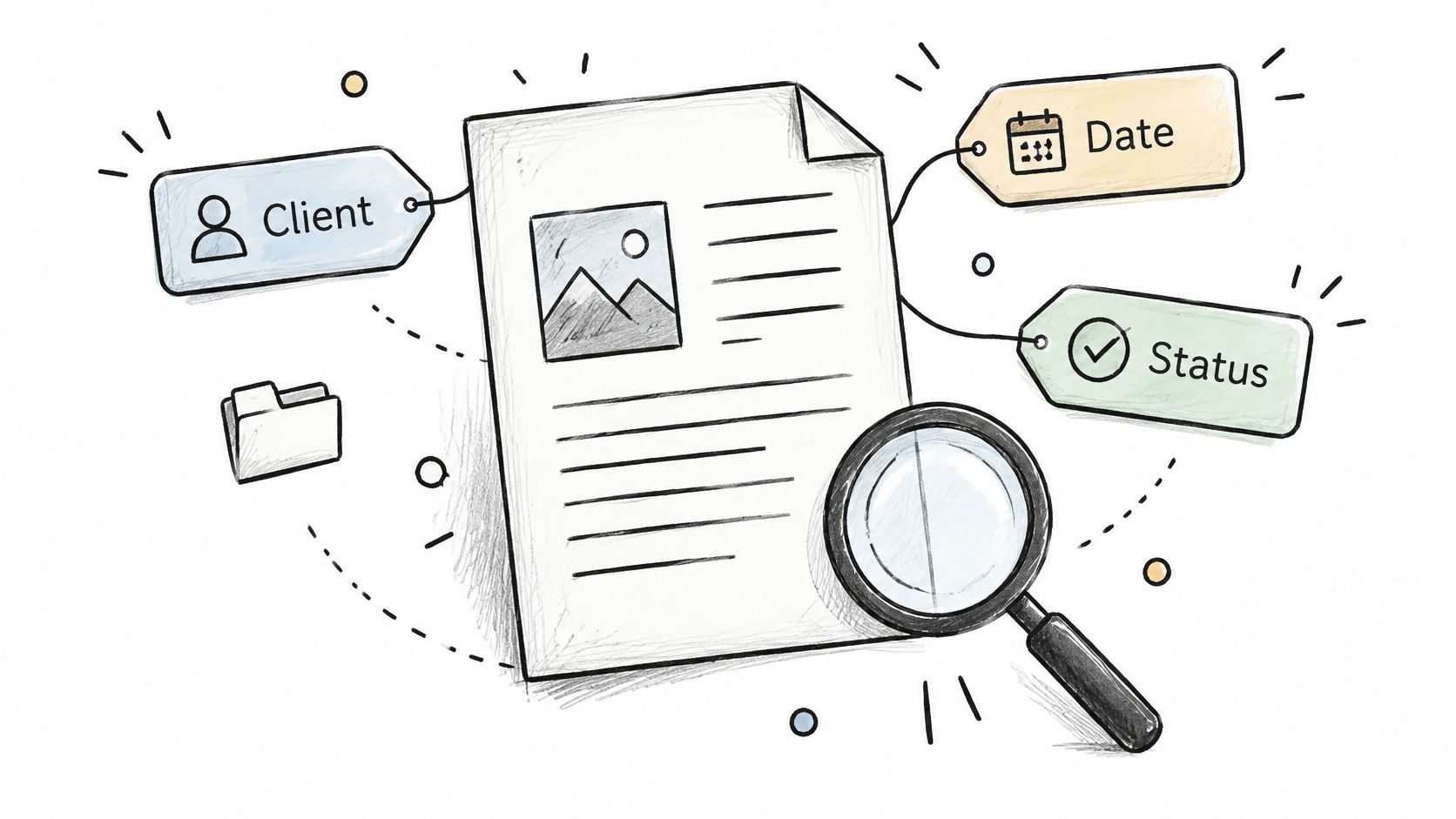
Metadata is the structured data attached to a document: client, type, status, owner, review date. You don't need to invent a schema from scratch. Dublin Core's small set of core elements (title, creator, date, subject, rights) has been a usable common vocabulary for decades, and it maps cleanly onto what a small business needs.
Required fields should be the ones that drive decisions
Every extra mandatory field gets filled with junk, so keep the list tight:
- Client or project: retrieval by relationship, not by folder path.
- Document type: contract, invoice, proposal, report.
- Status: draft, in review, approved, superseded.
- Owner and review date: the two fields that make retention possible later.
Use dropdowns rather than free text. Free text gives you "Proposal", "Proposals" and "proposal v2" within a month, and then nobody trusts the filter. Prune the tag list quarterly.
A law firm tags by matter and document type so a partner can pull every contract for one client in one filter. A sales team tags proposals with the CRM record ID so the file and the deal can't drift apart.
Where automation earns its place
Suggesting tags from content is useful. Applying them automatically is not. Let the system propose client, type and date, then require a human to confirm anything that changes status. The plumbing behind retrieval matters as much as the fields themselves, and how document indexing works covers how metadata turns into a queryable index rather than another folder tree.
Metadata nobody reviews becomes metadata nobody trusts, and bad metadata is worse than none because it looks authoritative.
First step this week: choose three required fields, apply them to new documents only, and leave the archive alone for now.
3. Version Control and Document Lifecycle Management
The failure here is the one that ends up in front of a client: a proposal signed on terms you changed two drafts ago.
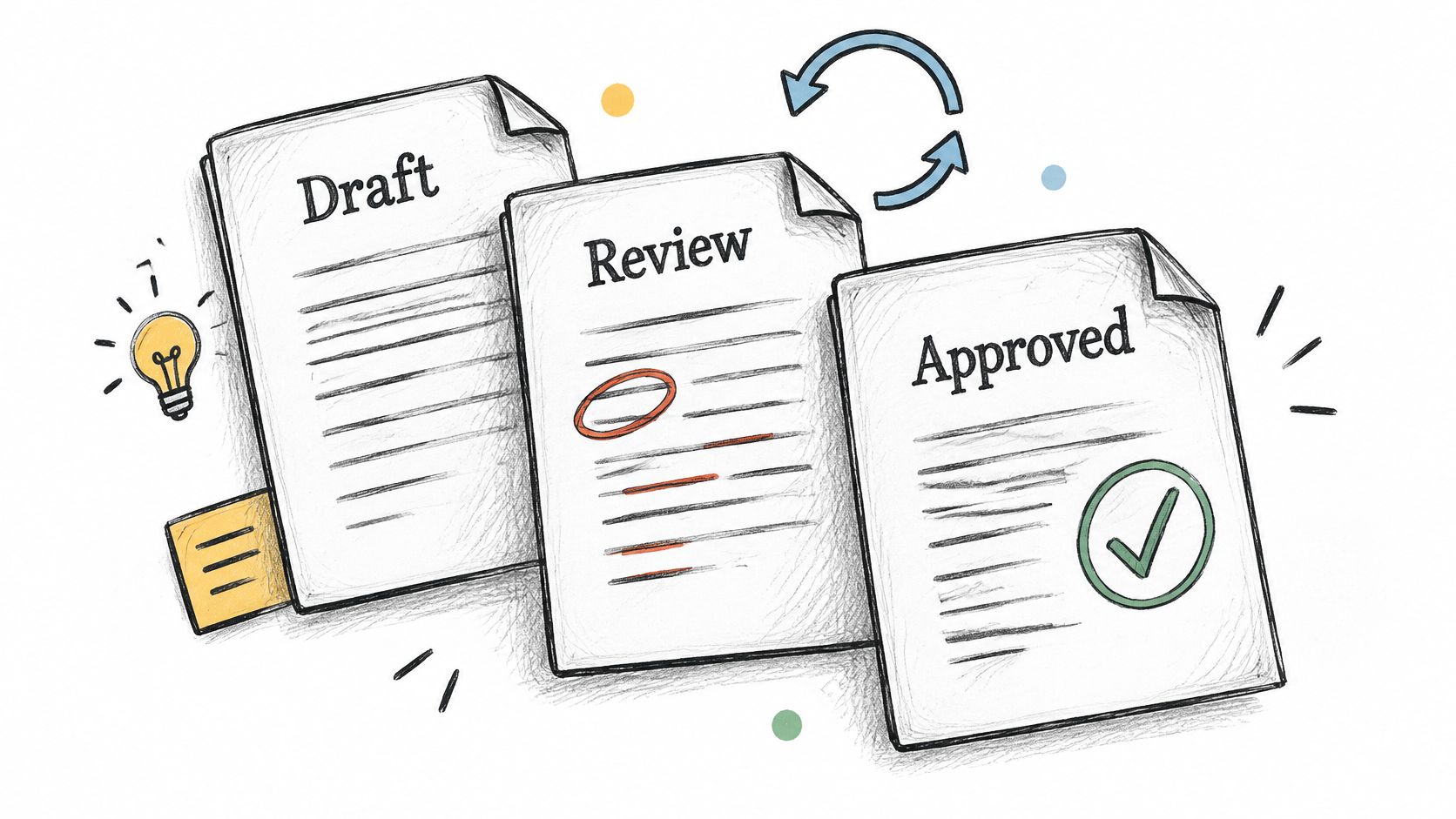
Version control has two halves, and many teams only have one. The mechanism is version history in the platform, which Google Docs and Microsoft 365 give you by default. The lifecycle is the part people skip: named states such as draft, review, approved, published and archived, with a gate between each.
Edit in place, never by attachment
The moment someone downloads a file, edits it and emails it back, you've forked the document. Keep edits inside the shared platform so comments, named editors and timestamps stay together. When a document has to leave the building, put version and date in the filename, because the recipient can't see your history.
Give the lifecycle one gate and one owner
Pick a rule and enforce it without exception: only the document owner can move a file to Approved. Make status a visible column rather than a buried property. A marketing team running content through draft, legal review, approved and published doesn't need a workflow engine to do this; it needs the status field visible in list view and one person accountable for the final move.
Review queues rot undetected. A proposal that sits in review for eleven days is usually a missing reminder, not a missing decision, so set a nudge for anything that hasn't changed state inside your agreed window.
First step this week: add a Status column to your two busiest folders and run one document type through draft, review, approved, start to finish.
4. Role-Based Access Control and the Principle of Least Privilege
The failure is access that outlives its reason: the contractor who finished in March and can still open the client folder in September, or the shared link that works without a sign-in prompt.
Least privilege means granting the minimum access a role needs, then reviewing it. It matters most for client data, financial records and anything with a person's name on it, and frameworks such as SOC 2 and UK GDPR both assume you can show who had access to what, and when.
Default to closed, then open deliberately
- New shared folders start at view-only and get expanded on request.
- External links require sign-in or expire on a set date.
- Client-confidential material lives in a separate folder from internal drafts, so a folder shared with a client can't leak your working notes.
- Departures and project ends trigger same-day revocation, not a quarterly tidy-up.
The quarterly review is where most small teams uncover the actual damage. Pull the access list for your five most sensitive folders and look for names that shouldn't be there: old collaborators, agency contacts, a personal Gmail address used for one urgent download in 2024.
Practical rule: if a link opens without a sign-in prompt, treat it as published, because that is what it is.
First step this week: open sharing settings on your three most sensitive folders, list everyone with edit rights, and remove anyone who hasn't touched the folder in the last 90 days.
5. Retention Schedules and Defensible Disposal
The failure is one of two extremes. Keeping everything forever widens what a breach exposes and what a dispute makes discoverable. Deleting on instinct destroys records you were required to hold.
A retention schedule names each category of document, why you hold it, and how long you keep it. The ICO's guidance on storage limitation sets out that organisations should establish retention schedules identifying the categories of personal information held, the purpose for holding them and how long they intend to keep them. Periods aren't fixed universally by UK GDPR; you justify them by business, legal and operational need. Once information is no longer required it should be erased or anonymised, with disposal methods documented, including device wiping, degaussing and hardware shredding, plus a log of devices awaiting destruction and where they are.
HMRC's records management and retention and disposal policy shows the shape of a defensible default. Records are kept only where there's a business need, reviewed routinely and disposed of under defined schedules, with a default standard of six years plus the current year; longer retention needs statutory, regulatory, legal, security or historical justification.
Retention is not backup, and disposal is not deletion
- Retention decides how long a record category lives.
- Legal hold suspends disposal for named matters, in writing, with an end date.
- Backup is recovery, not archive. A backup isn't a hiding place for records you should have deleted.
- Disposal log records what went, when, why and who approved it.
Start with four categories: finance, contracts, client files and HR. A short schedule people follow beats a 200-line policy nobody reads.
First step this week: write a retention period next to those four categories, confirm them with your accountant or solicitor, and set the first review date in your calendar.
6. Single Source of Truth and Elimination of Document Silos
Two files can both look current: the pricing sheet in Drive says one thing, while the copy attached to the CRM deal says another. Staff may quote the wrong price, approve an outdated version, or waste time checking which file governs.
Digital documents are common in business. The practical question is whether staff can find the authoritative copy and tell it apart from duplicates.
Map the system of record before you buy anything
For each document type, name one owner system and record the rule:
- Signed contracts: Store the authoritative file in the document system and link to it from the deal record.
- Deal documents: Use the CRM record to point to the file, rather than keeping another copy there.
- Pricing: Maintain one approved sheet and link to it wherever pricing is used.
- Policies: Publish each policy in one location and include its version number in the title.
Then change the habit that creates conflicting copies. Share links to master documents instead of attaching files. Move superseded versions into a clearly named archive folder, and make clear which copy is approved for use.
Duplicates are a versioning problem wearing a storage hat
Measure whether staff can find and trust the right file. Track search success, median time to retrieve an approved document, duplicate and version-conflict rates, and the share of indexed content with owner, sensitivity, retention and review metadata.
First step this week: name the owning system for your three most-requested documents, then resolve any file that currently appears in two places.
7. Automated Document Capture and Ingestion
A signed contract arrives by email, gets filed in one person's inbox, and disappears when they leave. Capture rules prevent that failure by saving incoming documents to the right location and recording useful context as soon as they arrive.
Start with a narrow workflow: read the email, extract the attachment, match it to a client, record the arrival date, file it, and log the action. Review the first twenty results manually, then check a sample each week during the first month. Expand the rule only when the results are accurate.
Digitising is not the same as making something authoritative
A scan does not automatically replace the original as the authoritative record. Keep the source document and its context when a digitised copy may not preserve everything needed for later use. The digitised version should remain legible, preserve its content and metadata, and have a traceable chain of custody.
For automated filing, capture the source address, arrival time, and extraction result. Flag uncertain matches for review instead of replacing the source without notice. Zenfox can run filing flows from plain-English instructions and records actions in an activity log. For invoice workflows, extracting data from invoices explains which fields to pull and which can add noise.
First step this week: create one rule to file attachments from your e-signature tool into the matching client folder, then check every result for the first fortnight.
8. Full-Text Search and OCR Indexing
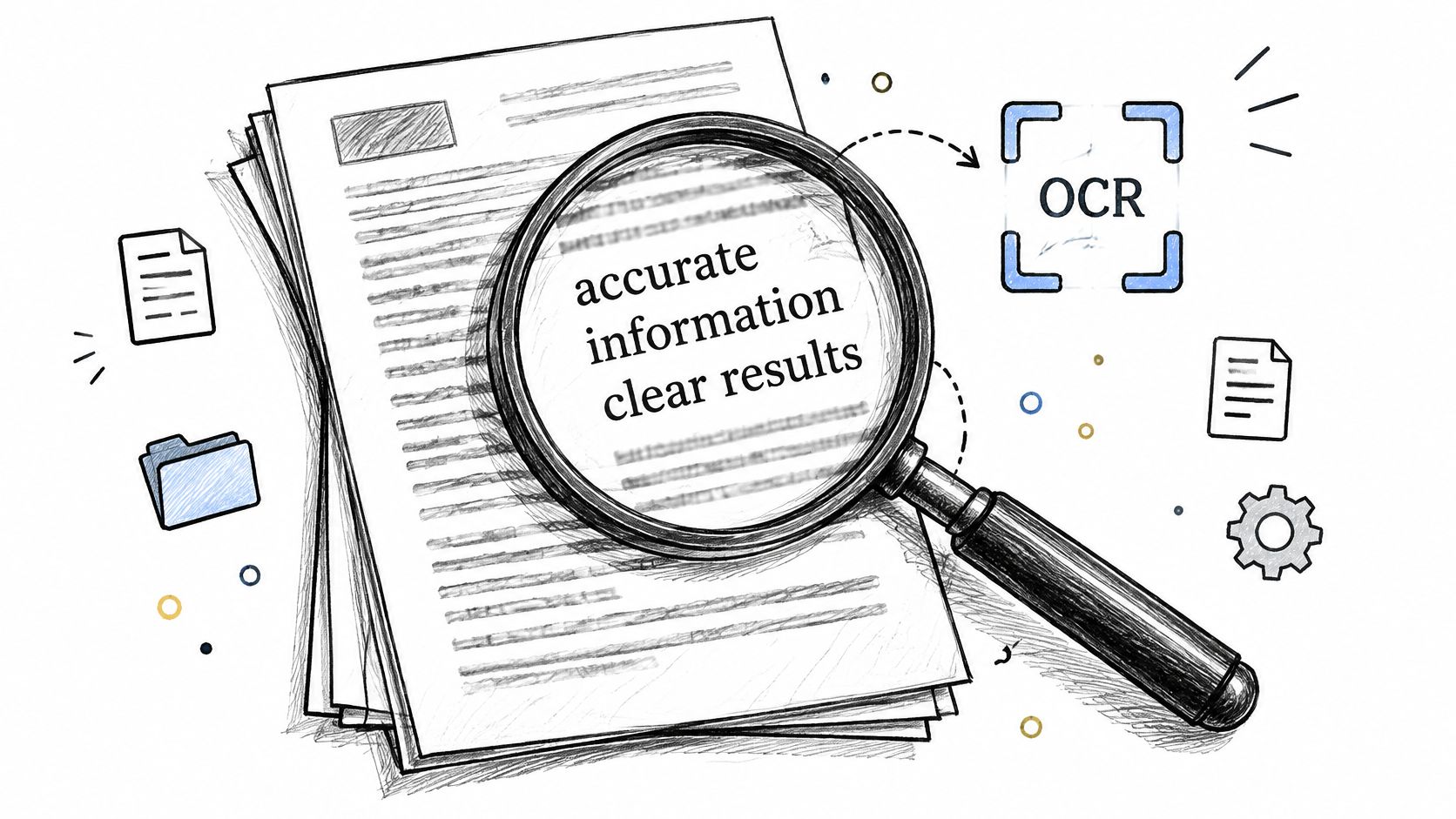
A signed contract can be in the right folder and still be effectively lost if search only reads its filename. Scanned PDFs are especially easy to miss: they look like documents, but their pages may contain only images.
Full-text search indexes words inside documents. Optical character recognition (OCR) turns text in scans and image-based PDFs into searchable content. Together, they let staff find a clause, figure, or name without opening files one by one. For practical guidance, see how to search documents effectively.
Scan settings that decide whether OCR works
Use 300 DPI or higher for documents where small print, stamped dates, or signatures matter. Poor scans can produce unreliable text, and improving the result may mean scanning again. Keep the original image alongside the searchable text so readers can check the source.
Search must also respect folder permissions. Otherwise, a user could find a confidential document through search even without permission to open its folder. Test access rules with accounts that have different roles.
Exact-phrase search can narrow results when you need a clause such as “termination for convenience.” It works best when the phrase is distinctive and the index includes scanned documents. Consistent filenames and metadata still help readers identify the right result.
What good retrieval looks like in practice
A consultant searching “termination for convenience” across five years of deliverables should find the documents containing that phrase, including scanned contracts, rather than opening each file manually.
First step this week: search for a distinctive phrase you know appears in a scanned contract. If it does not appear, check whether OCR is enabled for that folder and whether the scan is legible.
9. Audit Trails and Activity Logging
The failure is the question you can't answer after the fact: who changed the payment terms, who downloaded the client list, who deleted the folder.
An audit trail records who accessed, created, edited, shared, moved or deleted a document, and when. Under UK GDPR accountability, the ICO's guide to accountability and governance states that organisations with 250 or more employees must document all processing activities, while smaller organisations may also need records where processing is not occasional, involves risk, or includes special-category or criminal-offence data. The same guidance is clear that documentation has to stay current and reflect actual processing, rather than being written once and left.
Logs answer operational questions, not just legal ones
Where do approvals stall? Which proposals get downloaded twice by the same person? Who shared a confidential folder externally? A monthly read of logs on sensitive folders catches all three, and an alert on bulk downloads or external sharing gives you the one signal that matters during an incident.
Keep logs for a defined period that matches your compliance obligations. A log you deleted last month proves nothing.
Review logs after every departure, too. It takes ten minutes and it's the only reliable way to confirm that nothing walked out with the leaver.
First step this week: switch on audit logging in your drive or document system today and diarise a monthly review of one sensitive folder.
10. Encryption and the 3-2-1 Backup Rule
The failure is a stolen laptop, a compromised account or a ransomware note, followed by the discovery that the only copy was in the same place as the original.
Encryption protects the data itself. AES-256 at rest and TLS in transit means a lost device or a misconfigured bucket doesn't become a disclosure, and two-factor authentication on every account that touches documents closes the easiest route in. Backups protect against the rest: accidental deletion, ransomware and hardware failure.
The 3-2-1 rule, translated for a five-person team
Three copies of important data, on two different types of media, with one copy offsite. In practice that's your working store, a versioned backup, and a separate destination that doesn't share credentials with your primary account. If the same login opens both, a single compromised password takes both.
Test a restore every quarter. Pick three files from last month, restore them, and time it. An untested backup is a hope, not a control. When you choose vendors, ask for SOC 2 certification and clear data residency options, because where the data sits can be a contractual requirement rather than a preference.
First step this week: restore three files from last month's backup and time how long it takes. If you can't complete it, the backup needs fixing before anything else on this list.
How the 10 document management practices compare at a glance
| Item | Main Benefit | Main Trade-off | Key Reference |
|---|---|---|---|
| Consistent Naming Conventions and Folder Taxonomy | Makes files easier to find and reduces duplicates | Requires team discipline and may involve costly legacy-file cleanup | ISO 15489 |
| Metadata and Tagging Standards | Enables precise filtering, retrieval, and workflow automation | Manual tagging takes time and can become inconsistent | Dublin Core Metadata Initiative |
| Version Control and Document Lifecycle Management | Clarifies the current version and supports safe rollback | Requires training and can encourage duplicate copies | Google Workspace and Microsoft 365 version history |
| Role-Based Access Control and the Principle of Least Privilege | Reduces data exposure and supports compliance | Permission management can slow collaboration and add overhead | SOC 2 and ISO 27001 |
| Retention Schedules and Defensible Disposal | Reduces legal and privacy risks from keeping records too long | Requires legal input and careful deletion controls | ISO 15489 and GDPR |
| Single Source of Truth and Elimination of Document Silos | Keeps teams aligned on authoritative, current documents | Migration can disrupt workflows and face resistance | SharePoint, Notion, and Confluence |
| Automated Document Capture and Ingestion | Reduces manual filing and prevents documents being lost in inboxes | Misclassification and setup errors require monitoring | UiPath, Zapier, and Make |
| Full-Text Search and OCR Indexing | Finds content within documents and makes scanned files searchable | OCR errors and indexing demands can limit results | Google Drive, Microsoft 365, and Tesseract |
| Audit Trails and Activity Logging | Provides accountability and evidence for audits and investigations | Logs can be difficult to review and must be managed carefully | AICPA SOC 2 Trust Services Criteria |
| Encryption and the 3-2-1 Backup Rule | Protects sensitive data and supports recovery after loss | Adds storage costs and requires key management and restore testing | Peter Krogh's 3-2-1 rule and NIST cryptographic guidance |
Turning These Ten Practices Into a Working System
A document system can have clear rules and still fail when the rules arrive out of order. Buying software before defining the file plan creates clutter. A policy without a named owner gets ignored. Audit logs switched on after an incident cannot explain what happened beforehand.
Start this week with naming conventions and an access review. These are quick to apply and reduce two common failures: lost files and access that lingers after someone's role changes. Add a status field where people need to distinguish drafts from signed documents. Assign an owner to each document type so there is a clear person to resolve questions.
Next, set a retention schedule with review dates, apply one metadata standard to new documents, and name the authoritative system for each document type. Leave the archive for later if retrofitting it would stall the work. Consistent handling of new documents prevents the backlog from growing.
Then configure search, activity logging, and backups. Test whether people can find specific text in scanned documents, review logs regularly, and confirm that backups can be restored. When a client or auditor asks for a contract, its approval trail, or the reason it was retained, staff should know where to look and who is responsible.
Keep the system working with recurring reviews: permissions quarterly, retention annually, logs monthly, and backup restores quarterly. Assign an owner to each review and put it on the calendar. Without that assignment, routine checks are easy to postpone.
Zenfox can reduce manual work where documents cross connected apps. It can index documents, emails, and databases for precise search, and run zero-code workflows from plain-English instructions. Its activity log records what it did. Start with one workflow, such as filing signed contracts into the right client folder, and review the results before expanding it. Zenfox.ai