
Automate Extracting Data from Invoices in 2026
Master extracting data from invoices in 2026. Explore OCR vs. AI, validation, & automated workflows with Zenfox.ai.
Month-end has a way of turning simple admin into a slow grind. Invoices are sitting in your inbox, some as clean PDFs, some as phone photos, some forwarded three times with half the context buried in the email thread. You open one, copy the invoice number into a spreadsheet, switch to Xero or QuickBooks, type the same details again, then realise the VAT line doesn’t quite match what you expected.
That’s the point where attention turns to extracting data from invoices. Not because the technology sounds exciting, but because retyping supplier names, totals, and due dates is a terrible use of time. It also creates a second problem. Once the data is extracted, it still has to go somewhere useful. If it just lands in a CSV file, you’ve only moved the bottleneck.
The firms that get real value from invoice automation don’t stop at capture. They build a flow that pulls the data out, checks it, routes exceptions, and pushes the result into accounting software, CRMs, approval systems, and project trackers. That’s where invoice extraction stops being a neat feature and starts becoming an operating system for finance admin.
Table of Contents
- Beyond the Shoebox Full of Receipts
- Choosing Your Invoice Data Extraction Method
- Preparing Invoices for Accurate Extraction
- The Core Extraction and Validation Process
- Building an End-to-End Automated Invoice Workflow
- Handling Exceptions and Advanced Scenarios
Beyond the Shoebox Full of Receipts
A familiar pattern shows up in small businesses, agencies, consultancies, and freelance operations. Invoices arrive all month, nobody wants to interrupt client work to process them, and then the whole pile gets dealt with in one sitting. By then, the task has changed from bookkeeping into detective work.
You’re not just typing. You’re checking whether “Total” means net or gross, hunting for the due date, working out whether the supplier included the right VAT details, and deciding where the cost belongs. One invoice becomes ten small decisions. Ten invoices become an afternoon gone.
Paper used to be the obvious villain. Now digital clutter causes just as many problems. A supplier sends a PDF, another sends a scan, another pastes invoice details into the email body, and someone internally renames the attachment “Final invoice new NEW 2.pdf”. The problem isn’t only storage. It’s that each invoice becomes its own mini workflow.
Practical rule: If a person has to open every invoice just to decide what happens next, the process is still manual even if some OCR is involved.
That’s why extracting data from invoices matters. It takes the key fields off the page and turns them into structured data you can use. Supplier name, invoice number, invoice date, VAT amount, due date, PO reference, line items, totals. Once those values are reliable, you can route them automatically.
The biggest shift is mental. Don’t treat invoice extraction as a one-off document task. Treat it as the first step in a chain. The document comes in, the fields are captured, the numbers are checked, an approval route is chosen, a bill is drafted in the accounting system, and the record is tied back to the client, supplier, or project.
Teams that make that shift usually stop asking, “How do we read this invoice?” and start asking, “What should happen after we’ve read it?” That question leads to better systems.
Choosing Your Invoice Data Extraction Method
Method choice sets the ceiling for the whole workflow. Pick the wrong one and the pain shows up later, in rework, approval delays, VAT mistakes, and brittle integrations. Pick the right one and invoice data can move straight into accounting, supplier records, project tracking, and approval queues with very little human touch.
In practice, teams usually choose between manual entry, template-based OCR, and AI-led extraction with validation rules.
Where each method works
Manual entry is still common because it is easy to start. No setup. No model training. A finance admin opens the file, reads the fields, and keys them into the system. I still recommend it in one narrow case: very low invoice volume with irregular documents and no appetite for system changes. Past that point, the math stops working. Cost rises with every invoice, and consistency depends on who happened to process it that day.
Template-based OCR works well in controlled environments. If a business receives the same invoice layout from the same suppliers every month, fixed templates can pull values from known areas on the page with decent reliability. The weakness is maintenance. Supplier layouts change. Subsidiaries use different formats. A scanned copy shifts slightly and the field mapping breaks. Template OCR can still be useful, but only if the input stays predictable.
AI or ML extraction handles layout variation far better because it identifies fields by context, not just coordinates. That matters in real accounts payable work, where invoices arrive as clean PDFs, poor scans, forwarded attachments, and exports from several billing systems. In UK-focused guidance, Spendesk reports roughly 94% to 95% accuracy for specific invoice cost extraction and notes that hybrid setups combining AI with validation rules perform best for VAT-heavy workflows and Making Tax Digital requirements in practice, according to Spendesk’s review of invoice data extraction methods.
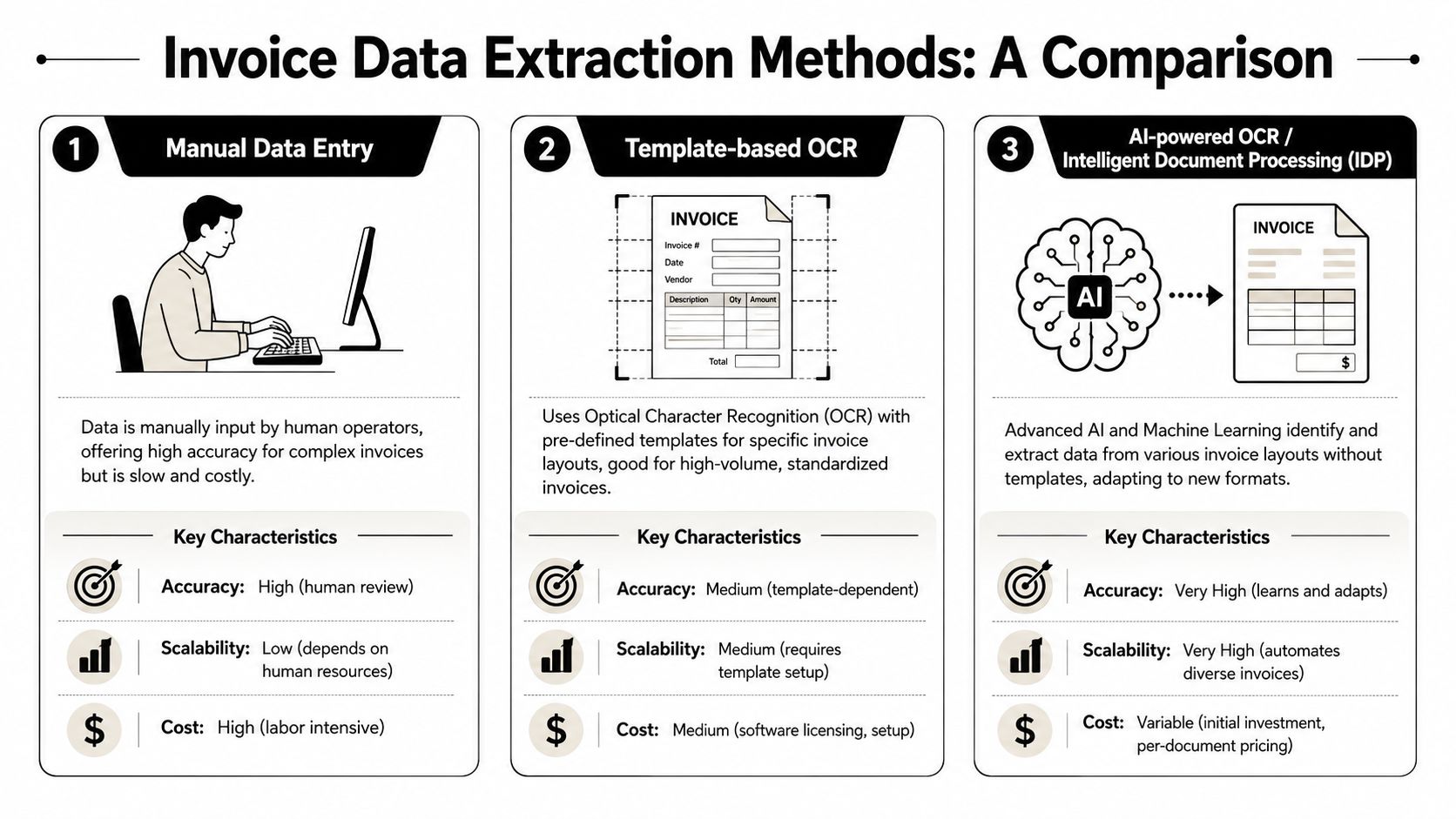
Invoice Extraction Method Comparison
| Method | Accuracy | Scalability | Cost per Invoice | Best For |
|---|---|---|---|---|
| Manual entry | Can handle difficult documents, but human error is common | Low | High | Very low volume or highly unusual documents |
| Template-based OCR | Good on known layouts, weaker when layouts shift | Medium | Lower than manual after setup | Stable supplier formats |
| AI/ML extraction | Strong on mixed formats | High | Lower at scale | Growing AP teams with varied invoice sources |
| Hybrid AI with validation rules | Best fit where accuracy and downstream automation both matter | High | Competitive at scale | Businesses that need reliable posting, checks, and routing |
The key trade-off is not only extraction accuracy. It is operational fit. A method that reads fields well but needs manual cleanup before posting into Xero, QuickBooks, NetSuite, a CRM, or a project system is only solving half the problem. Teams planning wider process changes usually get better results from AI automation services for operational workflows than from standalone OCR tools because the main value comes after capture, when the data has to trigger approvals, create records, and update the right systems.
Why hybrid usually wins
The strongest invoice setups use AI to identify fields and rules to verify them. That combination holds up better under real-world conditions.
OCR alone reads characters. It does not reliably judge whether the subtotal plus VAT matches the total, whether the due date makes sense, or whether the supplier should be matched to an existing vendor record. AI improves extraction, but I rarely trust extraction on its own for posting into finance systems. Validation rules do the unglamorous work that keeps bad data out. They check tax logic, arithmetic, duplicate invoice numbers, PO matches, and supplier-level exceptions.
That is where projects either succeed or stall. If the extracted data cannot be trusted enough to drive the next action, someone still has to stop and inspect every invoice. The workflow remains partly manual.
A hybrid approach works better for three practical reasons:
- It handles mixed layouts: useful when suppliers send invoices in many formats.
- It catches obvious errors: totals, subtotals, tax amounts, and duplicate references can be checked automatically.
- It supports downstream automation: validated data can be pushed into accounting software, tied to a supplier or client record, and routed for approval without rekeying.
For a small business processing a few invoices from fixed suppliers, template OCR may be enough. For any team that expects growth, deals with changing vendors, or wants invoice data to flow into the rest of the business automatically, hybrid AI is usually the method that holds up after launch.
Preparing Invoices for Accurate Extraction
A finance team gets a batch of invoices at 5:10 pm. Half came in as clean PDFs. The rest arrived as phone photos from site managers, scans from a branch office copier, and email forwards with page two missing. By 5:30, the extraction engine is not the main problem. Intake quality is.
Poor inputs create avoidable failure before any OCR or AI model gets a fair shot. I have seen teams spend heavily on extraction tools, then lose time on rescans, manual corrections, and payment delays because nobody set standards for how invoices enter the workflow.
Start with document quality
Digital PDFs should be the default. If a supplier system already produces a machine-readable PDF, keep that file intact and process it directly. Printing and rescanning throws away structure you could have used for cleaner extraction and faster downstream matching.
For paper invoices, scan at a quality that preserves small text, tax values, and line detail. In practice, 300 DPI is a reliable baseline. The usual problems are predictable: blurred images, cropped margins, skewed pages, heavy compression, shadows across totals, and stamps covering invoice numbers.
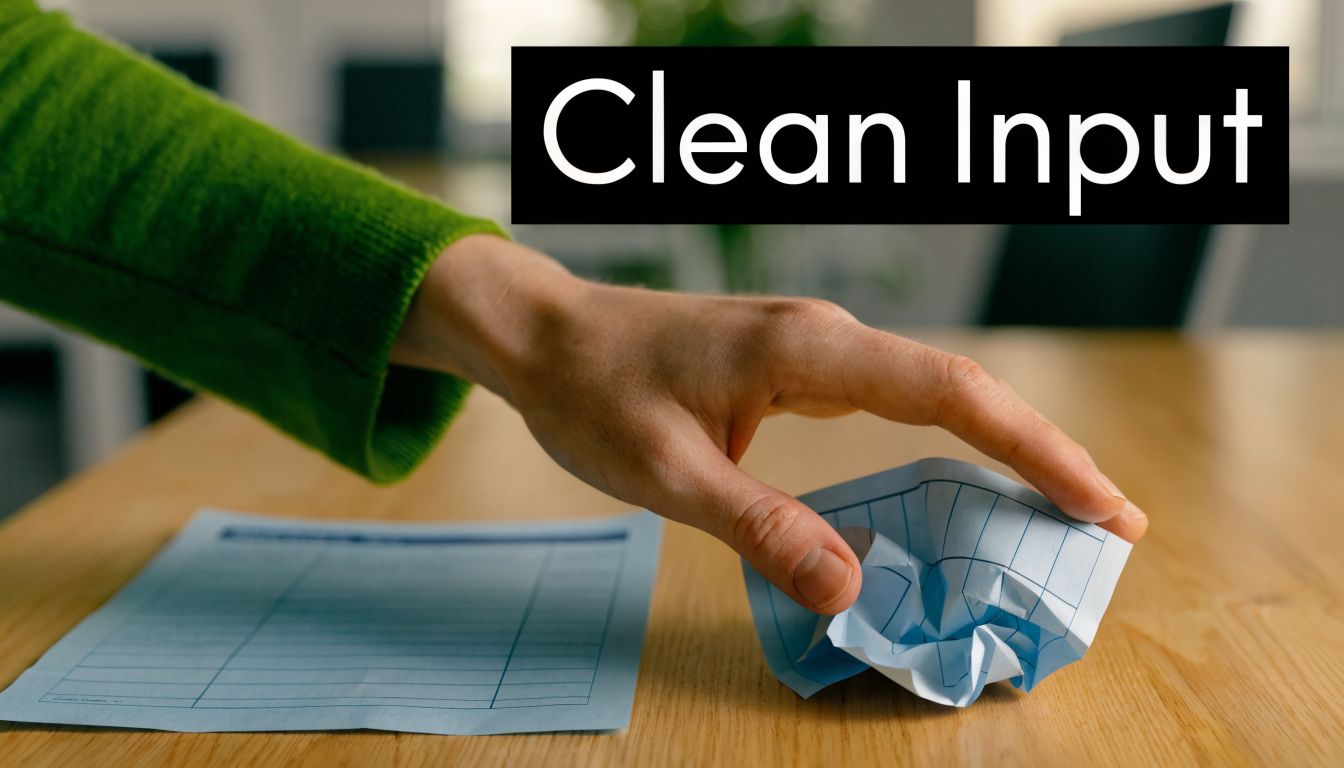
A good intake standard is simple:
- Request digital-native invoices first: ask suppliers to send PDF invoices instead of screenshots or photos.
- Scan full pages clearly: keep pages flat, in focus, and fully visible.
- Correct rotation before extraction: straight pages improve field location and table reading.
- Clean up visual noise: background marks, compression artefacts, and overlapping stamps increase misreads.
- Keep related pages in one document: multi-page invoices, credit notes, and attachments should stay together.
Bad files do more than reduce extraction accuracy. They break the handoff into accounting, approval, and reporting systems. If totals or supplier names are misread at intake, every later step inherits the error.
Standardise the intake path
Accuracy improves when invoices arrive through one controlled channel. A shared AP inbox, supplier portal, or upload form works better than a mix of personal mailboxes, chat attachments, and local desktop folders. Centralised intake also makes it easier to apply the same preprocessing rules every time.
This matters even more if the goal is end-to-end automation. Clean intake is what allows invoice data to flow into accounting software, vendor records, project tracking, and approval workflows without constant intervention. Teams that plan to connect extraction with downstream systems should define those handoffs early and use invoice workflow integrations across accounting and business tools from the start, not bolt them on after finance staff have built workarounds.
Create traceable inputs
File naming is not glamorous, but it saves time during audits and exception handling. A format like supplier-invoice-number-date is usually enough. It helps staff find the source document quickly, spot duplicates, and reconcile extracted values against the original file.
Set a source-of-truth rule as well. If someone corrects an invoice after extraction, the workflow should store the original document, log the edited field, and record who changed it. Unrecorded overwriting of values creates problems later, especially when a posted bill in the accounting system no longer matches the invoice image.
The practical goal is consistency. Clean files, one intake route, and a traceable document record give the extraction layer something stable to work with. That is what keeps automation reliable after launch, not just during the demo.
The Core Extraction and Validation Process
A finance team can forgive the occasional OCR miss. They cannot trust a workflow that posts the wrong total, creates duplicate bills, or sends an invoice into approval with no supplier match. Extraction gets the data off the page. Validation decides whether that data is safe to use.
Map the fields that matter
Start from the systems and decisions that depend on the invoice, then work backward to the document. That changes the field list fast. A basic setup may only need supplier name, invoice number, invoice date, due date, subtotal, VAT, total, currency, and PO reference. A production workflow usually needs more. Cost centre, project code, line items, payment terms, legal entity, and approver are common examples.
If a field drives posting, routing, matching, or reporting, capture it by design. Do not wait until go-live to discover that the accounting system expects a tax code or that project billing needs line-level descriptions.
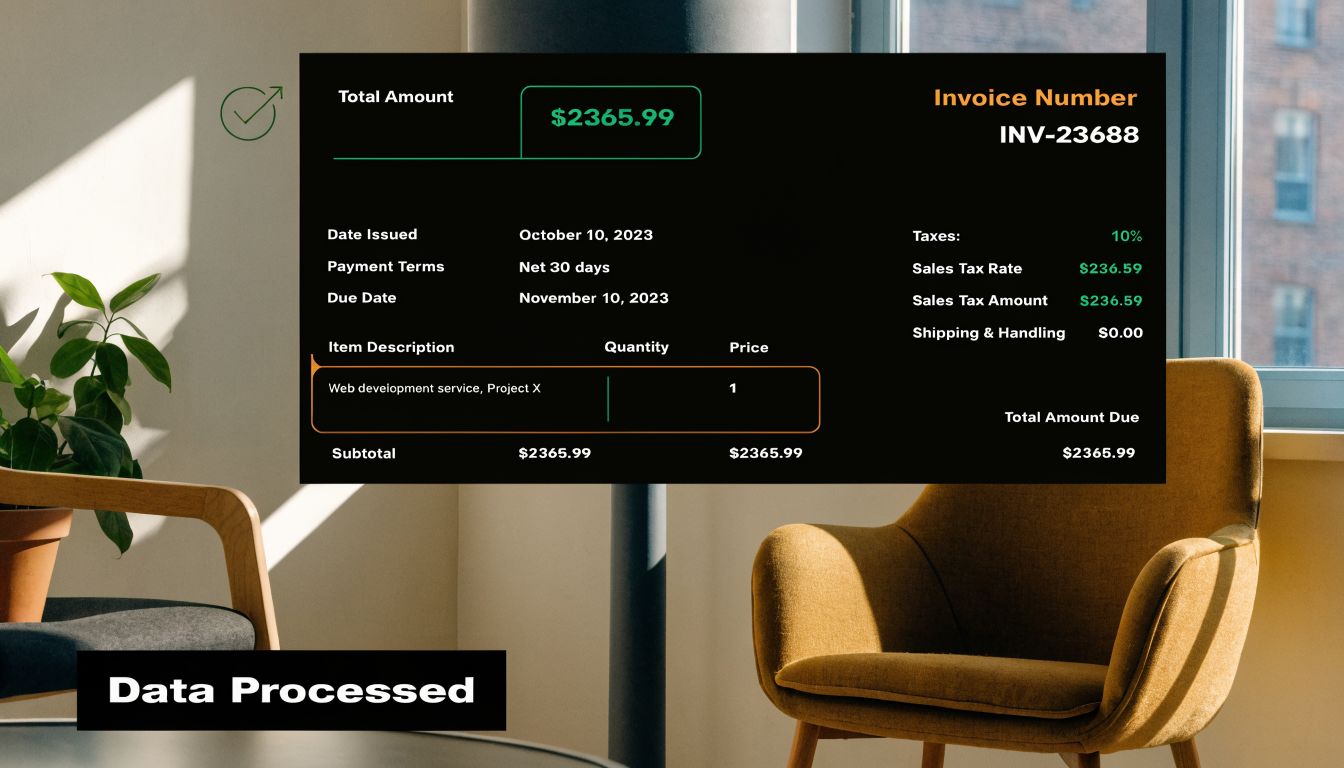
A practical field model usually includes:
- Header fields such as invoice number, supplier, dates, totals, and VAT values.
- Reference fields like PO number, project code, customer code, contract ID, or cost centre.
- Line-item data for matching, job costing, margin analysis, or detailed approval checks.
- Confidence and review flags so uncertain extractions do not flow straight into posting.
Teams often underestimate line items. Header extraction is enough for simple AP posting. It is not enough if you want three-way matching, project allocation, or downstream reporting to work without manual cleanup.
Validation is what makes automation usable
The expensive part of invoice processing is not only reading the document. It is checking whether the extracted values are internally consistent and valid in the rest of the business. Good validation copies the checks an experienced AP clerk already performs, then runs them every time without getting tired.
Useful checks include:
- Arithmetic checks: Do the net, tax, and gross values add up correctly?
- Date checks: Is the due date valid, and does it fall after the invoice date?
- Supplier checks: Does the supplier match an approved vendor record, including aliases and legal entity variations?
- Duplicate checks: Has the same supplier already submitted this invoice number, amount, or date combination?
- Tax checks: Does the VAT treatment fit the supplier location, invoice format, and purchase type?
- PO and budget checks: If a PO or project code is present, does it match an open record with available value?
Post only after those checks pass. Pushing raw extracted values straight into the ledger creates rework, and rework is what makes automation projects lose credibility.
Integration matters here because validation rarely lives in one place. Supplier records sit in the ERP. Open POs may live in procurement software. Project codes and budgets may live somewhere else again. Teams that want those checks to happen automatically need API connections across accounting, CRM, and operational systems, not just an OCR tool with an export button.
Build a feedback loop
No invoice set stays clean for long. A new supplier changes layout. A credit note looks like a standard bill. VAT is shown as a paragraph instead of a table. Someone submits a scanned photo with a shadow over the total.
The right response is not to keep widening manual review. It is to make review useful. Route low-confidence documents to a queue, show the original image beside the extracted fields, record what was corrected, and feed those corrections back into the template, rules, or model training process. Over time, the exception queue should become more specific, not just larger.
I have seen teams treat exceptions as failure. They are not. Exceptions are the mechanism that improves accuracy, tightens business rules, and makes the workflow reliable enough to connect with posting, approvals, and reporting downstream.
Building an End-to-End Automated Invoice Workflow
Extraction on its own solves the first third of the problem. Most substantial benefits come when the invoice triggers action without someone manually moving data from one app to another.
Design around business actions
Start with a basic question. Once the invoice has been read and validated, what should happen next?
Typically, the answer is some mix of filing, posting, notifying, and updating records. A supplier invoice might need to be saved to cloud storage, logged in an AP tracker, pushed into Xero as a draft bill, and flagged in Slack for approval. A client-facing expense might also need to update a CRM record or a project management board.
The mistake is building around the document instead of the outcome. If the invoice only ends up in a folder with a JSON export attached, someone still has to finish the job. End-to-end automation means the invoice becomes an event that kicks off the rest of the workflow.
A practical workflow pattern
A simple and effective pattern looks like this:
- Inbox trigger: A new invoice arrives in Gmail or Outlook and is labelled or forwarded into a monitored queue.
- Document capture: The attachment is saved to a structured folder in Google Drive, SharePoint, or another repository.
- Extraction step: Key fields are pulled from the invoice.
- Validation layer: Totals, VAT, supplier references, and duplicates are checked.
- Decision point: Clean invoices move forward. uncertain ones enter review.
- System actions: A draft bill is created, a CRM record is updated, and the right person is notified.
- Audit log: The original invoice, extracted fields, actions taken, and any overrides are stored together.
No-code automation platforms earn their keep by providing these essential connections. They link the inbox, storage, extraction tool, accounting software, messaging app, and tracker so the process behaves like one system instead of six.
Here’s a useful demo on turning a workflow into a working app layer:
If you need a custom front end for approvals, intake, or exception review, tools that can build an instant app from workflow logic are often faster than trying to force every step through a spreadsheet.
Example prompts for automation
Plain-English automation is useful here because invoice workflows are full of conditional logic that changes by team. A few examples:
When a new invoice arrives in my “Invoices” Gmail label, save the attachment to the “2026 Invoices” folder in Drive, extract supplier name, invoice number, invoice date, VAT, and total, then add a row to my AP tracker.
A second example:
If the supplier is already approved and the totals validate, create a draft bill in Xero and send a Slack message to finance for approval. If validation fails, move the invoice into an Exceptions folder and assign it for review.
And a third:
For invoices tied to a client project, update the CRM deal record with the cost, attach the original invoice, and notify the account manager that a supplier charge has been logged.
These are practical because they focus on business outcomes. The extracted data becomes the input for accounting, approvals, CRM hygiene, and project visibility. That’s what people usually mean when they say they want to automate extracting data from invoices. They don’t just want text pulled off a page. They want the next ten minutes of admin removed from the process.
Handling Exceptions and Advanced Scenarios
A supplier emails a PDF that looks close enough to a standard invoice. The header reads cleanly, but page two contains a handwritten delivery adjustment, the VAT treatment sits in a footnote, and one line item is a credit. If that document posts straight into the ledger without review, the problem is no longer extraction. It is bad accounting data spreading into approvals, reporting, and project margins.
Exception handling is part of the system, not a backup plan. Every invoice workflow needs a visible review path for documents that fail confidence checks, business rules, or downstream sync steps. That includes extraction problems, but it also includes integration failures such as a supplier that does not exist in the accounting system, a project code that no longer matches the CRM, or a bill that would create a duplicate record.
Why exception queues matter
A good exception queue protects the ledger and keeps work moving. It should tell the reviewer what failed, who should fix it, and what happens after correction.
Use reason codes that are specific enough to act on:
- Missing or unreadable supplier name
- Invoice number already exists
- Tax amount does not match line totals
- PO match failed
- Currency or tax label not recognized
- Vendor not found in ERP or accounting software
- Project or client reference missing
- Bill creation failed in the destination app
That last group gets missed in a lot of invoice projects. Teams focus on OCR accuracy, then discover the actual bottleneck is after extraction. The data is fine, but the Xero contact is archived, the NetSuite vendor ID is wrong, or the CRM deal has no active project code. End-to-end automation means the exception queue has to cover system-to-system failures as well as document-level ones.
Reviewers also need context. Show the original invoice, the extracted fields, the validation result, and the target action that was blocked. If finance has to open four tools just to understand why a bill stopped, the queue turns into manual triage.
As noted earlier in the benchmark summary on invoice extraction models, even strong extraction systems struggle with edge cases such as complex tax handling and irregular layouts. That is enough reason to design for review from day one.
Messy invoices need a different playbook
Some invoice types break otherwise reliable workflows. Construction invoices often spread charges across multiple pages. Agency and consulting invoices bury billable detail inside long narrative descriptions. International suppliers use tax labels your rules did not anticipate. Credit notes often mirror invoice layouts closely enough that weak logic posts them as positive charges.
Line items are usually where projects get harder. Header fields such as supplier name, invoice date, and total are manageable on many documents. Rows are different. Wrapped descriptions, merged cells, units mixed with prose, and tax notes outside the table all create failure points. If downstream automation depends on coding costs to a project, matching purchase orders, or splitting spend by department, test line-item extraction early.
The practical rule is simple. The messier the invoice, the less you should trust a single extraction pass.
Use a layered approach instead:
- Extract the document fields
- Validate totals, dates, tax, supplier, and duplicates
- Check destination system requirements before posting
- Route uncertain cases to the right person
- Write the corrected result back into the workflow so the next step can continue
That final step matters. If a reviewer fixes a tax code or supplier mapping, the workflow should resume automatically. It should create the draft bill, update the project record, notify the approver, and store the correction for future mappings. Otherwise the team still does the hard part by hand, just later in the process.
Advanced scenarios that need explicit rules
Three-way matching is a common example. An invoice can be extracted perfectly and still fail because the quantity does not match the PO or goods receipt. In that case, the exception should go to procurement or the receiving team, not back to AP.
Multi-entity finance teams need entity detection before posting. The invoice may belong to the right supplier but the wrong subsidiary, tax registration, or approval chain. Shared inboxes make this worse because documents arrive without clean routing metadata.
Foreign currency invoices need exchange-rate rules and posting-date logic. Subscription invoices need duplicate controls that allow recurring charges but still catch the same invoice number posted twice. Credit notes need sign validation and linking to the original bill where possible.
These are not edge cases in mature finance operations. They are routine conditions that need clear automation rules.
Keep the exception path short, assign ownership by issue type, and track the fix. Over time, the useful metric is not just extraction accuracy. It is how many invoices move from inbox to accounting system, CRM, and project records without rework, and how quickly the exceptions get resolved when they do appear.