
AI Agent Pricing in 2026: How Task-Based, Seat-Based, and Credit Models Compare at Scale
Here's how each AI agent pricing structure works, where it breaks down, and what to watch for before you commit.
- Why AI Agent Pricing Is Harder to Compare Than SaaS Pricing
- The Four AI Agent Pricing Models in 2026
- How These Models Perform at Scale
- The Hidden Cost Nobody Talks About: Maintenance
- What the Human-in-the-Loop Approval Model Changes About Pricing
- Comparing the Major Players on Pricing Structure
- What to Ask Before Choosing a Pricing Model
- Matching the Model to Your Use Case
- The Zenfox Approach: Why Flat Project Pricing Makes Sense for Operators
- FAQs
- The Decision Is About Total Cost, Not Sticker Price
AI agent pricing in 2026 is not straightforward — and that's by design. Vendors have landed on at least four distinct billing models, each of which looks affordable at the point of sale and expensive once you scale. If you're evaluating agentic tools right now, the model matters as much as the monthly number.
Here's how each structure works, where it breaks down, and what to watch for before you commit.
Why AI Agent Pricing Is Harder to Compare Than SaaS Pricing
With traditional SaaS, you pay per seat and you know what you get. With AI agents, the value is in what they do, not just that they exist. That creates a fundamental tension: vendors want to charge for value delivered, but "value" is hard to define fairly across different use cases.
The result is a market where the same underlying capability gets priced four different ways depending on which vendor you're talking to. A solo operator running 20 automations per month might pay $29 with one tool and $200 with another — not because the tools differ in quality, but because the billing model treats their usage pattern differently.
Understanding the models is the only way to compare honestly.
The Four AI Agent Pricing Models in 2026
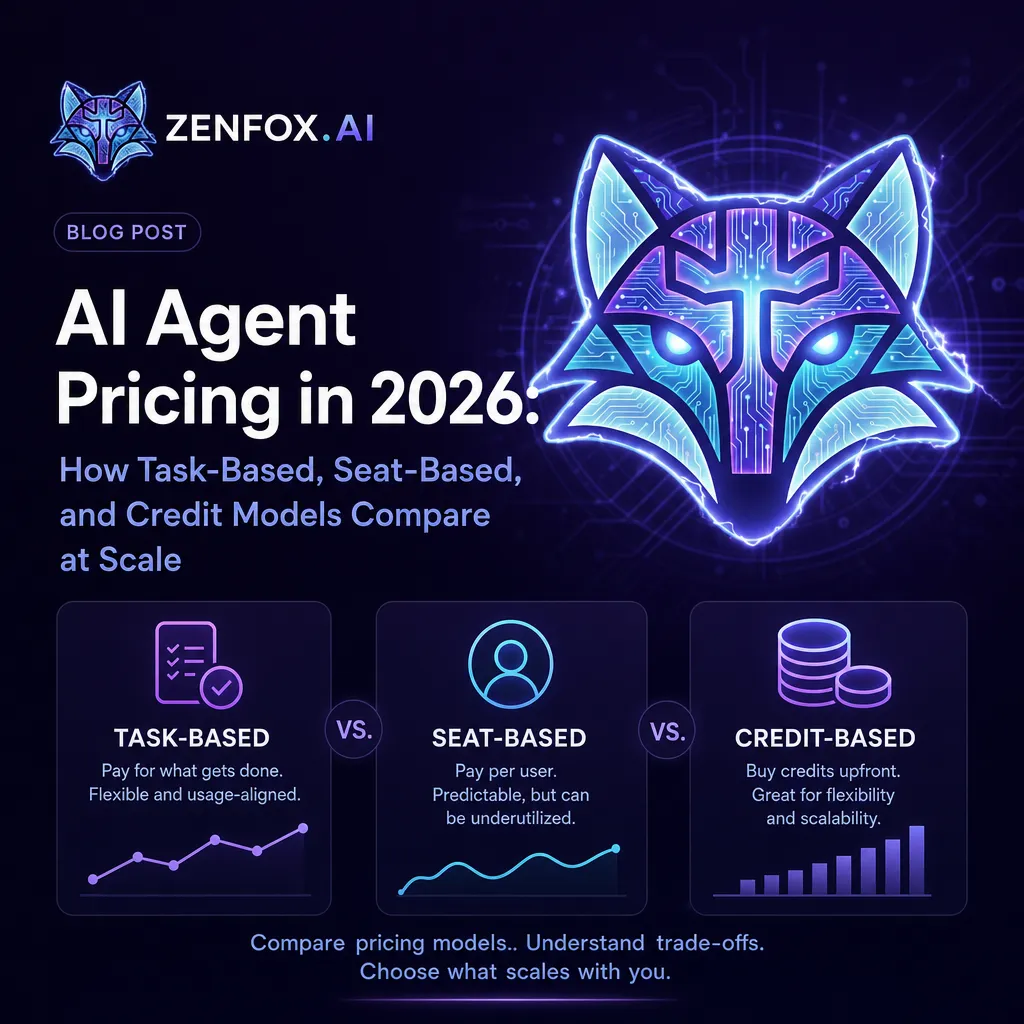
Task-Based Pricing
You pay per completed task or action. The agent does something, you get charged for it.
This sounds clean. In practice, it depends entirely on how "task" is defined. Some vendors count a task as a single API call. Others count it as a completed workflow. A few count every intermediate step the agent takes to reach a result.
The risk: an agent working on a complex, multi-step project may rack up dozens of task charges to complete what you'd describe as one piece of work. If you're running agents on anything more involved than simple lookups or single-step automations, task-based pricing can become unpredictable fast.
The upside: if your usage is genuinely light and consistent, task-based pricing is often the cheapest option. The problem is that agents are most valuable when they're doing complex work — and that's exactly when task-based costs spike.
Seat-Based Pricing
You pay per user, regardless of how much the agents actually do.
This model is borrowed directly from traditional SaaS and applied to agentic tools without much modification. It works well for teams where everyone is actively using the platform. It works poorly for small teams where one person is the power user and everyone else barely logs in.
For solo operators or two-person teams, seat-based pricing often means paying for seats that generate no value. For larger teams with uneven usage patterns, the same problem plays out at a different scale.
The hidden issue: you're paying for access, not execution. If the agents aren't running, you're still paying. That's a different contract than most buyers expect when they adopt an agentic tool.
Credit-Based Pricing
You buy a pool of credits. Each agent action costs credits. When credits run out, you buy more or wait until the next billing cycle.
Make operates on this model. The problem is that credit consumption doesn't scale linearly with perceived value. A single Zenfox task, for example, may equal 3 to 8 Make operations under Make's credit accounting. That distortion makes direct cost comparisons almost meaningless unless you've mapped your specific workflow to the vendor's credit schema.
Credit-based pricing also creates a psychological cost that flat-rate pricing doesn't. Every time an agent does something, you're aware it's spending your budget. That awareness can lead users to underuse agents in exactly the situations where agents are most valuable.
Then there are credit cliffs. Hit your limit mid-month on a critical workflow and the agent stops. That's a different failure mode than a seat-based or project-based tool — and one that catches teams off guard.
Project or Outcome-Based Pricing
You pay for a defined unit of work — typically a project or automation slot — rather than per action or per seat.
This is the model Zenfox uses. The Free tier includes 1 Managed Project and 1 automation. Pro includes 15 of each. Max includes 50. Pricing is flat per billing period, so you know your ceiling before the month starts.
The advantage is predictability. You're not watching a credit meter or counting tasks. You define your goal, the agent runs it, and the cost is fixed regardless of how many intermediate steps it takes to get there.
The trade-off: if you need more projects than your tier allows, you upgrade. There's no pay-as-you-go overflow. For teams with highly variable workloads, that can mean either over-provisioning or hitting a ceiling at the wrong moment.
How These Models Perform at Scale
Pricing models that look reasonable at 5 automations per month behave very differently at 50.
Task-based at scale: Costs grow roughly linearly with usage, but the definition of "task" often compresses under real workloads. Complex agent runs involving research, drafting, and sending a report may count as 15 tasks where you expected 3. At scale, this model requires active monitoring to avoid bill shock.
Seat-based at scale: Costs grow with headcount, not with usage. For teams where agent usage is concentrated in a few people, you're paying for seats that don't justify their cost. For teams where everyone uses agents heavily, seat-based pricing is often the most predictable and fair.
Credit-based at scale: This is where the model gets genuinely complex. A team running 50 workflows per month needs to model credit consumption per workflow type, account for agent retries and multi-step execution, and build in a buffer. Most teams don't do this — which means they either over-buy credits or run out at the worst possible time.
Project-based at scale: Predictable, but requires matching your workload to tier limits. A team running 30 distinct automations needs to be on a tier that supports 30. The cost is knowable in advance, which is a significant operational advantage.
The Hidden Cost Nobody Talks About: Maintenance
Every pricing model has a visible cost and a hidden one. The visible cost is the invoice. The hidden cost is the time spent keeping the system running.
Zapier and Make require you to build trigger-and-action workflows in advance. When those workflows break, someone has to fix them. That someone is usually you, at 10pm, when a critical automation stops firing.
Agentic tools that accept plain-language goals and execute end-to-end don't carry the same maintenance burden. There's no brittle logic tree to debug. If the goal is still valid, the agent runs it.
That maintenance delta is real money. A solo operator spending 4 hours per month debugging Zapier workflows is spending time that has a cost, even if it never shows up on a vendor invoice. When you're comparing pricing models, that hidden cost belongs in the calculation.
What the Human-in-the-Loop Approval Model Changes About Pricing
Most agentic pricing discussions treat the agent as a black box: you pay for it to do things, it does them, you get results.
Zenfox takes a different position. Every agent output is staged for human review and approval before anything is committed to live systems. That's not a limitation — it's the architecture.
The pricing implication is real. When an agent fires autonomously without review, you need to price in the cost of mistakes. A misrouted email, a corrupted CRM record, or a wrongly triggered Stripe action all have remediation costs. Those costs don't appear on any vendor's pricing page, but they're part of the total cost of operating an agentic system.
A human-in-the-loop model changes that math. You're not trading oversight for speed. You're paying for finished work that you approve before it goes live.
Comparing the Major Players on Pricing Structure
This isn't a comprehensive benchmark, but it illustrates how the models differ in practice.
Zapier is architecturally rule-based. Its agents layer, launched in 2025–2026, is a product overlay on a trigger-action foundation. Pricing is task-based at its core, with plans tiered by task volume. At scale, costs grow with usage and the platform requires ongoing workflow maintenance.
Make uses an operations-credit model. It's 3 to 5 times cheaper per operation than Zapier, which looks attractive until you account for the fact that a single complex task may consume multiple operations. Make's AI agent builder was still in beta as of 2026 and isn't production-ready for autonomous multi-step execution.
Lindy starts at $49 per month and positions its agents as AI employees for inbox, calendar, CRM, and scheduling. It's strong for repeatable cross-app work. It's cloud-only with no self-hosting or data residency control, and its connector set is limited to its own supported integrations.
Zenfox uses a project-based model with flat monthly tiers. Free at $0 includes 1 Managed Project, 1 automation, 1 Instant App, 1 Deep Research, and unlimited connectors — no credit card required. Pro is $29 per month. Max is $99 per month. Enterprise is custom-priced and includes a dedicated inference endpoint, on-premises storage, and a data enclave.
For a detailed side-by-side breakdown, the AI agent pricing comparison for 2026 covers the major platforms with more granularity than a single section allows.
What to Ask Before Choosing a Pricing Model
Before you sign up for any agentic tool, these questions will surface the real cost.
How is "task" or "operation" defined? Ask the vendor to walk through a specific workflow you'd actually run and count how many billable units it consumes. The answer will often surprise you.
What happens when you hit your limit? Does the agent stop? Do you get charged overage? Can you set a cap? The answer tells you a lot about how the vendor thinks about your operational risk.
Who maintains the workflows when they break? If the answer is "you," that's a hidden labor cost. If the answer is "the agent adapts," verify that claim with a real test.
Is human review built in, or do you have to build it yourself? Autonomous agents that fire without oversight create liability. If you're running agents against live CRM data, live email, or live financial systems, the approval model matters.
What's the security story? For any tool touching business-critical systems, SOC 2 certification, GDPR compliance, and credential encryption are the baseline — Zenfox uses AES-256 via Infisical. If a vendor can't answer these questions directly, that's a signal.
Matching the Model to Your Use Case
No pricing model is universally better. The right choice depends on how you actually work.
If you run a small number of high-complexity projects per month, project-based pricing gives you predictability without penalizing you for agent effort.
If your team has many users with relatively uniform usage, seat-based pricing may be the most straightforward.
If your usage is genuinely light and you're running simple, single-step automations, task-based or credit-based pricing might cost less — as long as you've modeled your actual consumption.
If you're an enterprise buyer with compliance requirements, the pricing model is almost secondary to the security architecture. You need SOC 2, GDPR, data residency control, and a vendor who can answer those questions before the conversation about cost begins.
For a broader view of what the current generation of agentic tools can actually do, the best AI agents in 2026 covers capability alongside pricing context.
The Zenfox Approach: Why Flat Project Pricing Makes Sense for Operators
Zenfox is not a chatbot. It's not a workflow builder. You state a goal in plain language, Zenfox breaks it into steps, executes each step across your connected tools, and surfaces finished work for you to review and approve.
That execution model doesn't map cleanly onto task-based or credit-based pricing. The agent might take 12 intermediate steps to complete a project you'd describe as one piece of work. Charging per step would penalize you for using the platform the way it's designed to be used.
Flat project-based pricing solves that. You know your cost before the month starts. The agent can work as hard as the goal requires without your costs spiraling.
The free tier makes this concrete. Start with 1 Managed Project, 1 automation, 1 Instant App, 1 Deep Research, and unlimited connectors — all at $0, no credit card required. That's enough to run a real workflow and see how the pricing model feels in practice before you spend anything.
If you're weighing whether to build custom agent workflows versus using a platform like Zenfox, the AI agent builder comparison is worth reading before you decide.
FAQs
What is the most common AI agent pricing model in 2026? The market in 2026 is split across four main models: task-based, seat-based, credit-based, and project-based. Task-based and credit-based are the most common among automation-focused tools. Project-based pricing, used by platforms like Zenfox, is less common but growing — because it offers predictable costs for complex, multi-step agent work.
How do I compare AI agent pricing across different vendors? Start by mapping a specific workflow you'd actually run, then ask each vendor how many billable units that workflow consumes. Task counts, operation credits, and project slots are not interchangeable. A workflow that costs one project slot on Zenfox might consume 3 to 8 operations on Make. The unit of billing matters more than the headline price.
Is credit-based AI agent pricing cheaper than flat-rate pricing? It depends on your usage pattern. Credit-based pricing can be cheaper for light, predictable workloads. For complex, multi-step agent work, credit consumption often exceeds what buyers expect — because each intermediate step the agent takes may consume credits. Flat-rate project pricing removes that uncertainty.
What does human-in-the-loop mean for AI agent pricing? Human-in-the-loop means the agent stages its output for your review before taking action on live systems. From a pricing standpoint, it means you're not paying for the cost of mistakes. Autonomous agents that fire without review create remediation costs that don't appear on vendor invoices but are real operational expenses.
Does Zenfox charge per task or per project? Zenfox uses project-based pricing. You pay for a defined number of Managed Projects and automations per billing period, not per step the agent takes. The Free tier includes 1 Managed Project and 1 automation at $0 — no credit card required.
What should enterprise buyers look for in AI agent pricing? Beyond the pricing model itself, enterprise buyers should verify SOC 2 certification, GDPR compliance, data residency options, and credential security. Zenfox is SOC 2 certified, GDPR compliant, and uses AES-256 encryption via Infisical. Enterprise pricing is custom and includes a dedicated inference endpoint, on-premises storage, and a data enclave.
How does agentic AI pricing differ from traditional automation tool pricing? Traditional automation tools like Zapier charge per task or operation for discrete trigger-action steps. Agentic AI tools execute multi-step goals autonomously, which means the cost model needs to account for the full scope of work — not just individual actions. For more on how agentic AI differs structurally from rule-based automation, the agentic AI vs AI agents breakdown covers the distinction in detail.
The Decision Is About Total Cost, Not Sticker Price
The vendor with the lowest headline number is not always the cheapest option. Maintenance time, credit consumption modeling, remediation costs from autonomous errors, and the labor of building and debugging workflows all belong in the calculation.
The right pricing model is the one that matches how you actually work, gives you predictable costs at the scale you're operating, and doesn't penalize you for using the platform the way it's designed.
Start with the free trial at zenfox.ai and run a real project before you decide. That's a better test than any pricing comparison.