AI Agent Pricing Comparison 2026: UK Business Guide
Explore our comprehensive AI agent pricing comparison 2026 for UK businesses. Understand models, hidden costs, and ROI to choose the best automation solution.
Most advice on AI agent pricing starts with the monthly fee. That's the wrong place to start.
A UK business rarely gets hurt by the visible line item first. It gets hurt by the costs that appear after the demo: workflow setup, CRM integration, access controls, audit requirements, data handling rules, and the ongoing work required to keep an agent reliable once it starts taking actions. That's why Total Cost of Ownership (TCO) matters more than the sticker price. Industry data shows that 60% of UK SMBs delay AI adoption due to hidden costs tied to workflow setup and compliance audits, with many facing a 30–40% premium on enterprise add-ons for GDPR alignment in the UK market, as outlined in this UK pricing comparison.
The practical mistake is easy to spot. Teams compare a £20 per user tool with a custom automation project and assume the cheaper subscription is the better buy. Sometimes it is. Often it isn't. If the low-cost tool can't connect properly to Gmail, HubSpot, Slack, or your internal approval flow, staff end up doing the actual work manually around it.
That's also why support leaders increasingly care about the full economics of automation, not just software list prices. If you're assessing service workflows in particular, this guide to understanding AI customer support expenses is useful because it frames cost at the ticket and resolution level rather than as a generic software fee.
Table of Contents
- Beyond the Sticker Price an Introduction to AI Agent Costs
- Understanding AI Workflow Automation
- Decoding AI Agent Pricing Models in 2026
- A Practical UK AI Agent Pricing Comparison
- How to Implement an AI Agent in Your Business
- Measuring Success and Avoiding Common Pitfalls
- Conclusion Your Smart Investment in Automation
Beyond the Sticker Price an Introduction to AI Agent Costs
The biggest pricing trap in the AI agent market is simple. Buyers treat agents like ordinary SaaS seats when many of them behave more like operational systems.

A seat price tells you almost nothing about whether the tool will work safely inside your business. It doesn't tell you how hard it is to connect your stack, whether approvals can be enforced, who can inspect actions after the fact, or what it costs to align the deployment with GDPR and SOC 2 expectations in a UK environment.
The hidden line items that change the decision
In practice, TCO usually includes more than the subscription:
- Integration work: Connecting Gmail, Slack, HubSpot, ticketing platforms, internal docs, and role-based permissions.
- Security overhead: Access policies, encryption requirements, audit readiness, and data handling controls.
- Operational maintenance: Prompt updates, workflow adjustments, rollback logic, and incident handling.
- Compliance extras: UK firms often discover that the security and residency options they need sit behind enterprise packages.
Practical rule: If an AI agent will read business data or take actions in production systems, don't assess it like a simple app add-on. Assess it like a process owner.
Many comparisons often fail. They compare visible fees and ignore what teams must spend to make the automation usable, governable, and durable. A cheap agent that needs constant human supervision isn't cheap. It's labour wrapped in software.
Why UK teams need a TCO view
UK businesses face a narrower margin for error because compliance isn't a side issue. It sits inside procurement, legal review, and deployment design. If your agent touches customer data, contract information, inboxes, CRM records, or support conversations, the operational model matters as much as the interface.
A better buying question is: what does this cost to run responsibly for a year, inside our actual stack, with our actual security requirements?
That question produces better decisions than any per-user headline ever will.
Understanding AI Workflow Automation
Most pricing confusion starts before procurement. Teams use the term AI agent to describe several very different products.
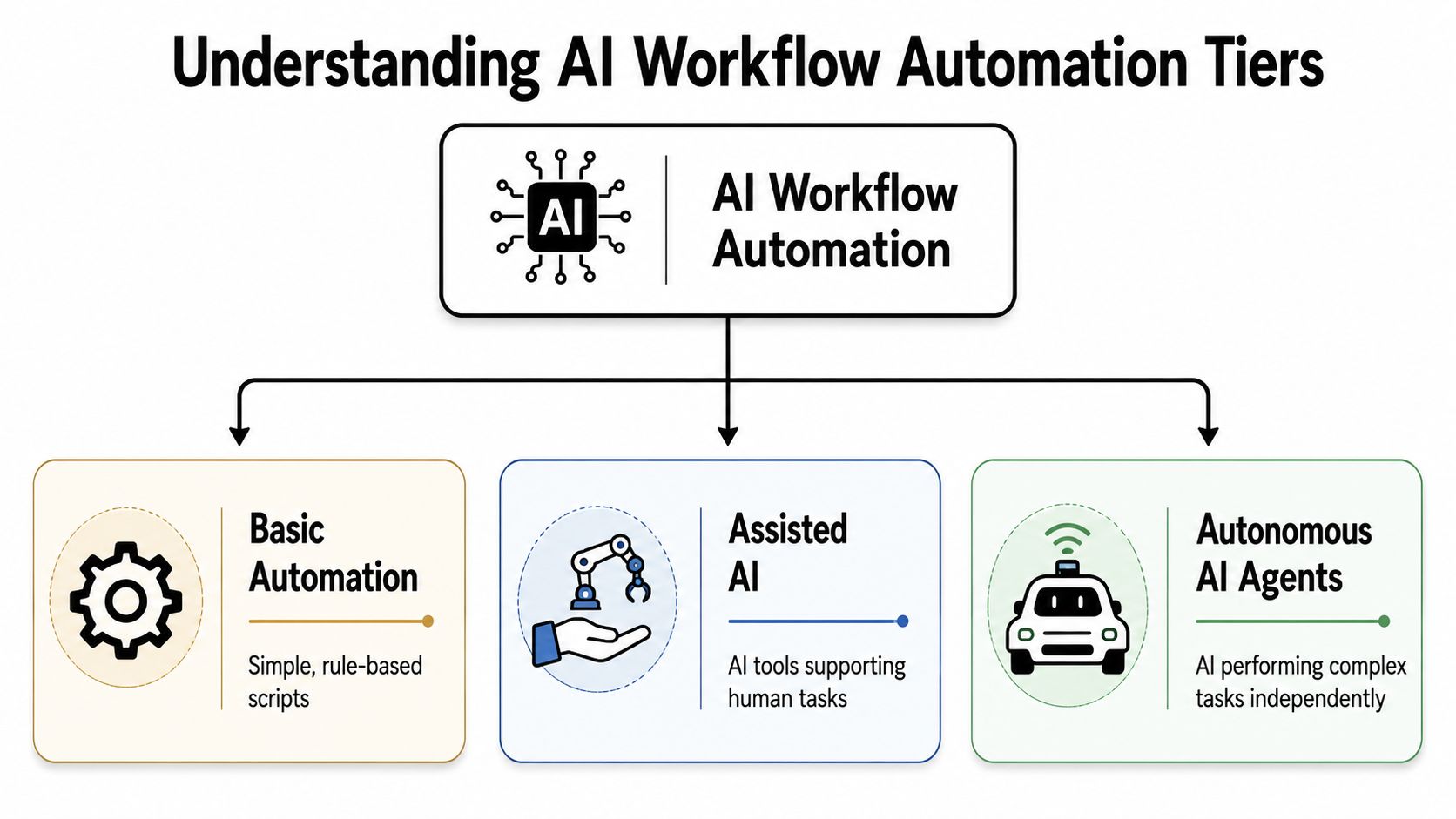
Three levels that buyers often lump together
The easiest way to separate them is by what they can do.
Basic automation is rules-first. Think scheduled reminders, simple if-this-then-that logic, or a script that moves data from one tool to another. It's useful, but brittle. If the process changes, someone has to rework the rule set.
Assisted AI sits in the middle. Many copilots are found in this tier. They draft emails, summarise meetings, suggest responses, or help staff find information faster. They improve individual productivity, but they usually wait for a person to decide and click.
Autonomous AI agents go further. They don't just suggest the next step. They execute it across systems based on a goal, context, and operating rules. A sales workflow is the clearest example. Instead of merely drafting a follow-up email, the agent can wait, detect no reply, send the follow-up, update the CRM, and notify the team in Slack.
A useful comparison is satnav versus self-driving. A copilot suggests the route. An autonomous agent makes the turns.
For a more detailed distinction between these categories, this explanation of agentic AI vs AI agents is worth reading because it clarifies where autonomy begins and where simple assistance ends.
Why the architecture changes the price
The price changes because the engineering problem changes.
A basic automation tool mostly needs triggers and actions. A copilot needs strong user experience, document context, and reliable suggestions. An autonomous agent needs much more: permissions, decision boundaries, failure handling, action logs, rollback paths, and enough context to operate without constant hand-holding.
That difference explains why the market doesn't have one neat benchmark price.
A draft-writing assistant and a workflow-executing agent may both be sold under the label of AI automation, but they create different operational risk and different business value.
If you buy the wrong class of product, the result is predictable. The tool looks affordable in a demo, then stalls in production because people still have to babysit it. That's the point where many firms realise they didn't buy automation. They bought assisted work.
Decoding AI Agent Pricing Models in 2026
Once you know what type of system you're buying, the next question is how vendors charge for it. An AI agent pricing comparison for 2026 then becomes useful, because the billing model often tells you as much as the feature list.
Per-seat and usage-based models
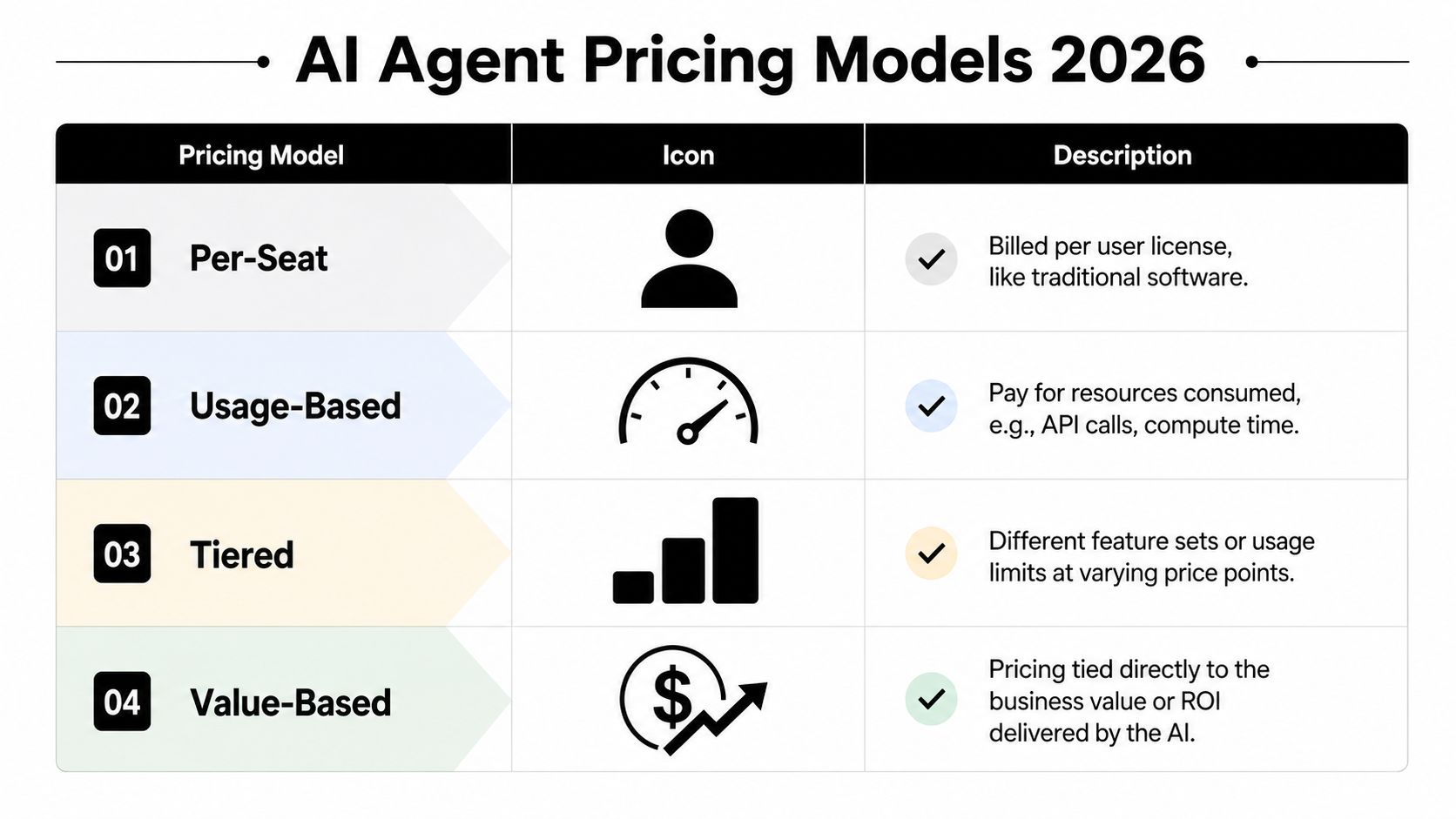
Per-seat pricing is the familiar software model. You pay per user each month. This works well when the product behaves like a productivity layer for staff. Budgeting is straightforward, procurement understands it, and finance gets predictable spend.
Its weakness is also obvious. User count doesn't always reflect value. If one team member triggers most of the actions and another barely uses the tool, the same fee may not make business sense.
Usage-based pricing charges for consumption. That may mean sessions, actions, compute, messages, or workflow runs. This model can be efficient when demand fluctuates. It also makes pilots easier because you don't need to license everyone up front.
The downside is planning. If the workflow succeeds and adoption rises, the invoice can become less predictable. A usage model also forces operations teams to understand what drives cost.
A lot of software buyers prefer to see examples before they commit. Product pricing pages such as our pricing for Formzz are useful partly because they show how vendors package capability and access, even when the product category is different. The lesson carries over: the structure of the pricing matters as much as the entry number.
Outcome-based and hybrid models
Outcome-based pricing is closer to paying for a result than for access. In the UK, this model can range from £0.10 per session to over £2.00 per conversation, with Intercom's Fin AI Agent charging £0.99 per resolved support ticket, billing only when the issue is fully closed, according to Intercom's UK pricing comparison.
For buyers, that's attractive because risk shifts closer to the vendor. If the agent doesn't produce the target result, you don't pay in the same way. This model works especially well in support and other workflows where success is easy to define.
The catch is narrower applicability. It's harder to use outcome billing when the result is ambiguous, shared across teams, or dependent on outside factors. A follow-up email sent is measurable. Revenue influenced is not always clean enough to invoice against.
Hybrid pricing combines a base subscription with some form of usage or outcome fee. This is often the most practical model for autonomous agents because it reflects reality. There's a fixed cost to keep the system available, integrated, and governed, plus a variable cost tied to work performed.
Here's how I usually frame the trade-offs:
- Choose per-seat when the tool behaves like general productivity software and most users need similar access.
- Choose usage-based when workload varies and you want low-friction entry.
- Choose outcome-based when success is clearly measurable and you want tighter economic accountability.
- Choose hybrid when the agent is embedded in a real business process and both readiness and results have value.
The cleanest pricing model on paper isn't always the best one in operations. The best one is the model that matches how the work is created, supervised, and measured.
A Practical UK AI Agent Pricing Comparison
A serious AI agent pricing comparison for 2026 has to separate three different buying motions: buying a copilot licence, commissioning workflow automation, and funding a bespoke autonomous system.
What UK buyers are actually paying for
In the UK market for 2026, off-the-shelf AI copilots sit in a price band of £20 to £30 per user per month, while custom autonomous agent development starts at £75,000 to £300,000 plus monthly run costs of £1,500 to £8,000, according to Braincuber's UK pricing guide. That same source notes that Microsoft 365 Copilot options in the UK market include promotional pricing and enterprise add-on structures that push total seat economics well above the simple headline fee once base licensing is included.
That gap exists for a reason. A copilot improves how an individual works inside familiar software. A custom autonomous agent changes how work itself gets done across systems. One is a software layer. The other is part software, part operations design.
There's also a middle ground that many smaller firms overlook. In the UK enterprise market for 2026, fully autonomous workflow agents can cost £5,200 to £10,400 per agent to develop, with a monthly operational retainer of £1,000 to £3,000, while simple reflex agents can cost £350 to £3,500, based on this development cost analysis. That range matters because not every business needs a full multi-agent system or a six-figure custom build.
2026 UK AI Agent Cost Comparison
| Agent Type | Typical Pricing Model | Estimated Monthly Cost (Per User/Agent) | Best For |
|---|---|---|---|
| Off-the-shelf AI copilot | Per-seat | £20 to £30 per user/month | Solo professionals, small teams, general productivity support |
| Microsoft 365 Copilot in UK business setup | Per-seat plus base licence | Cost depends on existing Microsoft licensing, with Copilot offers and enterprise add-ons affecting all-in seat spend | Firms already standardised on Microsoft workflows |
| Simple reflex agent | Project build plus maintenance | Monthly cost varies by support arrangement after initial build | Narrow, rule-led tasks with limited system risk |
| Fully autonomous workflow agent | Build fee plus monthly retainer | £1,000 to £3,000 monthly operational retainer after initial development | Teams automating cross-system workflows with guardrails |
| Bespoke autonomous AI system | Custom build plus run cost | £1,500 to £8,000 monthly run cost after initial development | Businesses needing deep integration, autonomy, and security controls |
The useful takeaway isn't that one option is cheaper than another. It's that each option solves a different operational problem.
If your goal is better drafting, summarisation, or document assistance, per-seat copilots make sense. If your goal is to remove manual handoffs between inboxes, CRMs, support queues, and collaboration tools, the economics change fast. A custom or semi-custom agent costs more because it replaces process labour, not just keyboard effort.
How to Implement an AI Agent in Your Business
The fastest way to waste money on automation is to start with a platform instead of a workflow. Start with the recurring task that already creates delay, inconsistency, or admin drag.
Start with one workflow that already hurts
Good first candidates are easy to recognise:
- Sales follow-ups: Reps send proposals, forget the second touch, and CRM records drift out of date.
- Lead handling: Enquiries arrive through forms and inboxes, then sit too long before qualification or routing.
- Weekly reporting: Team leads pull the same numbers from the same systems every Friday.
- Customer ops admin: Staff copy details between email, ticketing tools, and internal chat.
The best first deployment usually has four traits. It's repetitive, crosses at least two systems, needs context, and has a visible business owner. If nobody owns the workflow, the agent won't stay healthy after launch.
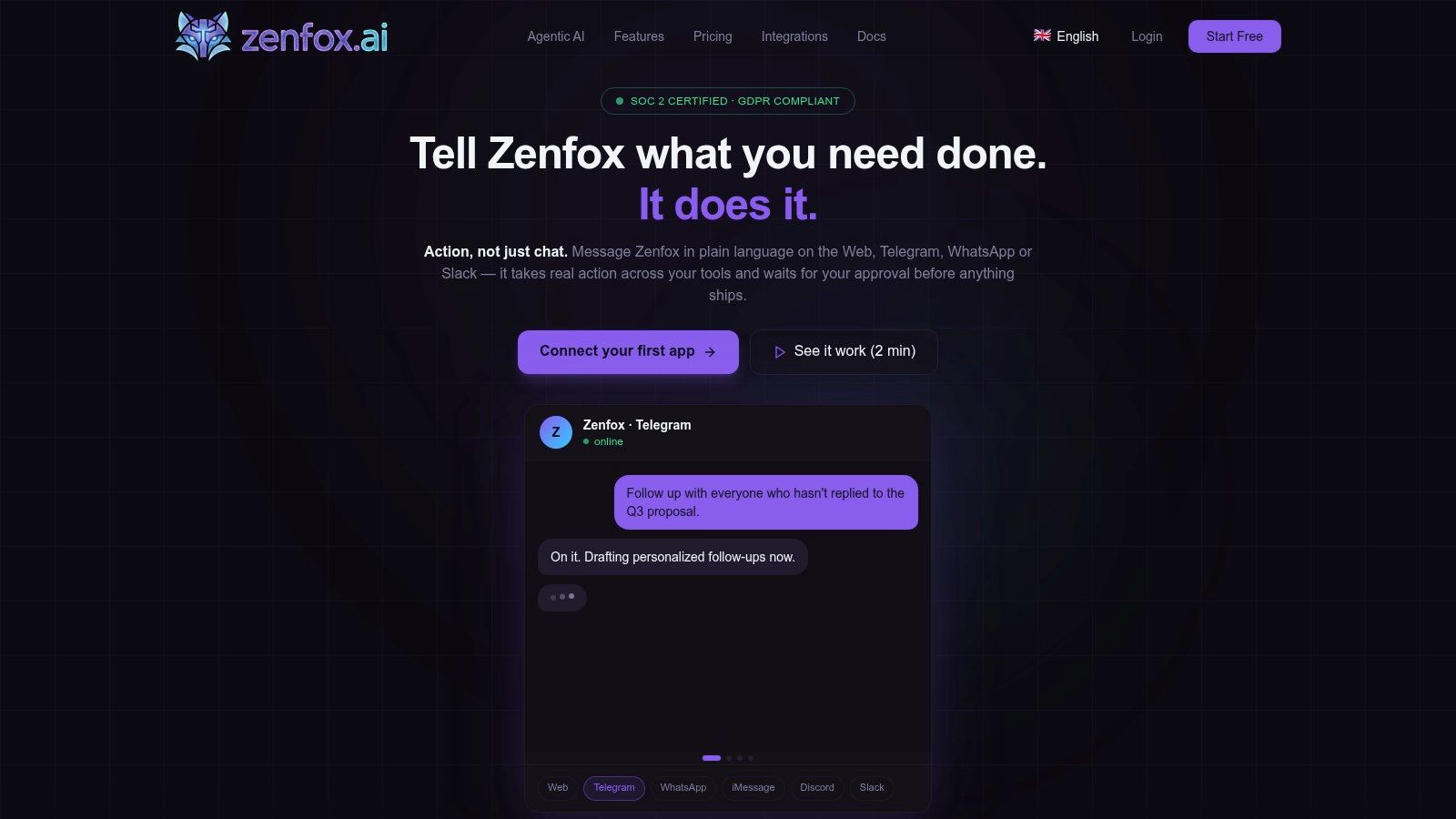
One practical route is to use a no-code builder that lets a team describe the workflow in plain English, connect the tools involved, and set approval boundaries. If you're evaluating that route, this guide to AI agent builders gives a clear view of how these systems are assembled without a full engineering project.
Build the operating rules before you switch it on
Most implementation failures are governance failures in disguise. The workflow sounds good, but no one defined what the agent may do without review, what should trigger escalation, or how to inspect actions later.
A straightforward launch sequence looks like this:
- Choose one measurable process. “Follow up on sent proposals after a delay if there's no reply” is better than “help sales move faster”.
- Connect the core systems. For many teams that means Gmail, HubSpot, Slack, Drive, and a shared knowledge source.
- Write the goal in plain language. Be explicit about timing, exceptions, tone, ownership, and stop conditions.
- Set action boundaries. Decide what the agent may send, change, or create automatically.
- Review logs during the first live runs. Early oversight catches weak logic before bad habits spread.
Good documentation helps here more than people think. Teams that treat workflows like living operating procedures usually recover faster when the process changes. This piece on best practices for writing AI agent docs is helpful because it turns vague automation ideas into instructions that can be maintained over time.
After the logic is defined, seeing a live build process helps non-technical teams understand what “zero-code” means.
A good implementation doesn't start broad. It starts narrow, observable, and reversible.
Measuring Success and Avoiding Common Pitfalls
An AI agent only earns its cost when it changes business outcomes, not when it merely completes tasks. The mistake many teams make is measuring activity and calling it value.

What to measure after launch
Start with operational evidence that a workflow is healthier than it was before.
- Time returned to staff: Are people spending less time on follow-ups, admin updates, and status chasing?
- Completion quality: Are CRM fields, tickets, and internal notes being updated consistently?
- Response speed: Are prospects or customers getting answers and next steps faster?
- Supervision load: Does the team trust the workflow enough that oversight drops over time?
In customer-facing automation, economics matter too. The dominant model for successful UK deployments is hybrid pricing, used by 43% of SaaS firms, because it ties recurring software availability to actual value created. The same analysis highlights the difference between £0.99 per resolution and £6.00 per human interaction in service settings, which is why many operators prefer models that scale with outcomes rather than headcount, as discussed in this pricing model breakdown.
Security and auditability aren't optional extras in ROI. If an agent can't be trusted, staff re-check its work, and the labour cost comes back through the side door.
Where ROI usually gets lost
The most common failure points are rarely technical.
One is weak integration fit. If the agent doesn't connect thoroughly to the tools where work already happens, people create manual workarounds. That destroys the value case.
Another is poor objective design. “Automate support” or “improve follow-up” is too vague. Teams need a defined process, clear handoff logic, and a known owner.
The third is security complacency. UK businesses need to know where data goes, who can access it, how actions are logged, and what controls exist if the workflow behaves unexpectedly. Buyers looking closely at these questions should review a proper enterprise guide to AI agent security, because governance is part of performance, not separate from it.
A reliable agent saves time. A secure, observable, well-integrated agent saves time without creating a second problem for ops, legal, or IT.
Conclusion Your Smart Investment in Automation
A key lesson from any useful AI agent pricing comparison for 2026 is that price alone doesn't tell you much. The right buying lens is TCO plus business value.
A per-seat copilot can be the smartest choice for individual productivity. A workflow agent can be the better investment when a team needs actions completed across Gmail, HubSpot, Slack, and other systems. A custom autonomous build makes sense when the process is valuable enough, sensitive enough, or complex enough to justify deeper integration and tighter controls.
The businesses that buy well don't ask, “What's the cheapest AI agent?” They ask, “What will this cost to run properly, and what work will it remove or improve once it's live?”
That shift changes the whole decision. You stop buying software in isolation and start investing in operational capability.
If you want an automation platform that handles real work across your stack, not just suggestions on a screen, Zenfox.ai is built for that job. It connects tools like Gmail, Slack, HubSpot, and Drive, lets teams describe workflows in plain English, and runs them with activity logs, enterprise-grade security, and zero-code setup that fits how UK businesses operate.