How to Deploy Agentic AI Solutions for Sales Reporting
Learn to deploy agentic AI solutions to automate sales reports. A step-by-step guide on KPIs, data integration, and building Zenfox.ai workflows.
Monday morning sales reporting usually fails in the same way. Someone exports pipeline data from HubSpot, someone else fixes the date ranges in a spreadsheet, a manager copies a few highlights into Slack, and leadership still asks the same follow-up questions because the report shows numbers but not meaning.
That process feels automated when templates already exist. It isn't. It's still manual work stitched together with habit.
The better model is an autonomous reporting workflow. One agent pulls the right records, checks them against the sources your team trusts, writes a short narrative that explains what changed, and sends the result to the right people in Slack or email. That isn't just faster reporting. It's a different operating model for sales ops.
If you're trying to deploy agentic AI solutions for sales reporting, the core challenge isn't getting a model to summarise a table. It's defining what matters, connecting the right systems, designing outputs people will act on, and putting guardrails around every action the agent takes.
Table of Contents
- From Manual Reports to Autonomous Insights
- Choosing KPIs That Drive Action Not Just Numbers
- Connecting Your Data Sources Without Code
- Designing Reports That Tell a Story
- Scheduling and Distributing Your Automated Report
- Governing and Scaling Your Agentic AI Solutions
From Manual Reports to Autonomous Insights
The old workflow is familiar. The sales lead asks for a weekly update. Ops exports closed-won, pipeline movement, stage ageing, and rep activity. Someone notices duplicates. Someone else realises one key account is missing because it lives in a separate sheet. By the time the report goes out, the team has spent more energy assembling facts than using them.
An autonomous agent changes that pattern because it can own the reporting workflow, not just one task inside it. It can gather records from HubSpot, cross-check account status from Google Sheets, pull context from Gmail or Slack, then turn that into a report that reads like an analyst wrote it.
That matters because sales reporting isn't only about accuracy. It's about timing and interpretation. A report that lands after the leadership meeting is mostly useless. A report that lands on time but forces everyone to decode it is only slightly better.
Most reporting pain doesn't come from missing dashboards. It comes from disconnected steps between data collection, interpretation, and delivery.
The practical shift is this. Stop thinking about AI as a drafting assistant for a summary paragraph. Start treating it as an operational layer that can coordinate the full reporting cycle.
What changes when the workflow becomes agentic
A basic automation tool follows rigid instructions. If one field changes name, a spreadsheet moves folder, or a manager wants a different cut of the pipeline, the workflow often breaks or needs rebuilding.
An agent behaves differently. It can work from intent. For sales reporting, that means instructions closer to how a sales ops lead thinks:
- Check pipeline movement: Find deals that changed stage this week.
- Identify risk: Flag opportunities that have stalled or lost momentum.
- Write context: Explain whether the week improved coverage, conversion quality, or forecast confidence.
- Deliver it properly: Post a short version in Slack and send the full version to leadership.
That shift from task automation to workflow ownership is where agentic AI becomes useful in practice.
Why sales teams are the right place to start
Sales reporting has clear inputs, recurring cycles, and visible stakeholders. It's structured enough to automate, but messy enough that simple rules alone usually don't hold.
That's why it's a strong proving ground when you deploy agentic AI solutions. You can start with one reporting process, give the agent a bounded role, and judge success on obvious outcomes. Did it collect the right data, produce a readable report, and get it to the right people without creating governance problems?
Choosing KPIs That Drive Action Not Just Numbers
The fastest way to waste an agent is to feed it the wrong scoreboard. If your reporting workflow revolves around vanity metrics, you'll get a polished summary of activity that doesn't help anyone decide what to do next.
Sales teams usually don't need more metrics. They need fewer, tighter ones.
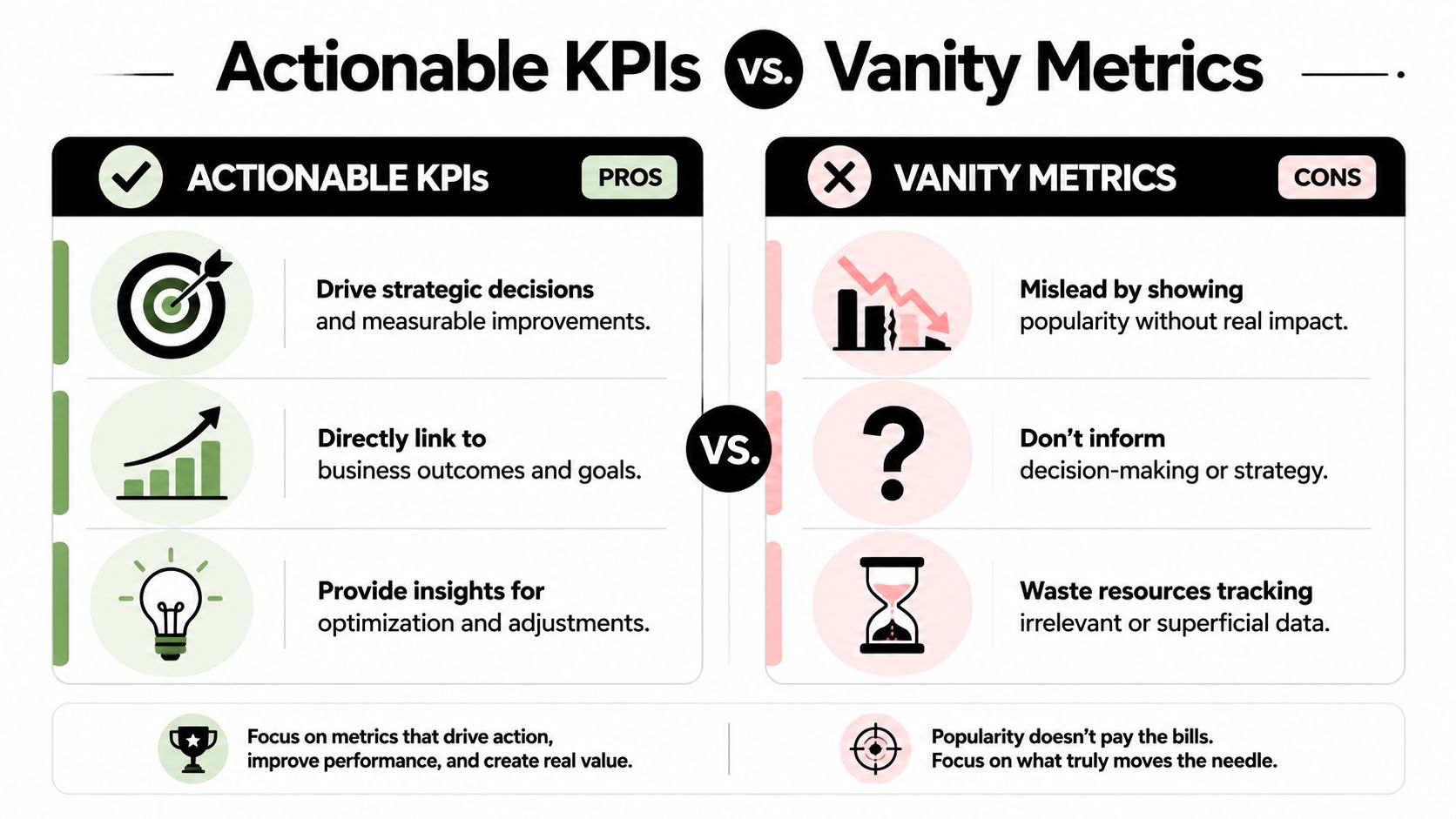
Leading indicators deserve priority
Lagging indicators matter. Revenue closed, bookings, and won pipeline all belong in the report. But they explain what already happened.
Leading indicators help a manager intervene before the quarter slips. In a sales context, those often include:
- Stage conversion quality: Are deals moving from discovery to proposal at a healthy rate, or are they piling up early?
- Sales cycle movement: Are enterprise deals slowing down compared with mid-market deals?
- Stalled pipeline exposure: Which opportunities haven't moved and now threaten the forecast?
- Rep-level execution signals: Are follow-ups, next steps, and stakeholder engagement keeping pace on key accounts?
A useful reporting agent should track both types, but its narrative should lean toward the metrics that trigger action.
A simple filter for choosing three to five KPIs
If a KPI can't change behaviour, it shouldn't lead the report. Use this filter before you automate anything:
| Question | If the answer is yes | If the answer is no |
|---|---|---|
| Does this metric predict future performance? | Keep it in scope | Move it lower in the report |
| Can a manager act on it this week? | Prioritise it | Treat it as background context |
| Does it map to a specific sales motion or process? | Assign ownership | Remove it from the core set |
| Will leadership ask a follow-up based on it? | Include explanatory narrative | Don't make it a headline |
This usually narrows the reporting set quickly. Teams typically land on a core group that mixes outcome, momentum, and risk.
Practical rule: If your weekly report contains a metric that never changes anyone's next step, drop it before you automate it.
Build KPIs around decisions
A weekly sales report should answer questions such as:
- Are we creating enough qualified pipeline?
- Are deals progressing at the right pace by segment?
- Where is forecast risk increasing?
- Which reps or territories need intervention now?
- What changed since last week that leadership should know?
That framing keeps the agent useful. Instead of producing a long list of numbers, it produces decision support.
If you're refining what belongs in executive reporting, this guide to quarterly business reviews is a useful companion because it shows how operating metrics connect to leadership conversations over a longer cycle.
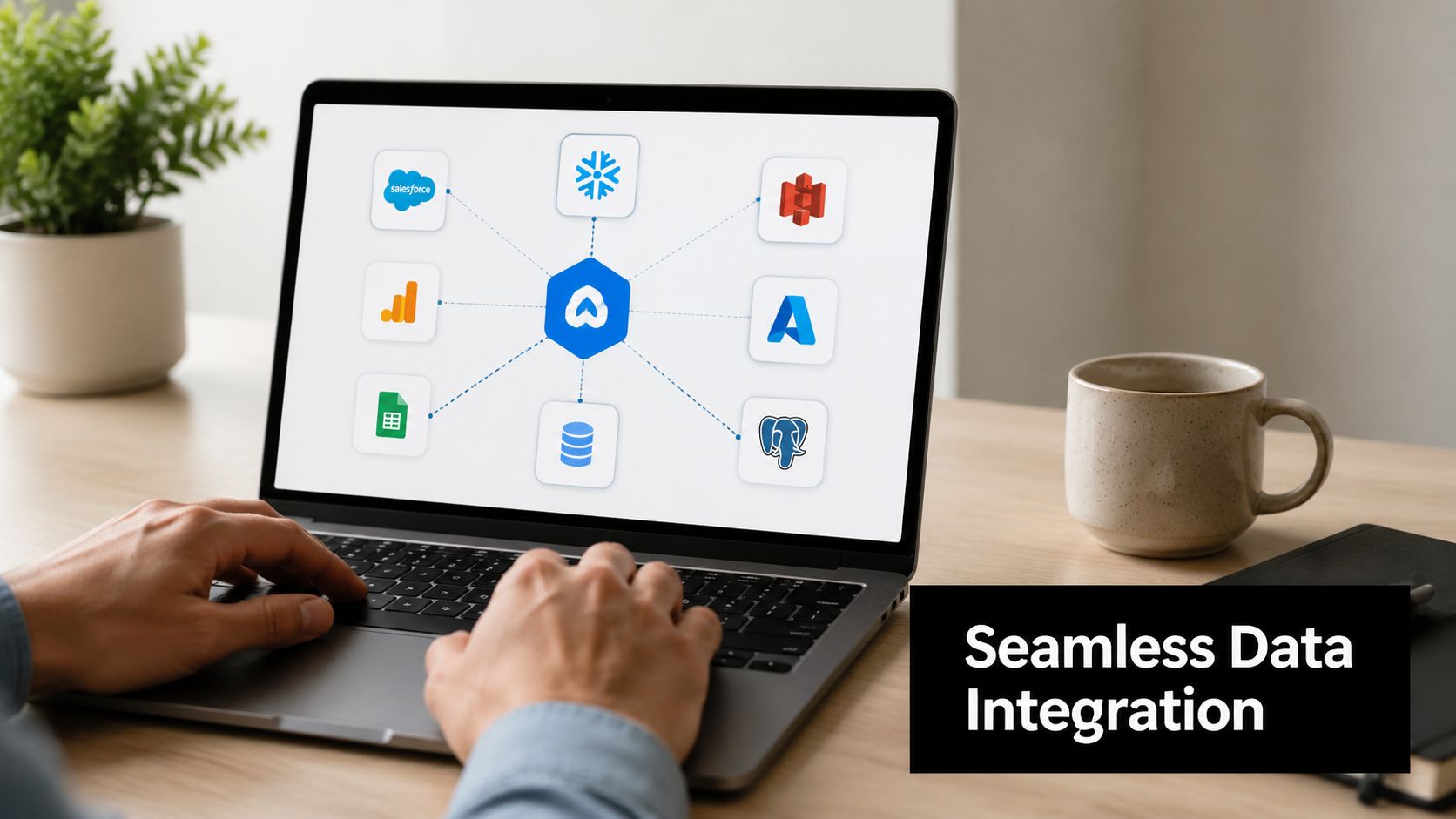
Connecting Your Data Sources Without Code
Most reporting projects don't fail because the summary is weak. They fail because the source data lives in too many places, each with its own naming quirks, update habits, and access rules.
That's where no-code agent setup matters. The point isn't to avoid technical work at all costs. The point is to remove the bottleneck where every reporting change waits on an engineer or ops specialist.
Across enterprise studies cited in 2026 industry reporting, 79% of organisations report some level of agentic AI adoption, 96% plan to expand usage in 2025, and another source projects that 40% of enterprise applications will include AI agents by 2026, according to industry reporting on agentic AI statistics. The same reporting notes that UK automation use cases cluster in sales, customer service, and finance, and adds a practical lesson from McKinsey's field research: onboarding agents is more like hiring a new employee than installing software, so teams need clear roles and monitoring.
What the agent needs to know before it touches data
Before you connect anything, define three things.
- System authority: Decide which tool is the source of truth for each field. If HubSpot owns deal stage but a Google Sheet owns customer tier, say so explicitly.
- Business vocabulary: Standardise terms the agent will see. "Proposal Sent", "Commercial Review", and "Late Stage" might mean different things across teams.
- Output intent: Tell the agent what the final report needs to answer, not just what tables to fetch.
That preparation matters more than clever prompting. Without it, the workflow becomes a fast way to combine inconsistent data.
A plain English reporting workflow
A sales manager wants a weekly report that combines CRM movement with delivery status from a shared spreadsheet. In older setups, that means exports, VLOOKUPs, and cleanup. In an agentic setup, the request can stay close to natural language.
A workable instruction looks like this:
Pull all deals from HubSpot that entered the "Proposal Sent" stage this week. Match each account against the "Master Client List" sheet in Google Drive. Add project status, account owner, and renewal date where available. Then group the results into deals progressing normally, deals at risk, and deals missing key data.
That kind of task is exactly where tools such as Zenfox.ai fit. It can connect systems like Gmail, Slack, HubSpot, Drive, and external APIs, then run zero-code workflows based on plain English instructions. If you need custom endpoints too, Zenfox supports API connections without forcing you into a full engineering project.
The same principle applies when your reporting process needs enrichment from another service. If you're trying to add external contact or company data and want a practical walkthrough, this guide on how to connect Icypeas API without coding is useful because it shows how non-technical operators can plug extra data into a workflow without writing integration code.
Where teams usually get stuck
The hard part isn't the connector. It's the assumptions around the connector.
Common issues include:
- Messy identifiers: Account names in the spreadsheet don't exactly match CRM records.
- Partial permissions: The agent can read one folder but not the supporting document it needs.
- Hidden process exceptions: Enterprise deals follow a slightly different path that nobody documented.
- Unclear ownership: No one knows who should fix bad source data when the agent flags it.
Those aren't AI failures. They're process visibility failures.
A short demo helps people grasp the difference between simple automation and multi-step orchestration. This walkthrough shows the idea well:
When you deploy agentic AI solutions well, the workflow doesn't pretend the mess isn't there. It surfaces the mess early, handles what can be standardised, and routes the exceptions clearly.
Designing Reports That Tell a Story
A sales report shouldn't read like an export with nicer formatting. It should tell the reader what changed, why it matters, and what needs attention next.
That's the difference between automated reporting and autonomous analysis. The first gives you numbers in a new place. The second gives leadership something they can use in minutes.
A common mistake in deployment is assuming the model is the main problem. In practice, operational integration and governance are often harder. Captech notes that teams struggle when they take a technology-only approach, fail to align leadership expectations, or don't close AI literacy gaps. Their practical advice is to treat deployment as a controlled systems-engineering problem with mapped processes, measured task success, stepwise monitoring, and governance before expansion, as outlined in Captech's piece on common pitfalls in agentic AI adoption.
Start with the decision not the dataset
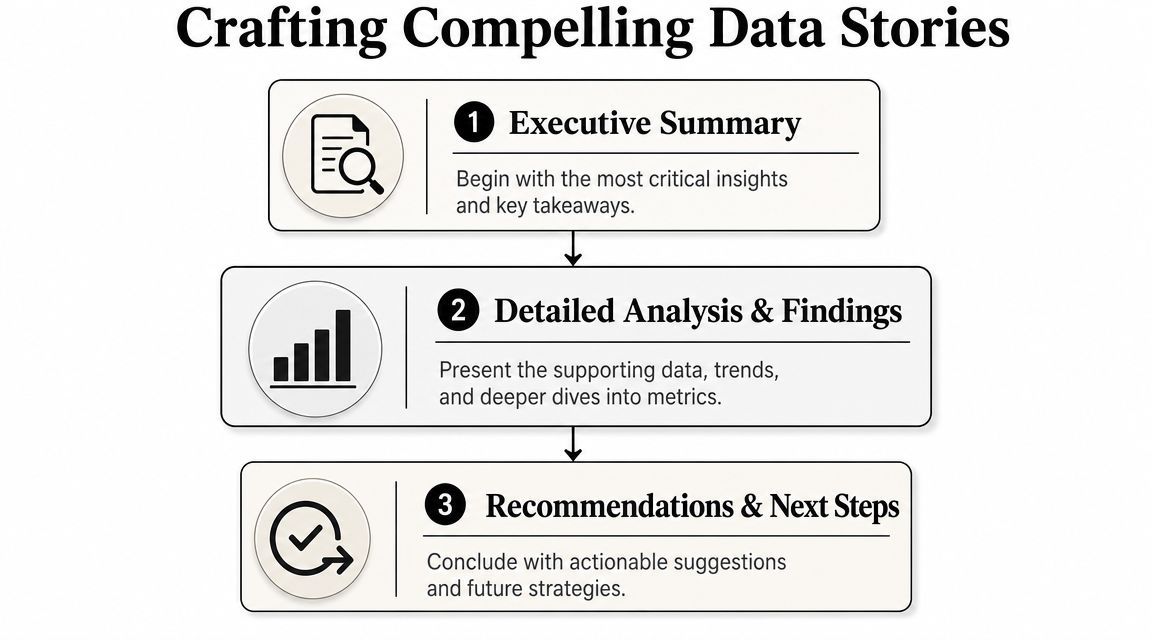
A strong sales report usually follows a simple sequence.
-
Executive summary
Give the top-line state of the business. Keep it short. Leadership wants to know whether pipeline health improved, slipped, or stayed flat. -
What moved the needle
Highlight the main drivers behind the change. That could be stronger conversion in one segment, a delayed cluster of late-stage deals, or growing stage stagnation. -
Risk and opportunity
Show what needs attention now. The agent earns trust because it identifies where a manager should intervene. -
Recommended next steps
Suggest actions tied to owners or teams.
If you want a broader view of how analysts structure narratives around data, DashDB's data storytelling guide is a good reference because it focuses on turning analysis into communication rather than just visual output.
A report becomes useful when the reader can answer, "What happened, why, and what do we do next?" without opening three extra tabs.
Example prompts that produce usable reports
Good prompting for reporting is less about clever phrasing and more about precise structure.
Try instructions like these:
-
For the opening summary:
"Write a five-sentence weekly sales summary for leadership. Start with overall pipeline movement, then note whether forecast confidence improved or weakened compared with last week." -
For the driver analysis:
"List the top three factors that changed pipeline quality this week. Use deal stage movement, segment-level conversion, and stalled opportunity count as supporting evidence." -
For the risk section:
"Create a table of deals at risk. Include account name, owner, current stage, days since last movement, next scheduled action, and a one-line risk note." -
For the action section:
"End with recommended next steps grouped by leadership, front-line managers, and individual reps."
A prompt set like that turns the agent into a junior analyst with a clear brief.
Format for skim readers first
Most leadership teams won't read a long narrative from top to bottom. Design for skim reading.
Use a structure like this:
| Report block | What it should contain |
|---|---|
| Summary | Short narrative, top-line direction, key change |
| Drivers | Bullet points with causes, not just results |
| Risk table | Named accounts or segments that need review |
| Actions | Clear follow-ups by owner |
That format keeps the report readable in Slack, email, or PDF without rewriting it each time.
Scheduling and Distributing Your Automated Report
A reporting workflow isn't done when the report is written. It works only when the right version reaches the right person at the right time.
Frequently, many teams fall back into manual habits. They automate the analysis, then someone still decides when to send it, where to post it, and whether it needs trimming for different audiences.
There are two clean ways to handle distribution. Scheduled reporting covers recurring operating rhythms. Event-driven reporting covers moments that deserve immediate attention.
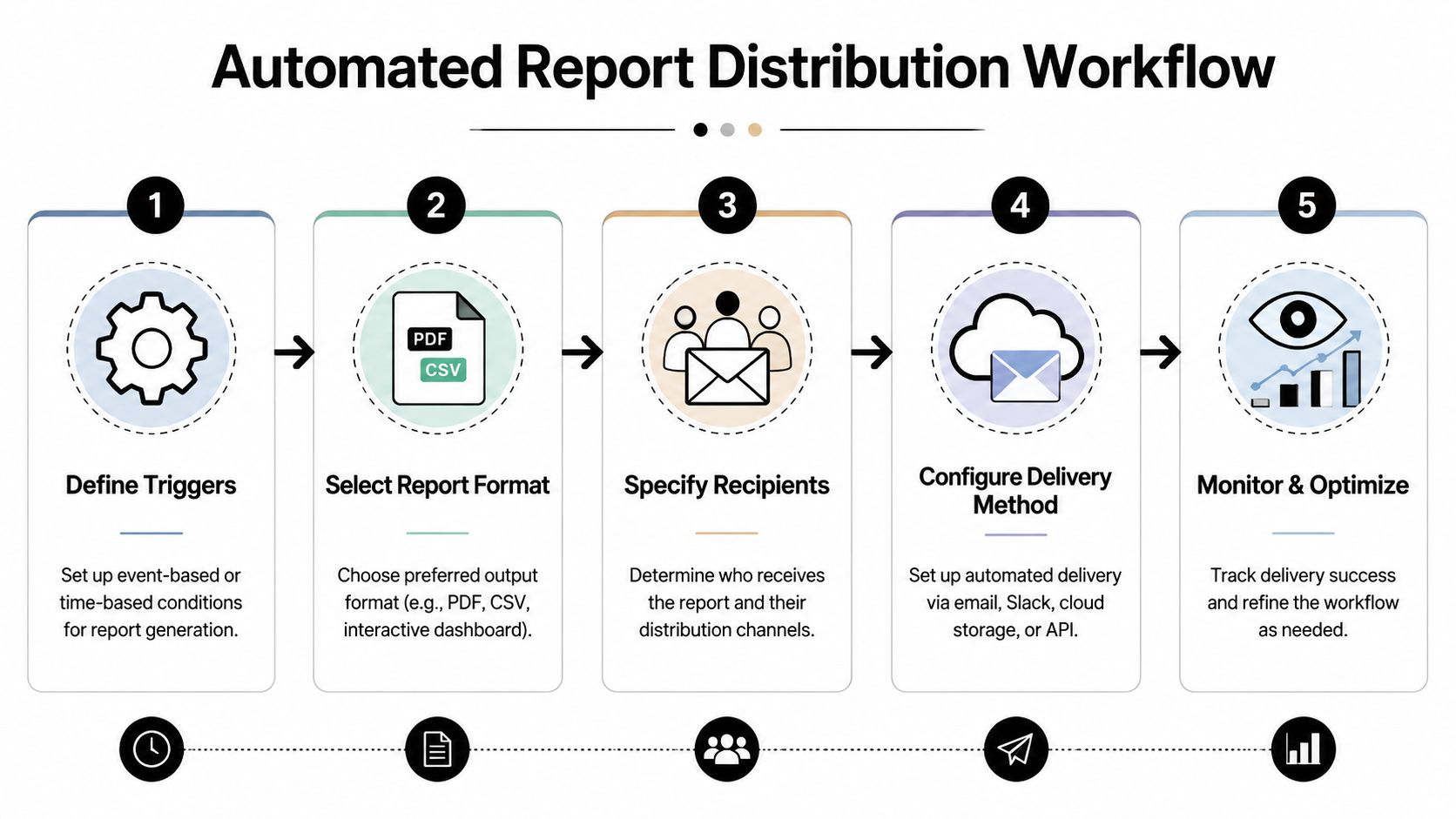
Scheduled reports versus event-driven alerts
A scheduled workflow is predictable. Every Monday morning, the system runs the same reporting job and sends the result to the same distribution list. This is ideal for weekly pipeline reviews, monthly board packs, or recurring sales stand-ups.
An event-driven workflow reacts to operational changes. A large deal closes. A priority opportunity goes stale. A forecast category changes late in the week. The system sends a targeted alert immediately.
Here's the trade-off in simple terms:
| Type | Best for | Strength | Risk |
|---|---|---|---|
| Scheduled | Weekly and monthly review cycles | Consistent cadence | People stop noticing if the report is too broad |
| Event-driven | High-value moments and exceptions | Fast response | Noise if triggers aren't tight |
Both are generally needed. Scheduled reporting gives the business a rhythm. Event-driven reporting gives managers a pulse.
What reliable distribution actually looks like
A solid setup usually includes different delivery formats for different audiences.
- Slack for fast visibility: Good for channel updates, short summaries, and alerts that prompt immediate follow-up.
- Email for fuller context: Better for leadership digests, attached documents, and reports people may forward.
- Shared storage for audit and retrieval: Useful when finance, sales leadership, or ops needs a stable record of prior reports.
- CRM or task creation for follow-through: Best when the report should trigger a concrete action, not just awareness.
An example scheduled workflow might look like this in practice:
- Run every Monday at 08:00.
- Pull previous week's pipeline movement from the CRM.
- Match account enrichment from shared sheets and recent email activity.
- Generate a short Slack summary for the sales channel.
- Generate a longer email version for leadership.
- Save the final report to a named folder for reference.
An event-driven example is narrower:
- When a deal marked as strategic moves to closed-won, generate a summary with owner, value band, source, sales cycle notes, and expansion potential.
- Post the short version in
#sales-wins. - Email the account team a fuller handover note.
- Log the action so ops can trace what was sent and why.
Operational note: Distribution rules should be written as business policy, not hidden inside prompts. Who gets what, when, and under which condition should be explicit.
Don't skip review logic
UK teams need to be especially careful once agents start taking actions across systems. The reporting gap isn't only "can the agent send the message?" It's "can you prove why it sent the message, what data it used, and whether a human could intervene when needed?"
The UK's ICO guidance says organisations must be able to explain automated decisions and ensure meaningful human oversight, a point highlighted in MIT Sloan's discussion of the heavy lifts in deploying AI agents. That matters directly when an agent emails customers, updates CRMs, or routes reporting outputs that may involve personal or commercially sensitive data.
For internal reporting, that means building in controls such as:
- Approval thresholds: Require review before sending certain reports externally or before acting on sensitive records.
- Permission boundaries: Let the agent read broad data, but limit write or send actions based on role.
- Escalation paths: Route uncertain cases to a manager instead of forcing the workflow through.
- Activity logs: Keep a record of what was generated, distributed, and changed.
A fire-and-forget system still needs ownership
"Fire and forget" doesn't mean unmanaged. It means the reporting workflow runs without manual assembly, while the team still owns the rules, recipients, and review points.
That's the difference between dependable automation and a noisy bot. A dependable agent knows when to send, when to wait, and when to ask for help.
Governing and Scaling Your Agentic AI Solutions
Governance sounds bureaucratic until the first time an agent sends the wrong report to the wrong audience, updates a CRM field without enough context, or pulls data from a system it should only read. Then governance stops sounding optional.
For UK businesses, the environment is already pointing in that direction. The UK's National AI Strategy in 2021 and the AI Safety Summit in 2023 frame AI around safety, accountability, and measurable risk controls, which is why UK teams need auditable workflows, clear human responsibility, and permission-based access from day one, as explained in MIT Sloan's overview of agentic AI and UK governance expectations.
Governance is what makes scale possible
The common mistake is treating governance as a brake on experimentation. In practice, it's what lets you move beyond one clever pilot.
If an agent can aggregate sales data, draft a narrative, and distribute it across Slack and email, you need answers to basic operating questions:
- Who approved the workflow?
- Which systems can it read from?
- Which actions can it take without review?
- Where is the audit trail?
- How do you roll back or pause it if behaviour changes?
Without those controls, you don't have a scalable reporting system. You have a fragile demo.
A useful way to think about this is the same way ops teams think about human hires. You wouldn't give a new analyst unrestricted access to every commercial system on day one. You'd define role, scope, approval lines, and review standards.
What to put in place before you expand
The minimum governance layer for agentic reporting should include the following.
- Permission design: Give the agent access by workflow need, not by convenience.
- Named ownership: One business owner and one operational owner should be accountable for each deployed workflow.
- Auditability: Keep logs of prompts, source systems used, actions taken, and outputs sent.
- Human review points: Add approvals where commercial, legal, or privacy risk is higher.
- Performance checks: Review whether the agent is producing correct, useful outputs before broadening scope.
If you're evaluating operating models more broadly, this overview of an AI agency operations platform is a helpful comparison point because it frames AI execution as an operational system rather than a single assistant.
For teams that want to scale from one reporting workflow into a wider multi-step operating layer, an autonomy engine matters more than a chat interface. That's the job of something like Zenfox's autonomy engine, where permissions, orchestration, and repeatable execution sit closer to the centre of the design.
Good governance doesn't slow deployment. It stops small errors from turning into system-level trust problems.
The teams that scale agentic AI safely usually do the same few things well. They start with bounded workflows. They log everything. They assign responsibility clearly. Then they expand only after the workflow proves it can operate reliably inside those rules.
If you want to put this into practice, Zenfox.ai is worth evaluating for sales reporting workflows that need more than simple task automation. It can connect your working systems, run agent-led processes in plain English, and keep execution inside a governed operating model so reporting doesn't stop at data collection.