
Create a Bot for Slack: Build & Deploy Easily
Learn how to create a bot for Slack, from setup to deployment. This guide covers code, security, and AI integration, including Zenfox.ai.
Your Slack workspace probably already has the symptoms. People ask for the same update in three channels. Someone pastes a ticket link without context. A sales lead comes in, but nobody records it anywhere except a fleeting message in chat. The team keeps using Slack as an operations layer, but the work behind those messages still depends on manual follow-up.
That’s when it makes sense to create a bot for Slack. Not because bots are fashionable, but because Slack is where requests already happen. If you put a reliable bot in the path of that behaviour, you can turn vague chat into structured action.
The mistake is building too much too early. The best Slack bots usually start small, do one job well, and earn trust before they expand.
Table of Contents
- Planning Your First Slack Bot
- Registering Your App and Setting Permissions
- Building the Bot's Brain with Code
- Enabling Interactivity and Local Testing
- Beyond Code: No-Code and Autonomous Agents
- Deployment Security and Final Checks
Planning Your First Slack Bot
A common first use case looks boring on paper, which is exactly why it works. A project team keeps asking for status updates. Product asks engineering for release timing. Support asks product whether a fix is live. Sales asks support whether a known issue affects a customer. The same answer gets rewritten all day.
A Slack bot can centralise that exchange, but only if the scope is narrow. Start with one decision: what exact moment in Slack should trigger the bot, and what concrete outcome should it produce?
Pick the workflow, not the technology
Good first bots usually fit one of these patterns:
- Request capture: someone runs a slash command such as
/ticket, fills in a short description, and the bot stores the request before notifying the right channel. - Status retrieval: a user asks for the state of a release, task, or incident, and the bot fetches a clean answer from a known source.
- Routing and triage: a teammate flags something in Slack, and the bot sends it to the right queue with enough context to act on it.
Bad first bots try to be a general assistant. That sounds useful, but broad bots fail in predictable ways. They answer inconsistently, hide weak data quality behind confident language, and make users wonder whether the message can be trusted.
Practical rule: if a junior team member can’t explain the bot’s purpose in one sentence, the scope is still too wide.
Define what success looks like
Before you write code, answer four plain questions:
| Question | Good answer |
|---|---|
| What triggers the bot? | A slash command, mention, reaction, or direct message |
| Who uses it? | One team first, not the whole company |
| What data must it capture? | Only the fields needed to complete the task |
| What counts as a win? | Fewer manual handoffs, clearer routing, better records |
That discipline prevents a lot of rework. It also tells you whether you should build from scratch or use a faster automation route. If your workflow touches multiple systems and you want reusable integrations, it’s worth reviewing the broader tooling available for developers building automation workflows.
Two realistic paths
You have two sensible options.
One is the coding path. You register a Slack app, define scopes, handle events, store data, and own the whole lifecycle.
The other is a modern automation path. You define the trigger, specify the fields, and let a visual or agent-driven system handle much of the plumbing.
Both can work. The right choice depends less on ideology and more on whether you need full custom behaviour or fast operational value.
Registering Your App and Setting Permissions
A Slack bot usually succeeds or fails here. A clean app registration gives you predictable permissions, cleaner audits, and fewer production surprises. A sloppy setup works for a demo, then turns into token sprawl, overbroad access, and hard-to-explain security exceptions.
Start in Slack’s app dashboard and create a new app from scratch. Name it after the job it performs. “Support intake bot” or “Release approvals bot” ages much better than a vague label like “AI assistant,” especially once your workspace has several internal tools.
Bot token versus user token
Choose the token model before you write handlers.
A bot token gives the app its own Slack identity. For most internal bots, that is the right default because actions stay consistent regardless of who installed the app, and permission review is much simpler.
A user token lets the app act as a specific person. That can be valid for narrow admin workflows, but it creates more risk. Permissions expand to match that user, audit trails get murkier, and the bot can break when that person changes roles or leaves the company. If the bot needs to answer commands, post updates, or open modals, start with a bot token.
Treat scopes like a permission boundary
Treat Slack scopes as the definitive boundary for what your bot can read, write, and react to. Scope decisions deserve the same care you would give a database role or cloud IAM policy.
Use the principle of least privilege. If the bot only handles a slash command and posts a confirmation, give it the scopes required for that workflow and nothing broader. Teams often over-scope early to “save time,” then forget to tighten access later. That shortcut creates avoidable exposure.
A practical test helps. Ask, “If this token leaked today, what actions would it allow?” If the answer includes reading channels the bot does not need, posting widely, or accessing sensitive conversations, trim the scopes before you install the app.
Permissions that match behaviour
Map permissions to actual behavior, not hypothetical future features.
- Posting replies: grant message posting permissions only where the bot needs to speak.
- Handling slash commands: configure the command trigger and confirm the bot can send the response users expect.
- Reading direct interactions: if people will DM the bot, enable that interaction pattern explicitly.
- Interactive elements: buttons, select menus, and modals require interactivity settings, not just message permissions.
This is also the point where architecture starts to matter. If the bot will pass work into other systems, define that boundary now so your Slack scopes stay narrow and the heavier workflow logic lives in the right place. For teams planning broader integrations, it helps to design around reusable API connections across your stack instead of letting Slack become the center of every business process.
Install to the workspace and record credentials safely
After scopes are set, install the app to your workspace and capture the credentials Slack generates. The main ones are the bot token and signing secret.
Store them immediately in a secret manager or a local environment file that is excluded from version control. Do not leave them in screenshots, shared docs, pasted terminal output, or team chat. Those leaks happen more often than teams admit.
At this stage, the goal is controlled access, not clever behavior. If you set up identity, permissions, and credential handling properly now, the coding work stays straightforward. If you skip that discipline, every new feature costs more to secure and maintain.
One final trade-off is worth stating plainly. Building this layer yourself gives you full control, but it also means you own OAuth, scope reviews, token rotation, and installation hygiene. If your real goal is workflow automation rather than custom Slack engineering, autonomous agent platforms can remove much of that setup burden while still letting Slack act as the front door.
Building the Bot's Brain with Code
A good Slack bot earns trust in the first few minutes. Someone types /ticket vpn access is broken, gets a clear confirmation, and sees that the request reached the right queue. That is the standard to build for. Predictable behavior beats flashy behavior, especially when the bot sits in an operational workflow.
Code is the right path when you need custom logic, tight control over permissions, or integrations that generic builders cannot model cleanly. By handling Slack’s event flow without forcing you to wire every request by hand, Bolt provides the fastest way to get there. The core setup is straightforward: use OAuth during app install, choose Socket Mode or HTTP depending on your environment, keep SLACK_BOT_TOKEN, SLACK_SIGNING_SECRET, and SLACK_APP_TOKEN in environment variables, and verify every request Slack sends.
Choose one workflow and make it boring
Start with a command that does one job well.
/ticket is a strong first use case because it turns a loose chat message into structured work. The bot should capture the request text, requester, channel, and timestamp, save that record somewhere durable, then send a confirmation back to Slack. If the request needs to continue in other systems, design around reusable API connections between Slack and the rest of your stack instead of pushing all business logic into the bot process.
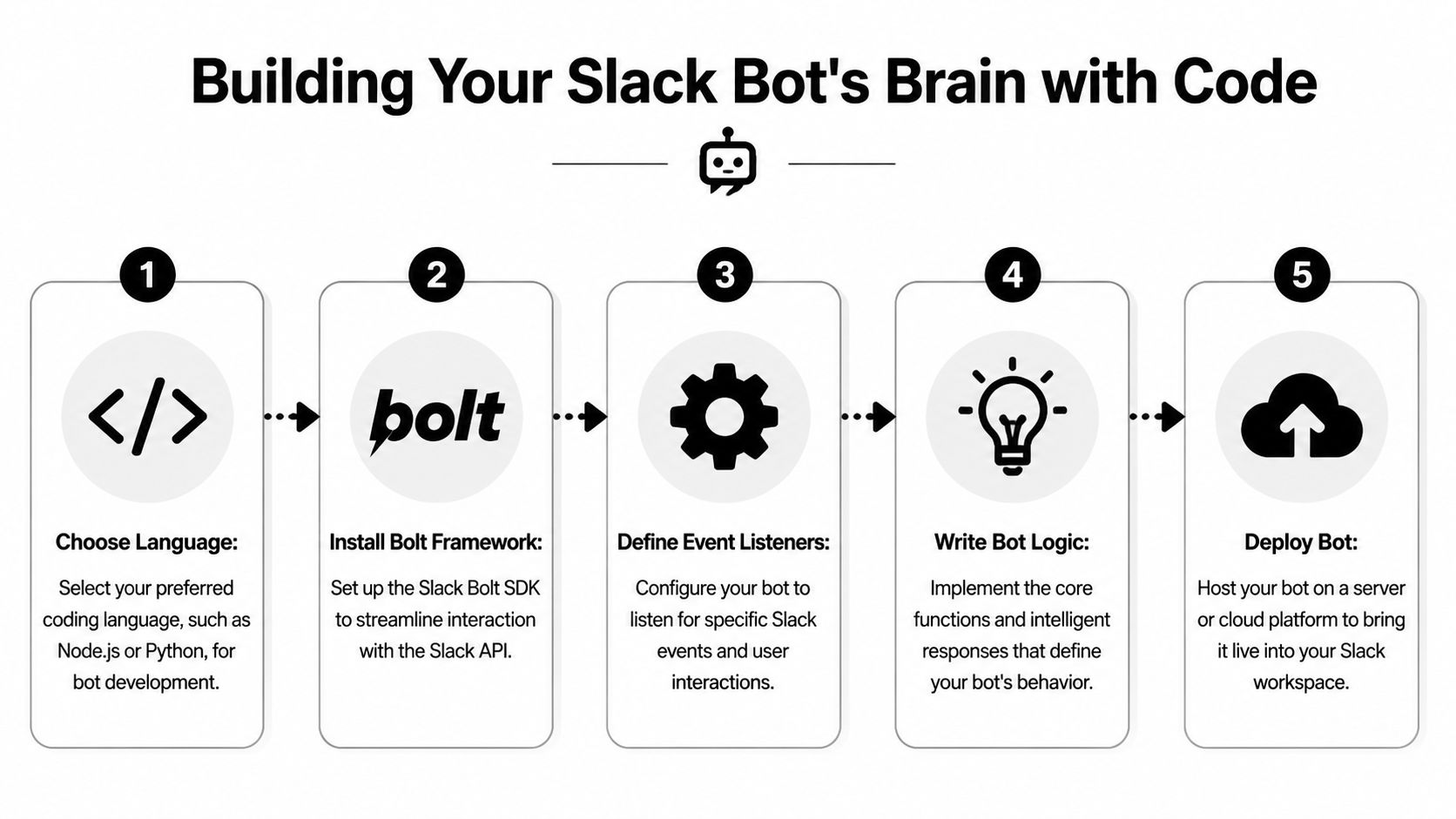
A short visual walkthrough can help before you dive into code.
Node.js example with Bolt
This is a minimal Node.js Bolt app that handles a slash command and an app mention.
require("dotenv").config();
const { App } = require("@slack/bolt");

const app = new App({
  token: process.env.SLACK_BOT_TOKEN,
  signingSecret: process.env.SLACK_SIGNING_SECRET,
  socketMode: true,
  appToken: process.env.SLACK_APP_TOKEN
});

app.command("/ticket", async ({ ack, command, respond }) => {
  await ack();

  const description = command.text?.trim() || "No description provided";
  const requester = command.user_name;
  const channelId = command.channel_id;
  const createdAt = command.trigger_id ? new Date().toISOString() : new Date().toISOString();

  const fakeTicketId = `REQ-${Date.now()}`;

  await respond({
    text: `Request received. ${fakeTicketId}`,
    blocks: [
      {
        type: "section",
        text: {
          type: "mrkdwn",
          text: `*Request created*\n*ID:* ${fakeTicketId}\n*Requester:* ${requester}\n*Description:* ${description}`
        }
      }
    ]
  });

  // Save to your database here.
  // Notify an ops or support channel here.
});

app.event("app_mention", async ({ event, say }) => {
  await say({
    text: `Hi <@${event.user}>, try /ticket followed by a short request.`
  });
});

(async () => {
  await app.start();
  console.log("Slack bot is running");
})();
A few implementation choices here matter more than the rest.
ack()happens first: Slack expects a fast acknowledgement. If you validate inputs, call another API, or write to the database beforeack(), users will see command timeouts even when your code eventually finishes.- Socket Mode is useful early on: it removes the need for a public HTTPS endpoint during development. That keeps setup simple while you prove the workflow. Many teams later switch to HTTP events in production for clearer network control and easier platform-level monitoring.
- Environment variables are the minimum bar: never paste tokens into the source file. Use local
.envfiles for development, then move secrets into your deployment platform or a secret manager.
Python example with Bolt
If you prefer Python, the same pattern is straightforward.
import os
from datetime import datetime
from slack_bolt import App
from slack_bolt.adapter.socket_mode import SocketModeHandler

app = App(
    token=os.environ["SLACK_BOT_TOKEN"],
    signing_secret=os.environ["SLACK_SIGNING_SECRET"]
)

@app.command("/ticket")
def handle_ticket(ack, command, respond):
    ack()

    description = command.get("text", "").strip() or "No description provided"
    requester = command.get("user_name")
    channel_id = command.get("channel_id")
    created_at = datetime.utcnow().isoformat()
    ticket_id = f"REQ-{int(datetime.utcnow().timestamp())}"

    respond(
        text=f"Request received. {ticket_id}",
        blocks=[
            {
                "type": "section",
                "text": {
                    "type": "mrkdwn",
                    "text": f"*Request created*\n*ID:* {ticket_id}\n*Requester:* {requester}\n*Description:* {description}"
                }
            }
        ]
    )

    # Persist the request in a real datastore.
    # Route it to the relevant team channel.

@app.event("app_mention")
def handle_mention(event, say):
    say(text=f"Hi <@{event['user']}>, use /ticket to create a structured request.")

if __name__ == "__main__":
    SocketModeHandler(app, os.environ["SLACK_APP_TOKEN"]).start()
Python stays pleasant for internal tooling because the code remains compact as you add validation, persistence, and routing rules. The trade-off is that teams already standardized on Node.js often get easier deployment, shared libraries, and observability by keeping Slack apps in the same runtime as the rest of their internal services.
What usually breaks first
Slack bots rarely fail because Bolt is hard to use. They fail because the first version mixes transport, business rules, and external integrations into one file, then nobody wants to touch it later.
A cleaner pattern is simple: let Slack handlers receive the event, acknowledge it, validate the payload, and hand the work to a service layer. That service layer can write to the database, call external systems, and decide where to route the request. Once you separate those responsibilities, testing gets easier and production incidents get easier to diagnose.
Common mistakes show up fast:
- Hardcoded secrets: tokens end up in repos, logs, or copied snippets.
- No durable storage: if the bot only posts a message, the workflow disappears when someone edits or ignores that message.
- Fuzzy command handling too early: operational users prefer commands with clear inputs and predictable outcomes.
- Weak confirmations: users need a request ID or a summary they can reference later.
- Routing logic buried in handlers: channel rules, queue ownership, and escalation policies change. Keep that logic out of the Slack event function.
There is also a broader trade-off here. Hand-coded bots give full control, but every capability costs engineering time. Interactive views, retries, audit trails, and cross-system actions all add surface area. If your goal is real workflow automation rather than Slack-specific engineering, custom code is only one path. Autonomous agent platforms can take over more of that orchestration while Slack stays the interface your team already uses.
Keep the first release narrow. A reliable ticket command that stores data and routes work correctly is more useful than an ambitious assistant that behaves inconsistently.
Enabling Interactivity and Local Testing
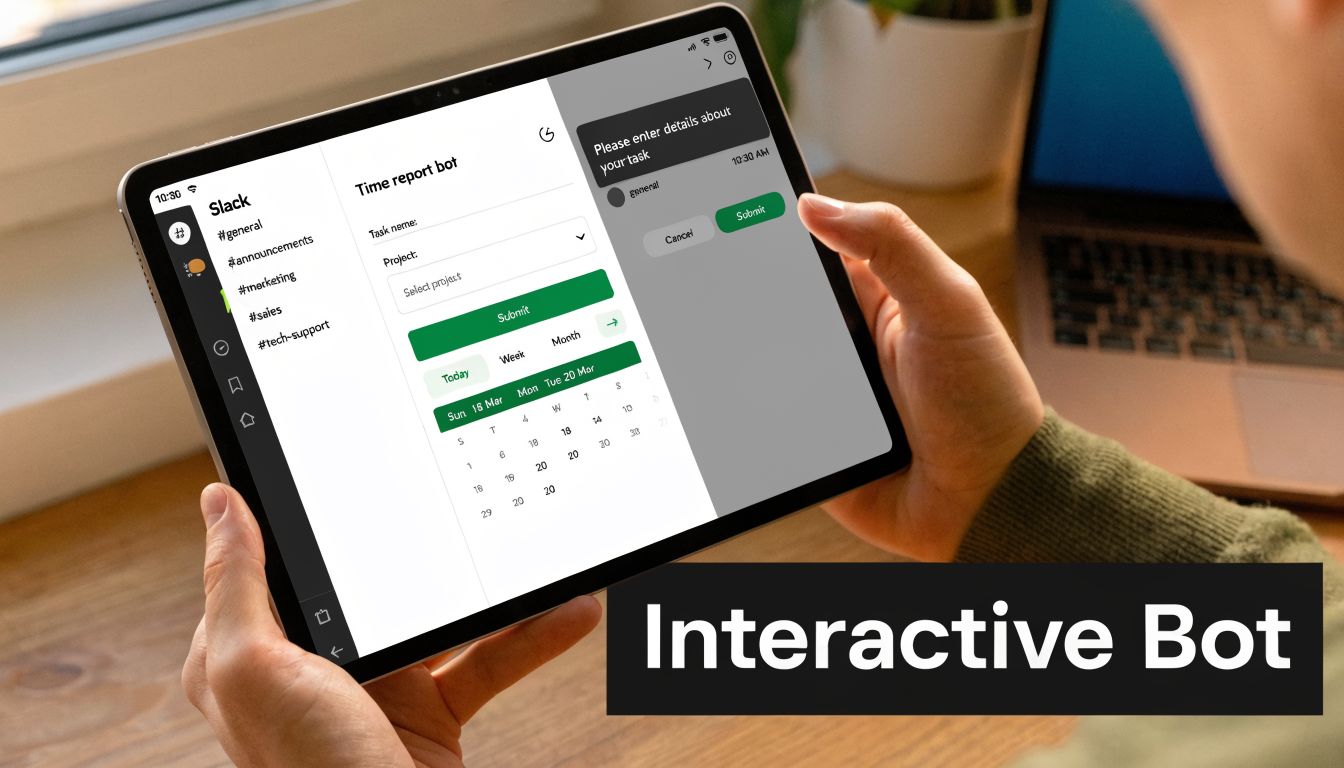
A bot that only posts plain text can be useful. A bot that lets people act inside the message is much easier to adopt. Slack’s Block Kit gives you buttons, selectors, date pickers, and structured layouts that make the bot feel like a tool rather than a glorified notifier.
Turn plain messages into actions
Here’s the difference in practice.
A plain text confirmation says: “Request created. Waiting for triage.”
An interactive message says: “Request created,” then gives the triage team a button to claim it, a menu to set priority, and a date picker for follow-up. That reduces back-and-forth immediately.
A simple Block Kit payload might look like this:
{
  "blocks": [
    {
      "type": "section",
      "text": {
        "type": "mrkdwn",
        "text": "*New request*\nCustomer cannot access shared folder"
      }
    },
    {
      "type": "actions",
      "elements": [
        {
          "type": "button",
          "text": {
            "type": "plain_text",
            "text": "Claim"
          },
          "action_id": "claim_request",
          "value": "REQ-1234"
        },
        {
          "type": "static_select",
          "placeholder": {
            "type": "plain_text",
            "text": "Set priority"
          },
          "action_id": "set_priority",
          "options": [
            {
              "text": { "type": "plain_text", "text": "Low" },
              "value": "low"
            },
            {
              "text": { "type": "plain_text", "text": "High" },
              "value": "high"
            }
          ]
        }
      ]
    }
  ]
}
The key idea is simple. Put the next likely action in the message itself. Don’t make people jump to another tool unless they have to.
A good Slack bot removes decisions from chat. It doesn’t create more of them.
Test locally without deploying every change
Local testing is where many Slack projects become tedious. Slack needs to send events somewhere reachable. Your laptop usually isn’t.
That’s why developers use tools like ngrok. It creates a secure public URL that forwards requests to your local server. You run your app locally, start ngrok, copy the generated HTTPS URL into Slack’s event or interactivity settings, and test as if the app were deployed.
Use this loop:
- Run the bot locally: start your Bolt app on a known port.
- Expose it securely: point
ngrokat that port. - Update Slack settings: paste the temporary public URL where Slack expects a request endpoint.
- Trigger real events: run a slash command or click a Block Kit button.
- Inspect logs quickly: fix the issue before the context goes stale.
Socket Mode can reduce some of this setup for early development, but ngrok is still useful when you need to test webhooks, interactivity, or non-Socket Mode flows.
A practical warning: temporary URLs change. If Slack suddenly stops reaching your local app, check whether your ngrok session generated a new address before you assume the code is broken.
Beyond Code: No-Code and Autonomous Agents
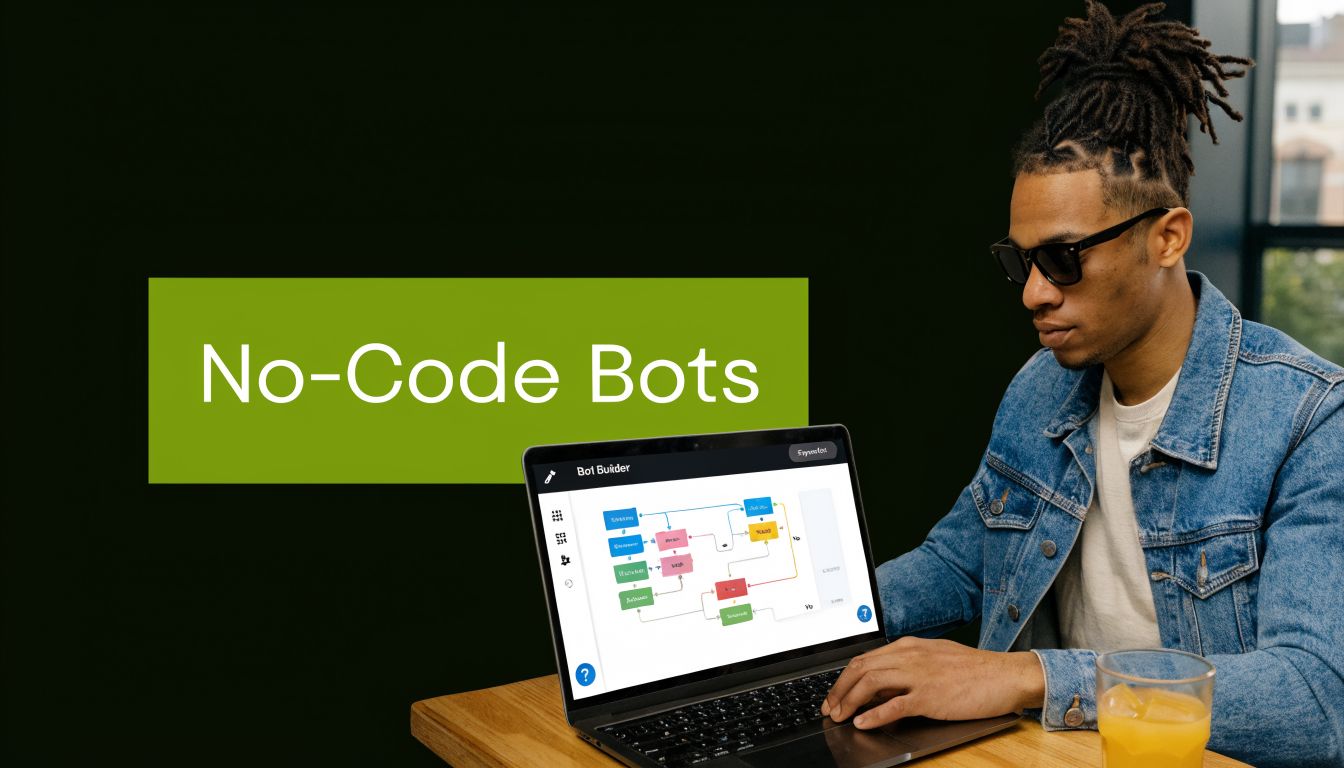
Writing code gives you control, but it also gives you maintenance work. For many teams, the question isn’t “Can we build this?” It’s “Should we keep rebuilding plumbing that a modern automation layer already handles?”
Good, better, best
The trade-offs are easier to see side by side.
| Approach | Best for | Strength | Limitation |
|---|---|---|---|
| Custom code | Precise logic and unusual integrations | Full control | Higher setup and maintenance effort |
| No-code builder | Fast internal tools | Quick delivery | Can get rigid when logic grows |
| Autonomous agent | Cross-tool workflows | Handles actions across systems | Needs clear operational boundaries |
The no-code route has matured a lot. According to no-code Slack bot creation research, a structured prompt specification that clearly defines trigger, data handling, and output requirements reaches a 95% first-try success rate, cuts token and URL verification errors by over 90%, and can be deployed in under 15 minutes. That’s compelling when your real goal is solving an operations problem quickly, not proving that you can wire the app manually.
Where autonomous workflows change the game
A standard Slack bot reacts inside Slack. That’s useful, but limited.
An autonomous agent changes the unit of work. Instead of replying to /followup, it can interpret the request, check the related context, update a CRM entry, draft an email, save a summary, and leave an audit trail across the workflow. The trigger may still start in Slack, but the value comes from action outside Slack.
That matters when your process spans tools such as Gmail, HubSpot, Drive, internal databases, and chat. At that point, the primary engineering challenge isn’t “How do I make Slack respond?” It’s “How do I execute the whole task safely and repeatably?”
If you’re exploring that path, it’s useful to look at how teams generate automation from plain-English instructions and reusable workflow logic in tools built for instant app creation and workflow generation.
What works better than people expect
The strongest no-code and agent-driven workflows still follow the same discipline as good code:
- Clear triggers: a slash command, event, or message pattern starts the flow.
- Structured inputs: description, requester, channel, and timestamp are enough for many internal workflows.
- Persistent records: store the request somewhere durable instead of relying on a chat message as the system of record.
- Scoped actions: give the workflow only the permissions it needs.
What doesn’t work is vague intent. “Handle customer issues” is too broad. “When a user runs /ticket, create a record, post a confirmation, and route it to support” is specific enough to build and trust.
Deployment Security and Final Checks
A bot that works locally still isn’t ready for production. Before launch, tighten the basics.
First, choose a hosting model that fits the bot’s shape. A small always-on service is simple to reason about. A serverless deployment can reduce operational overhead if your event handling is clean and stateless. Either way, use HTTPS endpoints where required, keep secrets in environment variables or a proper secret manager, and verify incoming Slack requests with the signing secret.
Run a final checklist:
- Permissions: remove any scope the bot no longer needs.
- Request verification: reject anything that fails signature checks.
- Storage: confirm that requests, identifiers, and logs persist correctly.
- Help path: add a simple help command or onboarding response so users know how to interact with the bot.
- Error handling: send useful failure messages to users and detailed logs to operators.
- Confirmation messages: show what the bot did, not just that it ran.
Production bots earn trust through consistency. If the bot behaves the same way every time, keeps its permissions narrow, and leaves a clear record of what happened, people will use it.
If you want the outcome of a Slack bot without owning every integration and workflow edge case yourself, Zenfox.ai is worth a look. It connects Slack with tools like Gmail, HubSpot, and Drive, then turns plain-English instructions into working automations and autonomous actions, with activity logs and enterprise-friendly security built in.