Enterprise Workflow Software: 2026 Implementation Guide
A complete guide to enterprise workflow software in 2026. Learn to define, evaluate, and implement tools for process orchestration, not just task automation.
Most advice on enterprise workflow software is wrong because it starts with the tool, not the handoff problem.
Founders are encouraged to automate email, approvals, reporting, and CRM updates. Those steps are useful, but isolated task automation fails to eliminate the actual drag on the business. This drag exists between tools, between people, and between steps. A lead comes in through HubSpot, someone discusses it in Slack, the proposal lives in Drive, the follow-up happens in Gmail, and nobody owns the thread end to end. That is where work slows down.
If your team is still acting as the glue between apps, you don't have an automation strategy. You have a collection of scripts and subscriptions. Enterprise workflow software only earns its keep when it orchestrates a full process across systems, with clear routing, visibility, security, and accountability.
Table of Contents
- What Is Enterprise Workflow Software Really
- Distinguishing Workflow Software from BPM and RPA
- Why Most Workflow Tools Fail at True Orchestration
- Key Capabilities to Demand from Your Workflow Platform
- How to Implement and Measure Workflow Automation ROI
- The Next Generation Autonomous Workflows with Zenfox ai
- Getting Started on Your Automation Journey
What Is Enterprise Workflow Software Really
Enterprise workflow software is the operating layer that coordinates work across your business. Not just tasks. Not just reminders. Not just approvals. It decides what should happen next, who or what should do it, where the data should move, and how the action should be recorded.
It operates as a digital nervous system. A task manager is a muscle twitch. Useful, but isolated. Enterprise workflow software is the brain and nerves coordinating the whole movement so the business gets something done.

It is not a task list
If a tool only gives you checklists, notifications, and a few app triggers, that isn't enterprise workflow software in the serious sense. That's work tracking.
Real workflow software handles things like these:
- Cross-system routing. A form submission updates the CRM, triggers an internal Slack alert, creates a document record, and assigns a review.
- Conditional logic. A high-value client gets escalated. A missing document pauses the process. An urgent issue skips the normal queue.
- Operational visibility. You can see where work is stuck, who touched it, and what happened.
- Governance. Access, logs, retention, and auditability are built into the process.
If you want a more basic primer, this guide on what a workflow management system is is useful. But once you're running sales, onboarding, finance, support, or compliance across several apps, you need to think beyond “workflow management” as a glorified to-do board.
Practical rule: If your team still copies information from one tool into another, chases status in chat, or rebuilds context on every handoff, your workflow layer is incomplete.
Why the category matters now
This isn't a niche software category anymore. The global workflow management system market was valued at USD 9.2 billion in 2022 and is projected to grow at a CAGR of over 25% between 2023 and 2032, with UK organisations among early adopters reporting productivity improvements of 25 to 30% in the first year, according to workflow market analysis from GM Insights.
That growth matters because it reflects a hard business reality. Companies don't buy enterprise workflow software because it's fashionable. They buy it because headcount doesn't scale cleanly when work is trapped in inboxes, spreadsheets, and disconnected SaaS tools.
Founders should treat enterprise workflow software the same way they treat finance systems or CRM. It's infrastructure. Once your company depends on multiple tools and multiple roles to complete one customer-facing process, coordination itself becomes a product requirement.
Distinguishing Workflow Software from BPM and RPA
A lot of teams waste money here because vendors blur the categories. They throw around workflow, BPM, and RPA as if they mean the same thing. They don't.
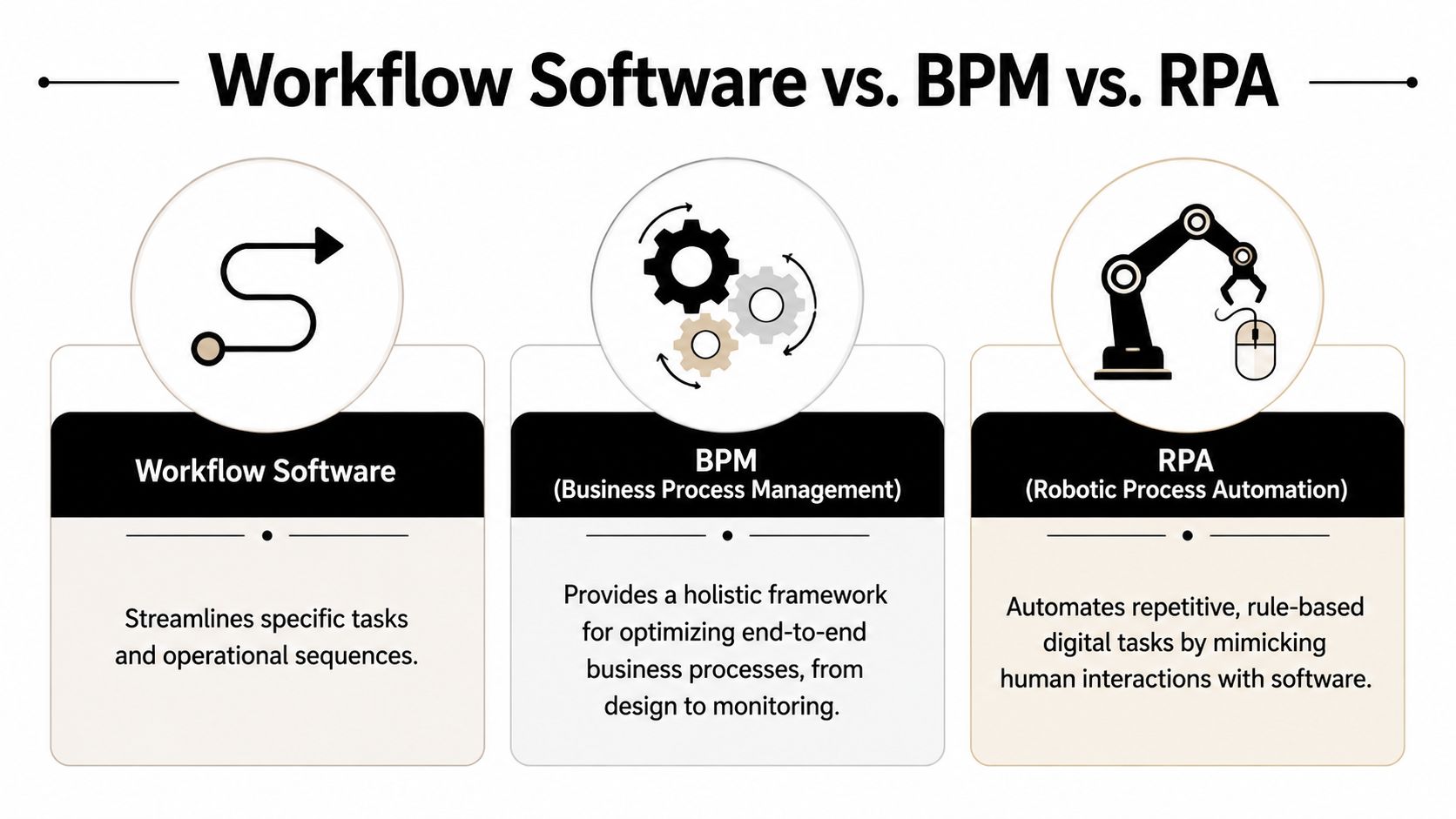
Three categories with different jobs
Here's the simplest way to think about it.
| Category | What it does | Best use | Common mistake |
|---|---|---|---|
| Workflow software | Coordinates tasks, people, approvals, and app actions across a live business process | Sales follow-up, onboarding, internal approvals, client delivery | Buying a lightweight tool that only automates one app |
| BPM | Designs, documents, and governs business processes at a higher organisational level | Standardising enterprise-wide processes and controls | Buying a heavyweight suite before the team has basic process discipline |
| RPA | Mimics human clicks and data entry in existing software | Legacy systems with poor APIs or repetitive screen-based work | Using bots to patch a broken process instead of redesigning it |
Workflow software is the on-the-ground operator. BPM is the architect. RPA is the set of digital hands.
That distinction matters because each tool solves a different problem. If your issue is that nobody can describe how work should move across departments, BPM may help. If your issue is that an old finance system forces staff to re-key data into multiple screens, RPA may be the practical fix. If your issue is that work keeps stalling between Gmail, Slack, HubSpot, and Drive, you need enterprise workflow software.
What non technical founders usually get wrong
Founders often buy based on the demo that looks smartest. That's usually a mistake.
They choose BPM when they need execution. Then they end up with process diagrams, workshops, and governance language, but the team is still copying data between tools.
Or they choose RPA because it creates visible automation quickly. Then a UI change in an old system breaks the bot and the team is back to manual work. RPA has a place, especially around stubborn legacy systems, but it's often a workaround for poor integration architecture.
Buy for the dominant constraint. If your biggest pain is handoffs across systems, workflow orchestration should be the centre of the stack.
A mature setup can include all three. BPM defines the process. Workflow software runs it. RPA fills the gaps where APIs don't exist. But if you're a founder trying to remove operational friction fast, start with the layer that moves work day to day.
Why Most Workflow Tools Fail at True Orchestration
Most workflow tools don't fail because they lack features. They fail because they solve the easy part.
Automating a task inside one app is easy. Sending an email after a form fill. Creating a Slack message after a CRM update. Generating a reminder when a deadline changes. Vendors love showing these examples because they demo well.
The handoff is the problem
Your business doesn't break inside a single step. It breaks at the transitions.
A sales lead enters HubSpot. Someone qualifies it in email. A proposal is assembled from documents in Drive. Internal discussion happens in Slack. A founder wants a summary before approving the discount. Finance needs the final details recorded correctly. One missed handoff creates delay, duplicated effort, or bad data.
This is the orchestration gap. According to reporting on enterprise workflow orchestration, 80% of organisations use AI for individual tasks, but only 32% achieve fully orchestrated workflows. The same reporting notes that 35% of enterprises have replaced SaaS workflow tools with custom solutions.
That should tell you something important. The market has done a decent job at point automation. It has not done a consistently good job at connecting the whole process.
- One app knows the customer
- Another app stores the files
- Another app holds the conversation
- Another app owns the report
- A human stitches the context together
That's not automation. That's digital admin with extra steps.
Why custom builds keep showing up
When off-the-shelf tools don't connect the lifecycle, teams build internal glue. Sometimes it's scripts. Sometimes it's a consultant-built layer. Sometimes it's a mess of Zapier, Make, spreadsheets, and manual checks.
Custom builds keep appearing because founders eventually realise the bottleneck isn't “send this notification” or “update that field”. The bottleneck is that nobody has built an operational flow that survives exceptions, approvals, delays, and changing context across tools.
Old workflow tools automate events. Good workflow systems coordinate processes. Modern autonomous systems should understand context as well.
This is also where older systems become risky. Many legacy platforms rely on brittle integrations, shallow connectors, or static rules. They don't adapt well when your stack changes. They don't expose enough context for intelligent routing. And they often leave auditability scattered across multiple systems, which is a problem the moment you deal with sensitive client data, regulated workflows, or customer commitments that need a clear chain of accountability.
If you're evaluating enterprise workflow software, don't ask whether it can automate a task. Ask whether it can carry context through the entire process without your team acting as the glue.
Key Capabilities to Demand from Your Workflow Platform
Most vendor checklists are padded with template counts, drag-and-drop claims, and AI branding. Ignore that. You need a platform that can run real operations, not one that looks polished in a demo.

Integration depth matters more than template count
The most important technical question is simple. Does the platform connect systems sufficiently to maintain one operational view?
Platforms that connect CRMs, ERPs, and other systems through API-level integrations improve data accuracy by creating unified operational views and reducing duplicate data entry in real time, which supports higher process completion rates, according to this analysis of enterprise workflow integration architecture. If you're evaluating a system's integration model, look closely at its API connections architecture.
A superficial integration is just a trigger and an action. A serious integration can read context, write back cleanly, handle state changes, and preserve audit history.
The non negotiables
Use this shortlist when you're evaluating enterprise workflow software.
- Natural language or no-code control. Non-technical operators should be able to describe a process, adjust rules, and launch changes without waiting on an engineer for every edit.
- Context-aware decision making. “If this, then that” still matters, but it isn't enough. The platform should evaluate business context, not just field matches.
- Deep app connectivity. Gmail, Slack, HubSpot, Google Drive, finance tools, HR systems, and internal databases should act like one stack, not disconnected islands.
- Role-based control and logging. You need clear permissions, traceability, and review paths. That's basic operational hygiene.
- Analytics tied to flow health. You should be able to spot delays, repeated exceptions, stalled approvals, and failure points quickly.
A useful way to pressure-test a platform is to ask for one multi-step scenario from your business. Not a template from the vendor. Your actual process. For example, inbound lead to qualified opportunity to internal briefing to follow-up to CRM update. Watch how much manual configuration, scripting, or technical support is required.
This walkthrough gives a decent visual sense of what to look for in modern automation tooling:
What to reject during vendor demos
You should be sceptical when a platform depends on any of these patterns:
- Static rules everywhere. These systems break when exceptions pile up.
- Connector theatre. A large logo wall means nothing if each connection only supports shallow actions.
- Manual exception handling by default. If every non-standard case gets dumped back to a human, the software isn't orchestrating much.
- Security as an afterthought. If governance, access control, and auditability are buried in enterprise add-ons, walk away.
The right platform doesn't just move data. It preserves context, enforces control, and keeps work moving without constant supervision.
How to Implement and Measure Workflow Automation ROI
Implementation is where good intentions die. Teams buy workflow software, try to automate everything at once, create confusion, and then decide the software “wasn't adopted”. That's not a tooling problem. That's bad rollout discipline.
Start with one expensive bottleneck
Pick a process that already hurts. Not one that sounds strategic. One that costs time every week and crosses multiple tools.
Good starting points include:
- Client onboarding when the team keeps chasing documents, introductions, and status updates
- Sales follow-up when leads get delayed between email, CRM, and internal discussion
- Finance approvals when invoice or expense workflows bounce around inboxes
- Hiring coordination when role briefs, candidate feedback, and approvals sit in separate tools
Then map the current flow in plain English. Trigger. Decision points. Required data. Output. Exceptions. Owners. You don't need a six-week process programme. You need clarity on where the handoffs fail.
Measure business outcomes not software activity
Most dashboards are vanity theatre. Number of automations created is irrelevant. Number of tasks executed is barely useful. Measure what the business cares about.
According to workflow automation ROI benchmarks from Kissflow, about 60% of organisations achieve positive ROI within 12 months, many UK adopters see 20 to 30% reductions in operational costs, and in finance and HR, automation can cut process times by 30 to 70% while reducing error rates by up to 80%.
Use those benchmarks to shape your own scorecard:
| Measure | Why it matters | What to compare |
|---|---|---|
| Hours saved | Shows whether admin work is actually falling | Before and after rollout |
| Cycle time | Reveals whether the process finishes faster | Start to completion |
| Error volume | Exposes duplicate entry, missing fields, and correction work | Manual baseline versus automated flow |
| Response speed | Matters in sales, support, and onboarding | Delay between trigger and first action |
Keep the first rollout narrow. Once one workflow is stable, visible, and measured, expand sideways into adjacent processes. That's how automation compounds. Not by launching dozens of brittle flows on day one, but by building one reliable operational pathway at a time.
The Next Generation Autonomous Workflows with Zenfox ai
Older workflow systems are mostly rules engines with better branding. They wait for a trigger, execute a fixed sequence, and stop being useful the moment context changes. That model is running out of road.
From rules to autonomous execution
Modern agentic AI platforms shift workflow automation from linear task execution to intelligent decision-making. They can evaluate context, route work dynamically, and maintain the controls that regulated organisations need, including role-based access, full audit trails, and AES-256 encryption to support SOC 2 and GDPR-aligned environments, as described in this overview of enterprise workflow automation and agentic AI.
That architectural shift matters because autonomy without control is reckless. But excessive approval gates defeat the point of automation. Good systems let teams set boundaries around what can run automatically, what needs review, and what must be logged.
The practical difference is straightforward:
- Old workflow logic says “when X happens, do Y”
- Autonomous workflow logic says “given the goal, the context, and the policies, determine the next best action”
That could mean updating a CRM after reading an email thread, generating a client summary from Drive files and Slack discussion, or escalating an issue based on urgency and ownership rather than a crude keyword rule.
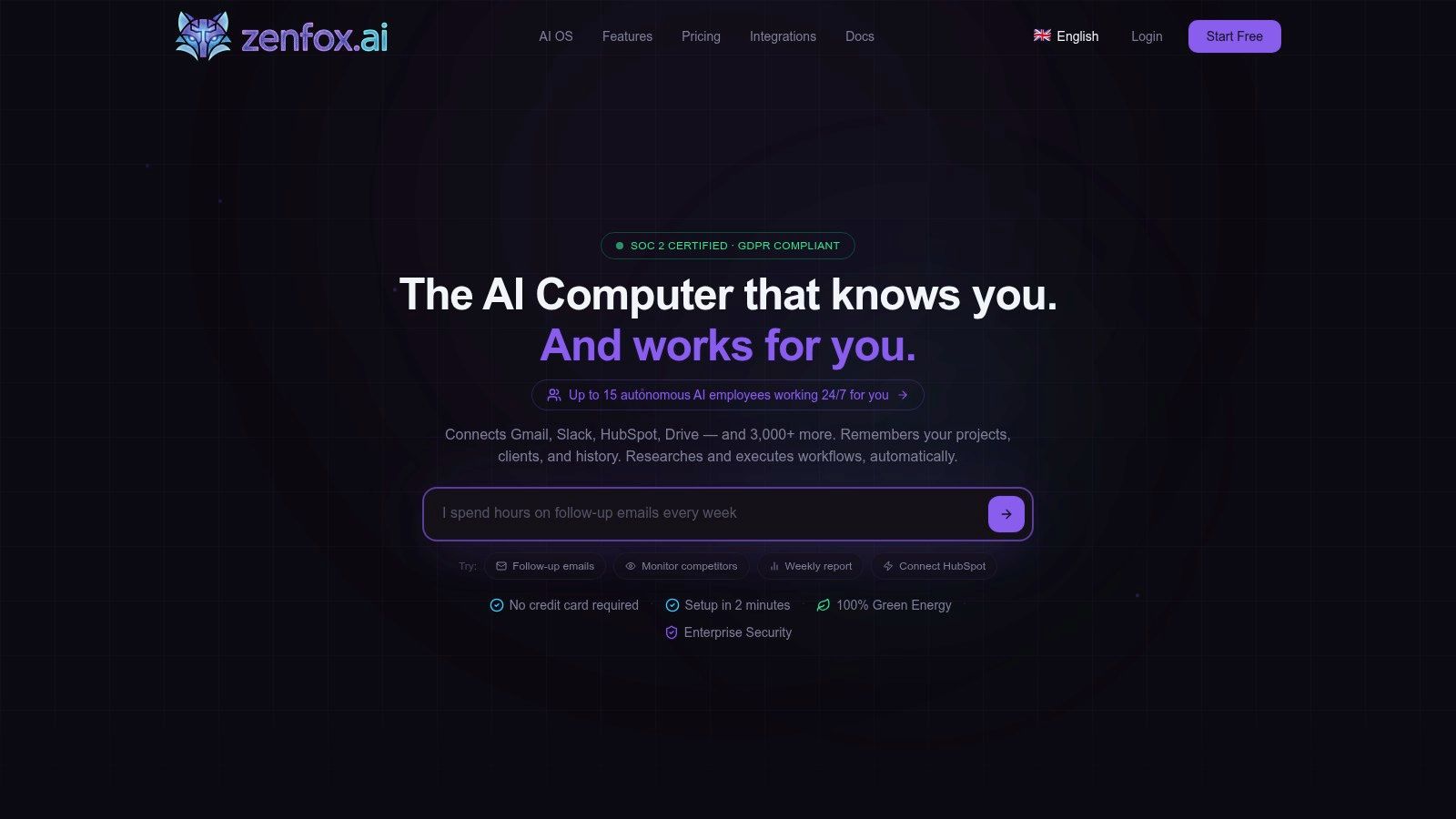
For teams exploring this model, Zenfox.ai's autonomy engine is one example of a platform built around that approach. It connects tools such as Gmail, Slack, HubSpot, and Drive, lets users describe goals in plain English, and executes multi-step actions with an activity log.
Where this fits for small teams
Non-technical founders often assume autonomous workflow systems are only for giant companies with internal IT teams. That used to be true. It isn't anymore.
Small teams benefit more, not less, because they suffer most from context switching. When one founder or operator is acting as sales coordinator, account manager, project lead, and approval bottleneck, every broken handoff is expensive.
The right autonomous system should remove coordination work first. Not creative work, not judgment-heavy strategy work, but the repetitive operational glue that pulls founders back into admin.
The key is governance. Don't hand full autonomy to a black box. Start with bounded workflows, visible logs, and clear permissions. Let the system earn trust through repeatable execution. That's how you move from simple automation to dependable operational autonomy.
Getting Started on Your Automation Journey
Stop chasing isolated automations. That's the main shift.
If you only automate individual tasks, you'll still be the person reconnecting the process when something changes. The inbox still fills up. The CRM still drifts out of date. The team still asks who owns the next step. You haven't removed the bottleneck. You've just hidden parts of it.
A better path is simpler than most founders think:
- Choose one cross-tool workflow that breaks often
- Map the handoffs, not just the tasks
- Select a platform that can carry context across systems
- Require security, logs, and access control from the start
- Expand only after the first workflow is stable and measurable
The big win isn't automation for its own sake. It's operational continuity. Work should keep moving even when one person is offline, one app changes state, or one step needs exception handling. That's what enterprise workflow software is supposed to deliver.
For solo professionals, small teams, and growing startups, this is no longer enterprise theatre. It's practical infrastructure. You can now build workflows that link Gmail, Slack, HubSpot, Drive, and the rest of your stack without hiring a specialist team to wire it together.
If you're still acting as the human middleware between systems, that's the signal to change.
If you want to stop being the manual bridge between Gmail, Slack, HubSpot, and your documents, take a look at Zenfox.ai. It's built for teams that want to describe goals in plain English, connect the tools they already use, and let an AI assistant execute multi-step workflows with visible logs and enterprise-grade controls.